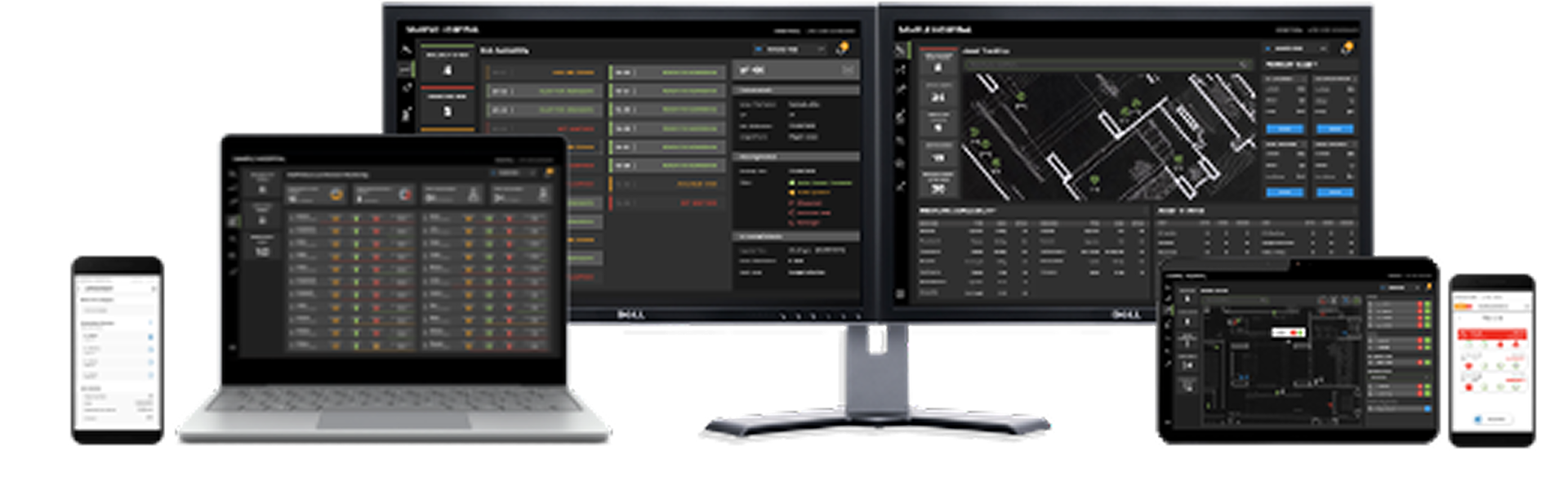
Nurse Call System Analytics, Nurse Call Administration, Mobile apps and Real Time Healthcare System
Overview
In healthcare and life sciences, Honeywell offers a comprehensive suite of solutions designed to enhance patient safety, improve clinical outcomes, and boost caregiver productivity. The UL 1069-certified Systevo Nurse Call system forms the backbone of patient-caregiver communication, integrating seamlessly with mobile applications like Systevo Connected Life Care to reduce response times and alarm fatigue. This is augmented by the Real Time Healthcare System (RTHS) which uses wireless body patches for real-time, continuous vital signs monitoring both in-hospital and remotely. Further solutions include the Integrated LifeCare (ILC) Medication App for safe and compliant medication administration, Operational Intelligence software for optimizing clinical mobility devices, and strategic partnerships, such as with CenTrak for Real-Time Location Systems (RTLS), to create a fully connected and efficient hospital ecosystem.
The modern hospital environment is characterized by intense pressure and disjointed digital tools, leading to workflow friction for nursing staff. Historically, critical activities like patient requests (nurse calls), medication administration, and vital sign documentation relied on separate, often cumbersome systems. Nurses were performing 15–25 scans per shift while simultaneously balancing multiple devices and urgent tasks. The fragmented user experience in the existing applications resulted in confusion, potential delays in patient response, and inconsistency in logging critical data.
The modern hospital environment is characterized by intense pressure and disjointed digital tools, leading to workflow friction for nursing staff. Historically, critical activities like patient requests (nurse calls), medication administration, and vital sign documentation relied on separate, often cumbersome systems. Nurses were performing 15–25 scans per shift while simultaneously balancing multiple devices and urgent tasks. The fragmented user experience in the existing applications resulted in confusion, potential delays in patient response, and inconsistency in logging critical data.
The Problem
Cognitive Overload in Critical Care
Healthcare professionals were overwhelmed by unorganized raw data regarding nurse calls and alerts. Without a centralized way to visualize ward activity, they struggled to quickly interpret complex metrics—such as active calls and ward workload—leading to increased cognitive strain and slower decision-making during critical moments.
Healthcare professionals were overwhelmed by unorganized raw data regarding nurse calls and alerts. Without a centralized way to visualize ward activity, they struggled to quickly interpret complex metrics—such as active calls and ward workload—leading to increased cognitive strain and slower decision-making during critical moments.
How might we transform complex, real-time hospital data into a digestible, visual dashboard that allows staff to prioritize tasks instantly without mental fatigue?
Traditional nurse call systems and older visualizations often contributed to alarm fatigue due to poor information hierarchy. For instance, looking at the previous dashboard designs, the interpretation of alert significance could be unclear due to ambiguous icon and color combinations. In the legacy system, color confusion could arise because red and yellow might be used inconsistently for medication type versus alarms and alerts. The core challenge was transforming the raw data from the conventional Systevo Call system into immediate, intelligent, and actionable alerts for mobile caregivers.
Traditional nurse call systems and older visualizations often contributed to alarm fatigue due to poor information hierarchy. For instance, looking at the previous dashboard designs, the interpretation of alert significance could be unclear due to ambiguous icon and color combinations. In the legacy system, color confusion could arise because red and yellow might be used inconsistently for medication type versus alarms and alerts. The core challenge was transforming the raw data from the conventional Systevo Call system into immediate, intelligent, and actionable alerts for mobile caregivers.
The Goal
The primary goal of the Integrated Lifecare (ILC) Platform initiative was to unify these fragmented clinical workflows and communication channels into a single, intuitive mobile-first platform. This unification aimed to increase caregiver efficiency, reduce cognitive load, decrease administrative task time, and ultimately improve patient safety by intelligently forwarding alarms with the correct priority and accelerating reaction times.
Discovery
Listening to the Frontline, Competitive Analysis and Conferences - HIMSS
Listening to the Frontline, Competitive Analysis and Conferences - HIMSS
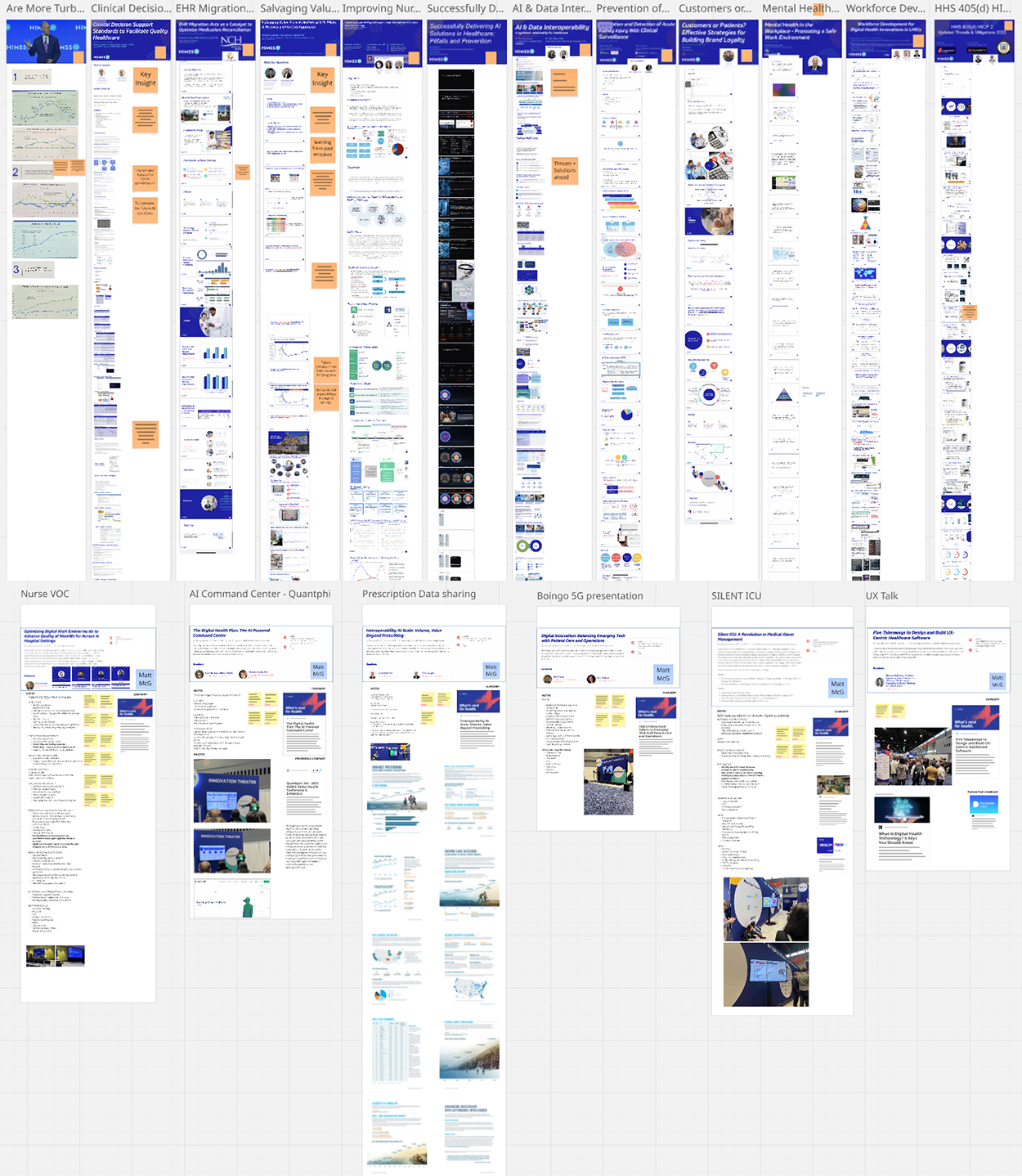
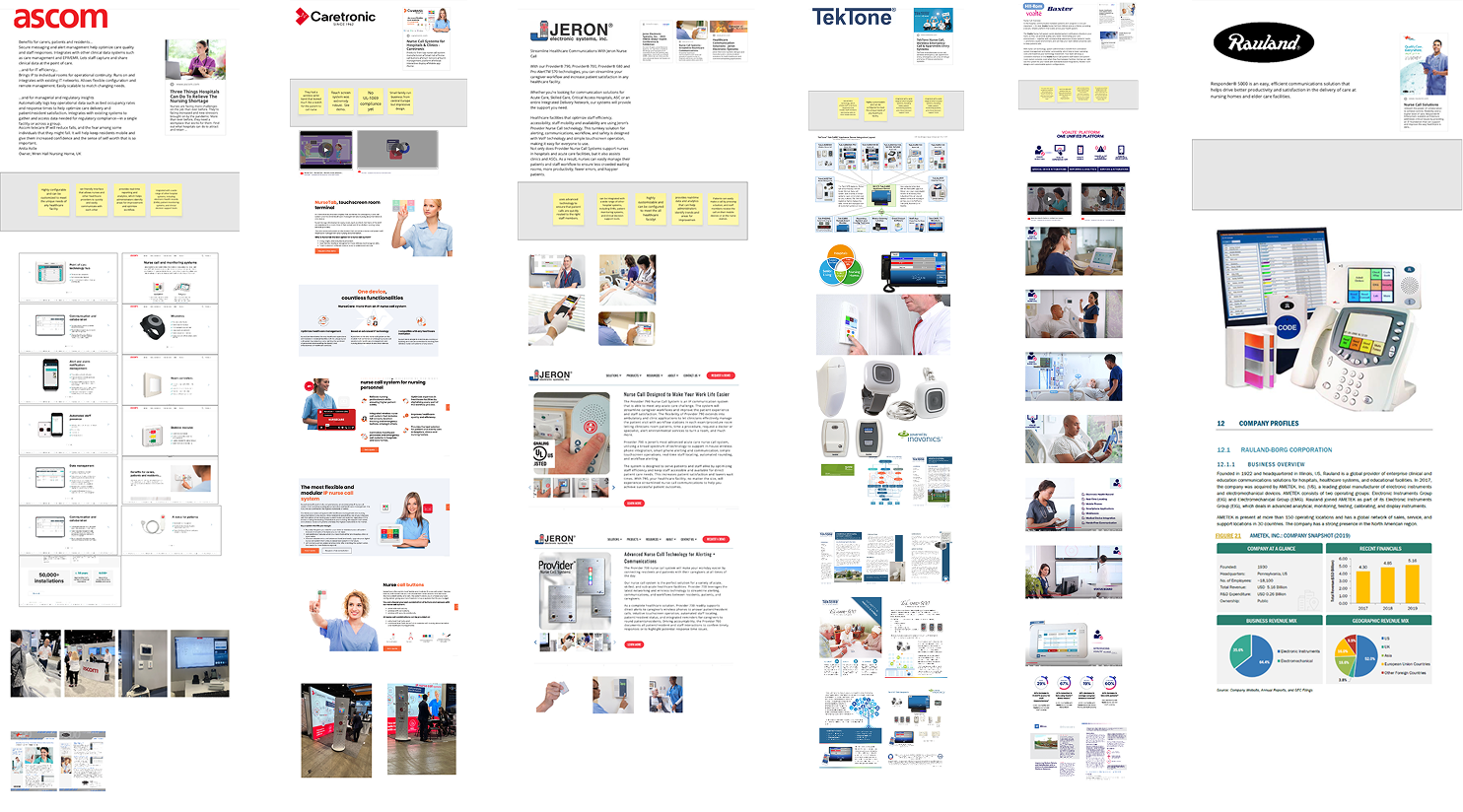
To truly understand the cognitive load nurses face, we couldn't just guess. I researched nursing and spoke with nursing staff to understand their mental models and environmental constraints. I attended HIMSS in Chicago and talked to nurses, vendors and medical professionals. I conducted competitive analysis on nurse call systems.
Key Insight
Nurses don't have time to "read" a dashboard; they need to "scan" it. In critical moments, every second spent interpreting a chart is a second away from a patient.
The Takeaway: The interface needed to rely on pre-attentive attributes (like color and size) to communicate urgency instantly.
Validation Iterations with UserTesting.com
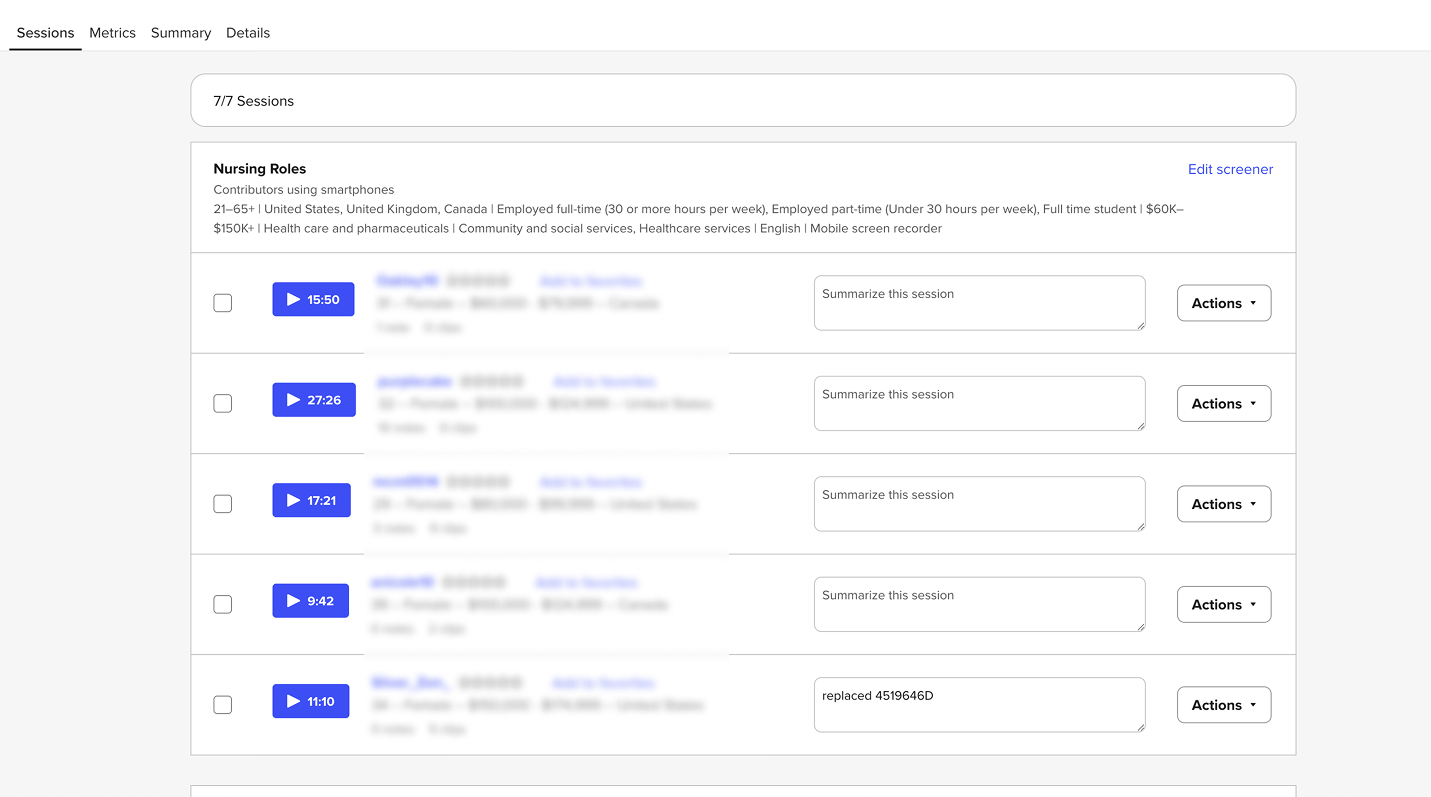
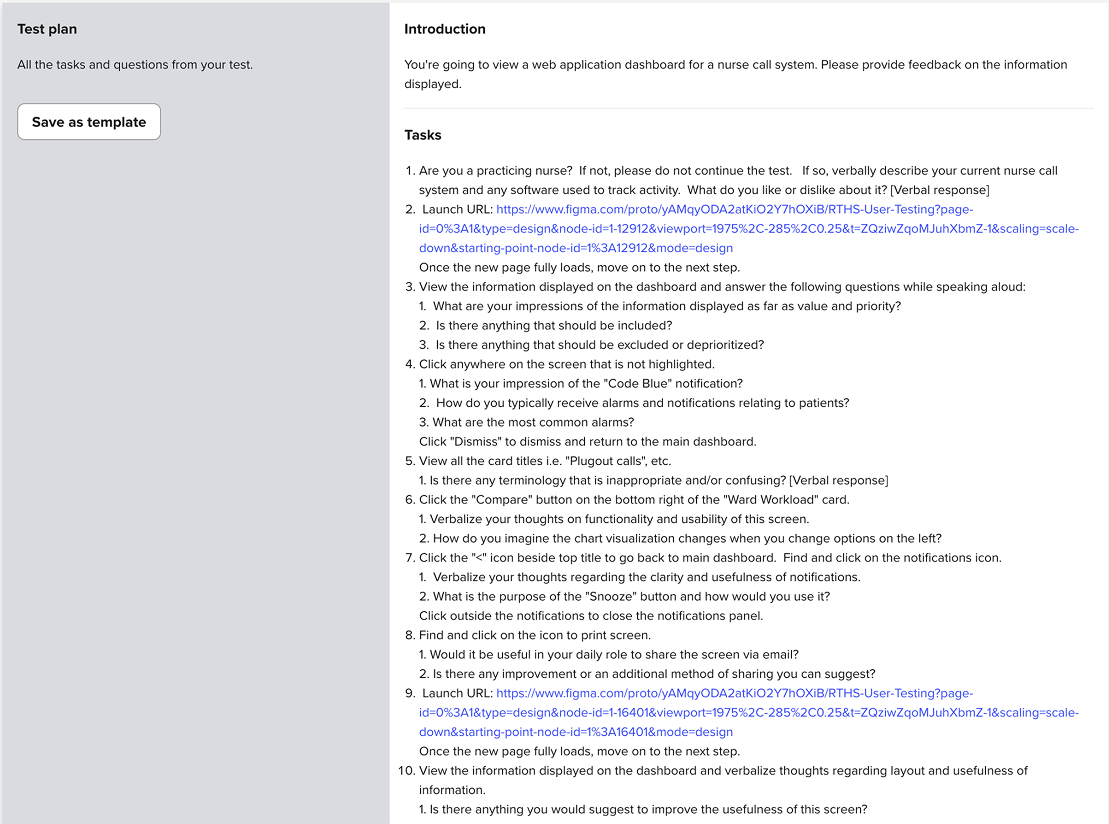
We didn't wait for the final code to test our assumptions. I used UserTesting.com to run unmoderated usability tests on our mid-fidelity wireframes.
What We Tested: Navigation structures and the clarity of the "At-a-Glance" metric cards.
The Feedback Loop: Early feedback from UserTesting.com revealed that users struggled to differentiate between "Active Calls" and "Waiting Calls" when they were grouped together.
The Pivot: Based on this data, we separated these metrics into distinct visual cards and added trend indicators (e.g., "23% Decrease") to provide immediate context without requiring mental math.
Concepts, Prototypes and Dev Handoff
Nurse Call Analytics (Collaboration with an agency to deliver)
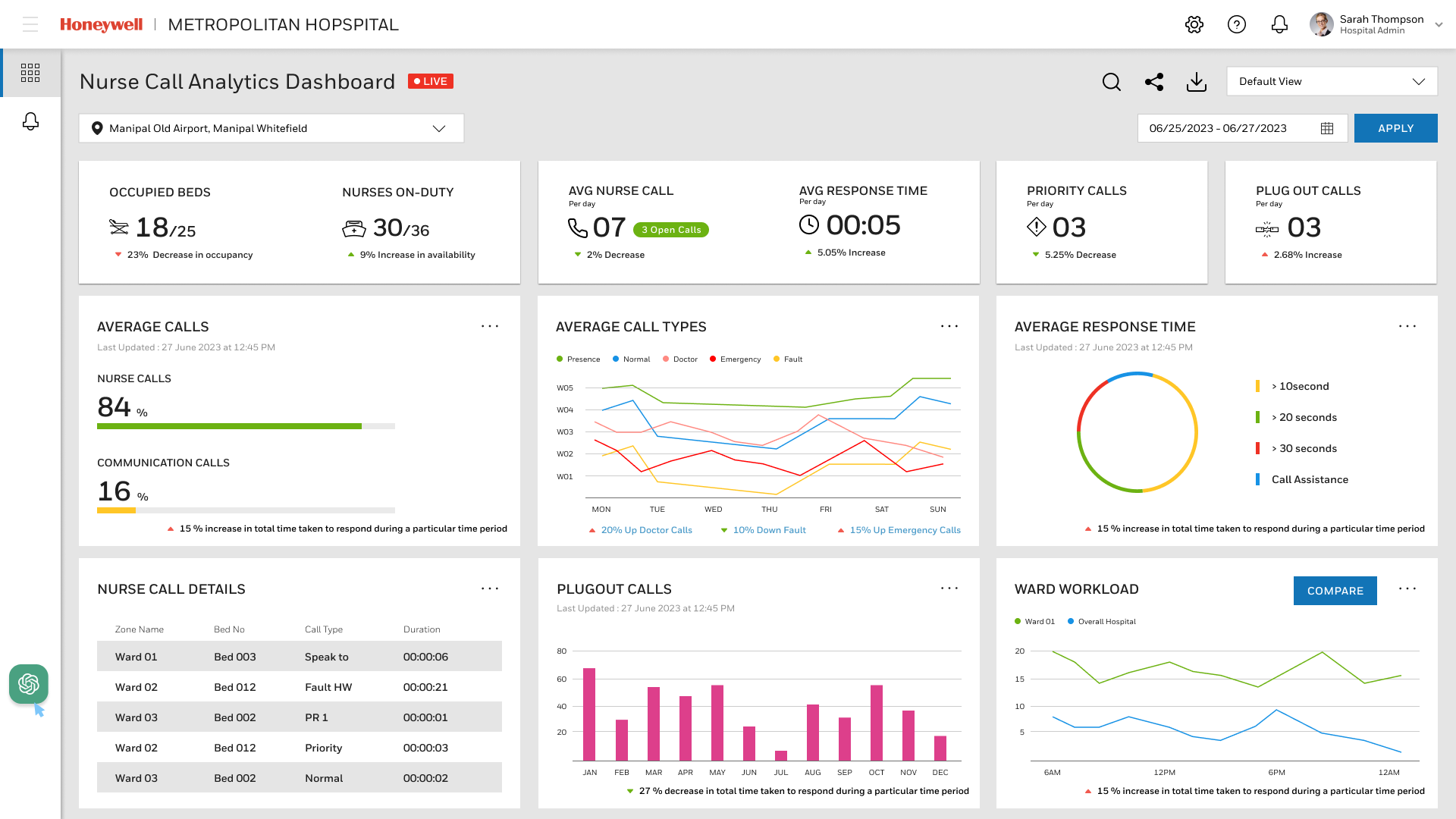
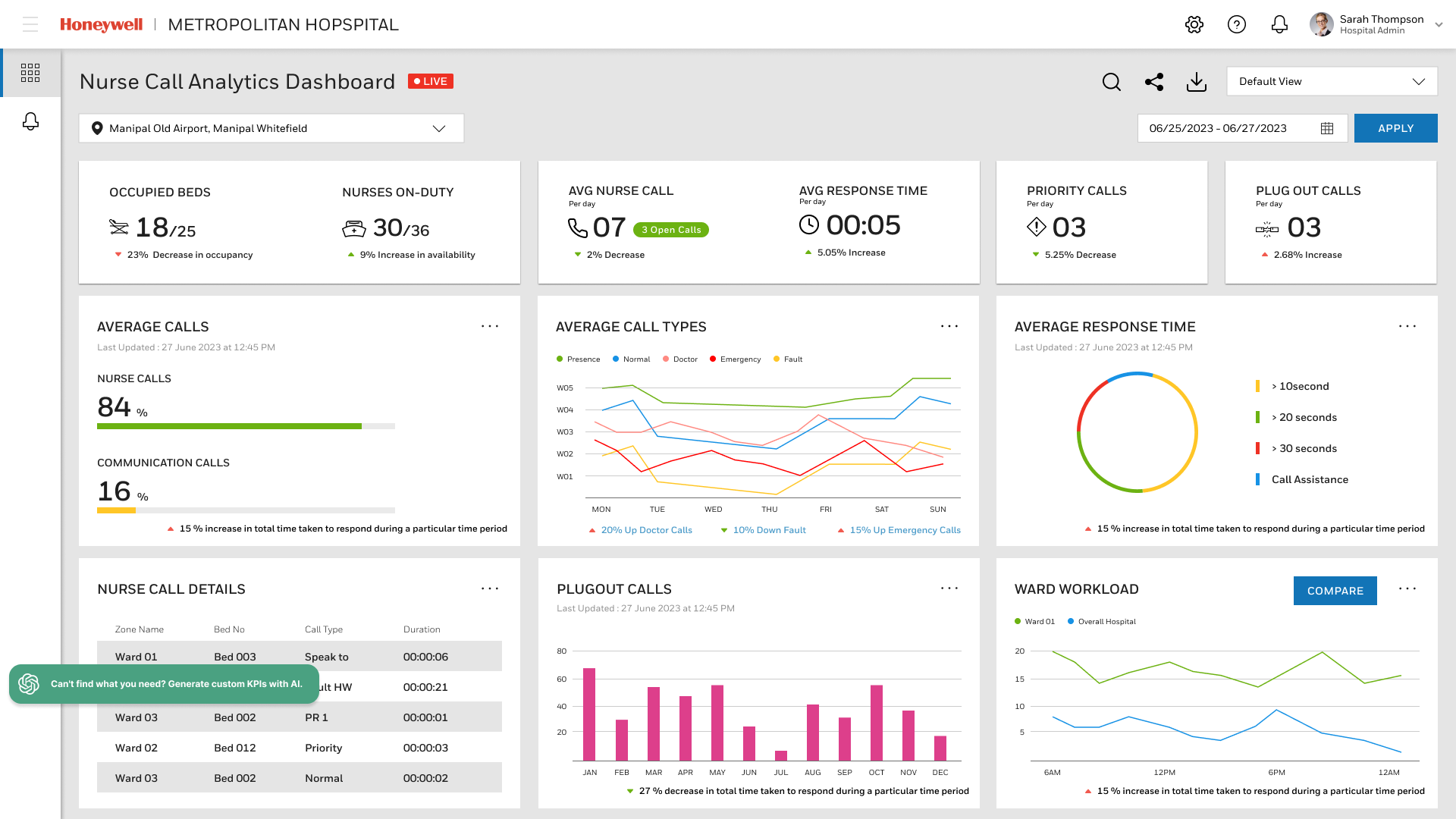
Nurse Call Dashboard that featured customization capabilities as well as metrics about active calls, average response times and occupied beds.
Nurse Call Dashboard that featured customization capabilities as well as metrics about active calls, average response times and occupied beds.
The web dashboard is the central hub for analyzing and managing call activity. It utilizes data visualization to help staff prioritize tasks:
◦ Prioritization: The dashboard tracks Priority Calls (e.g., 3 Open Calls displayed in one view) and calculates the Average Response Time (e.g., 00:05 seconds in one snapshot), showing response data broken down into categories like Immediate, >5 seconds, >10 seconds, and Call Assistance.
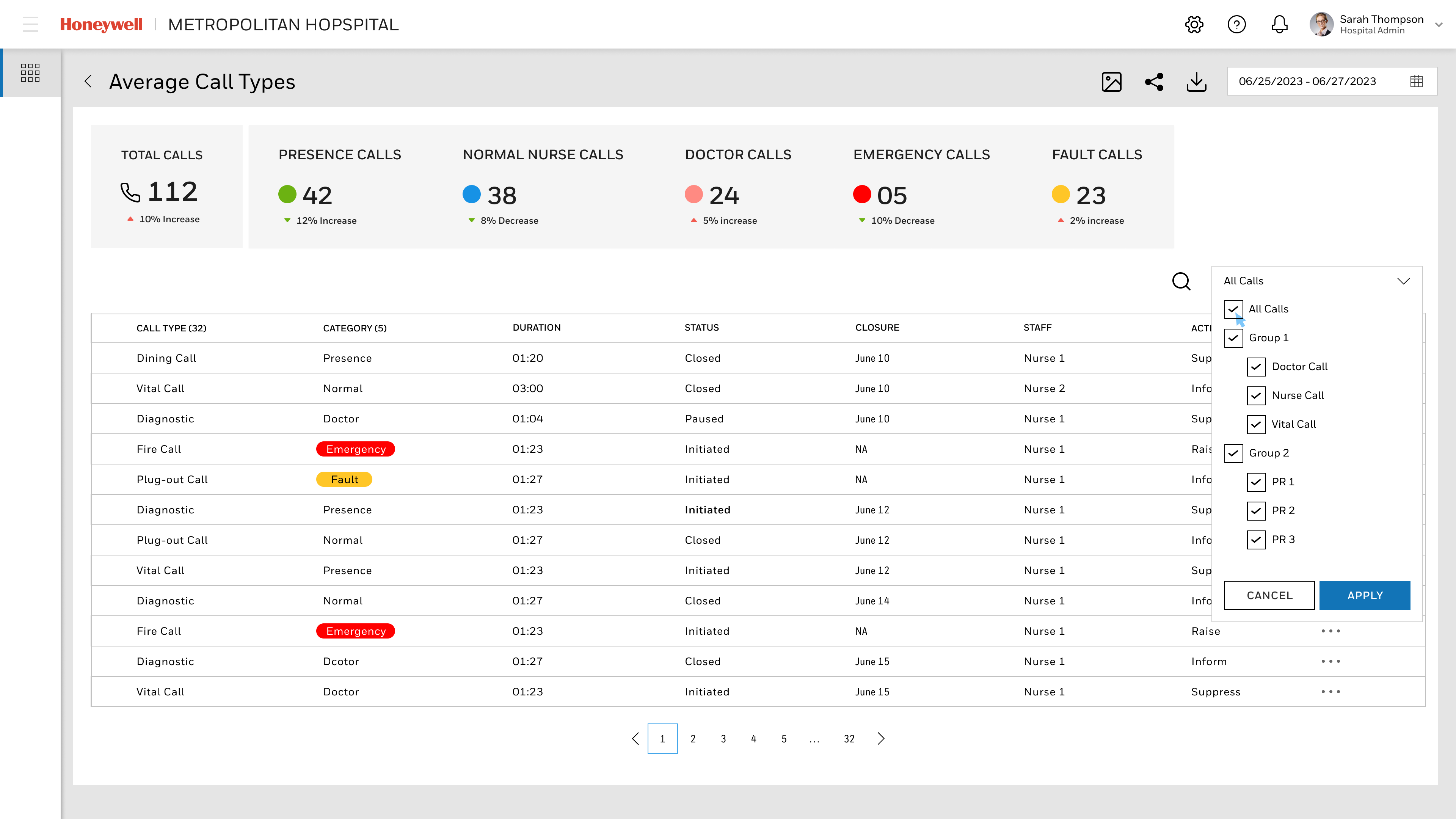
◦ Call Type Breakdown: The system displays the percentage of calls categorized as Nurse Calls (84%) versus Communication Calls (16%). It tracks trends for specific events like Emergency Calls (with a reported 15% increase in one visual trend) and Doctor Calls (20% up in one view), displayed across weekdays to help managers allocate resources (W01 to W05).
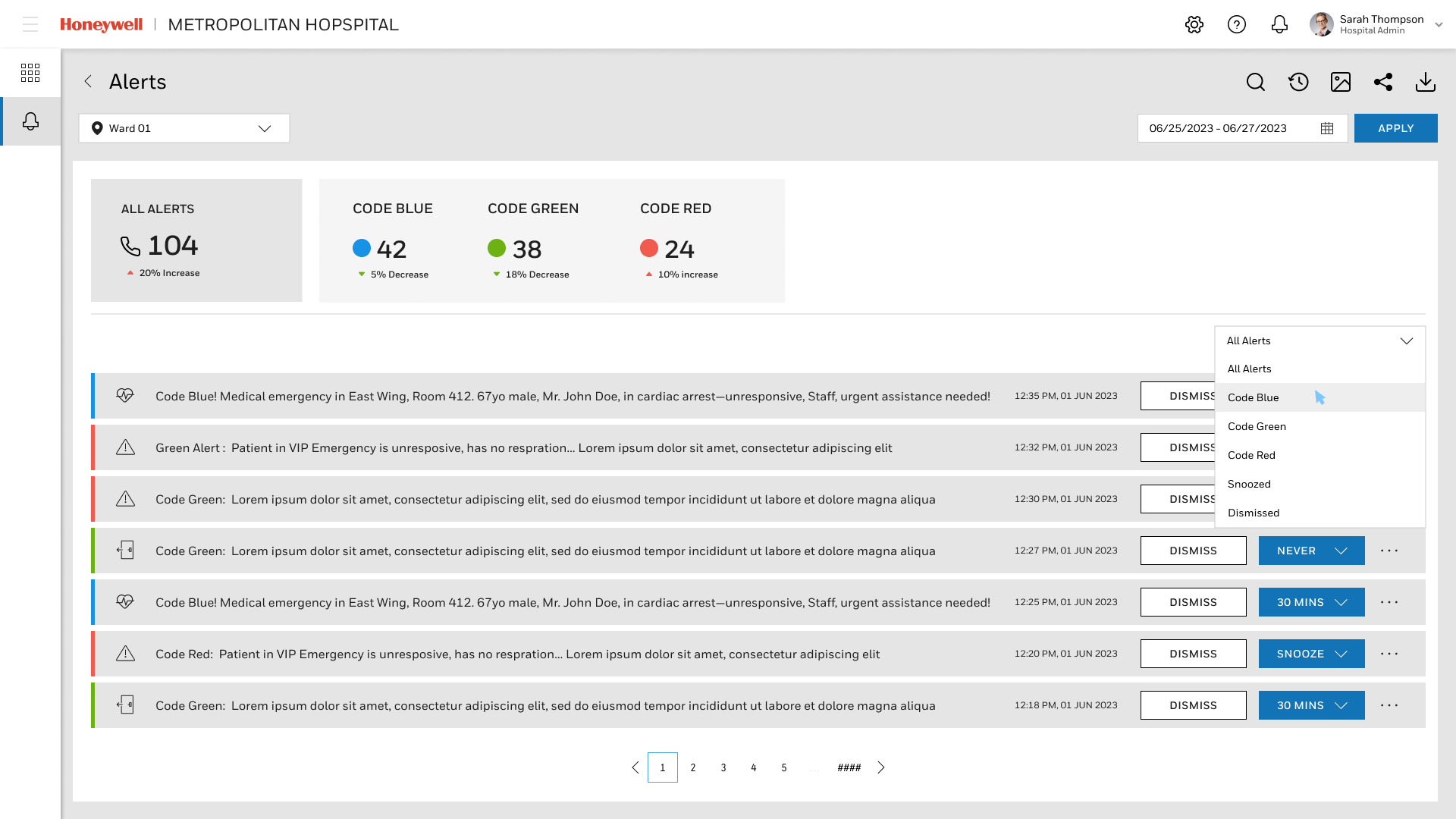
◦ Color-Coded Urgency: Alerts within the system are clearly categorized and quantified (e.g., Code Blue (42 total, 5% decrease), Code Green (38 total, 18% decrease), Code Red (24 total, 10% increase)
ILC Medication Admin App
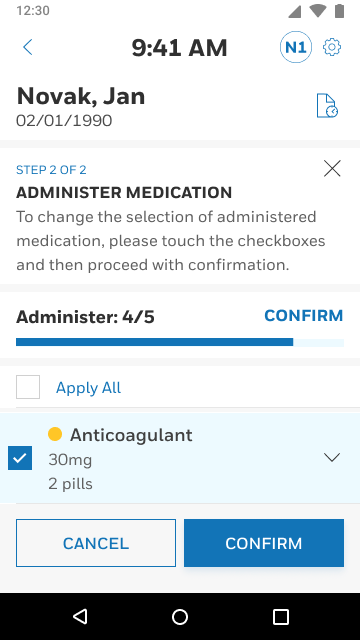
Workflow Improvements: The ILC Medication Admin App focused on simplifying the critical task of medication administration, which suffered from a disjointed workflow in the older app. Based on field research insights that favored a predictable flow, the redesigned solution followed a clear linear progression:
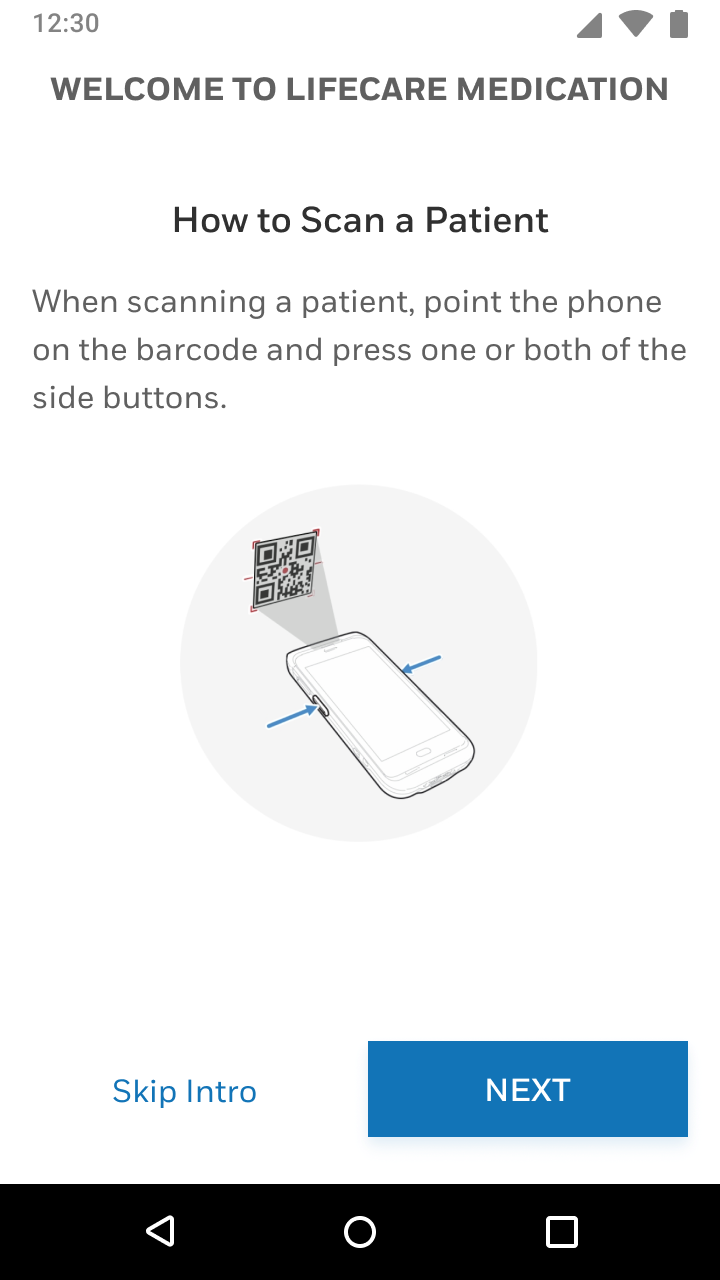
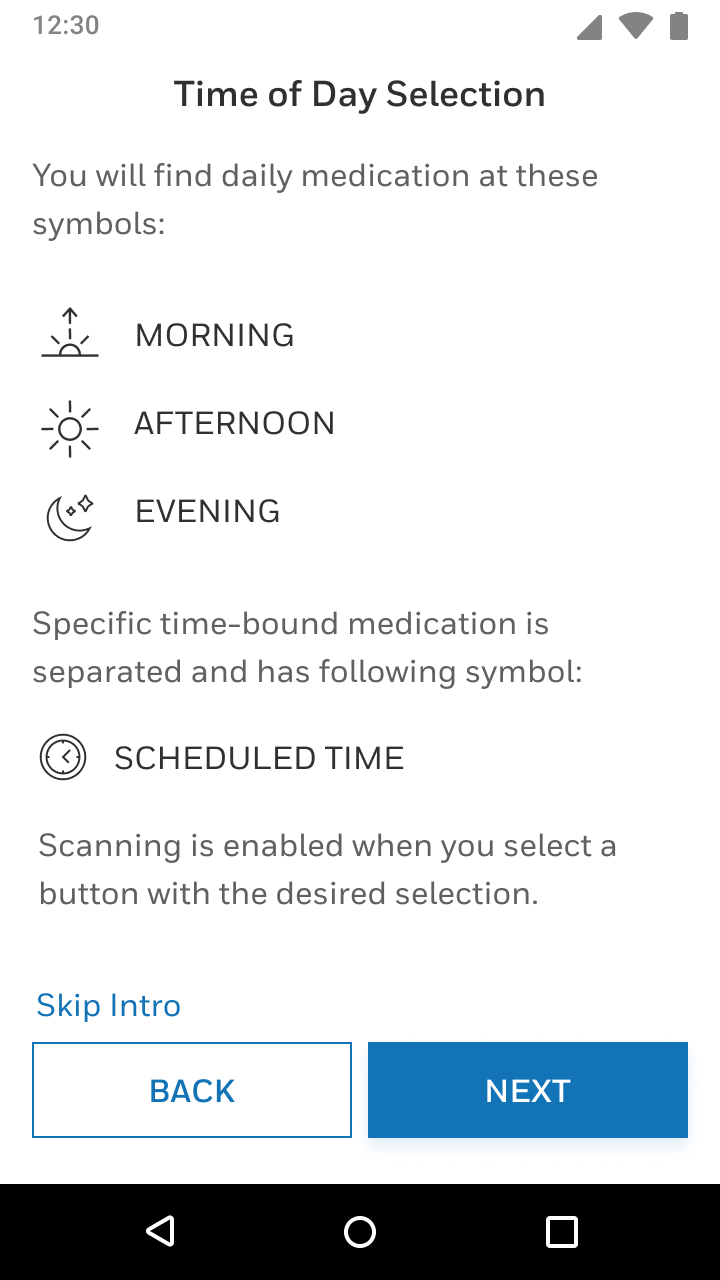
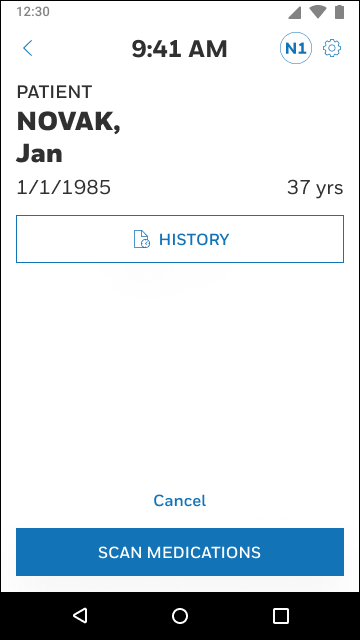
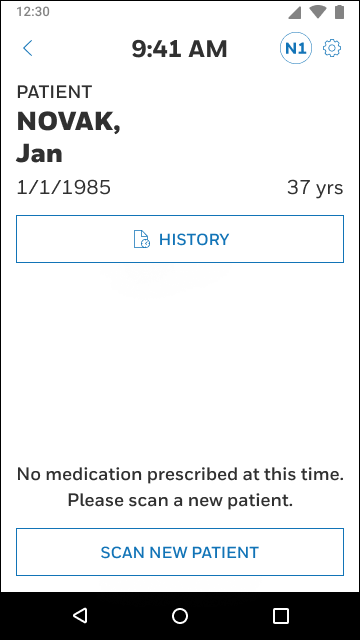
1. Scan Patient: The nurse scans the patient’s barcode (or enters the ID) using the enterprise mobile device’s scan engine. Upon scanning, the patient’s profile is loaded, and the nurse can view medication times organized by Morning, Afternoon, Evening, and Scheduled appointments.
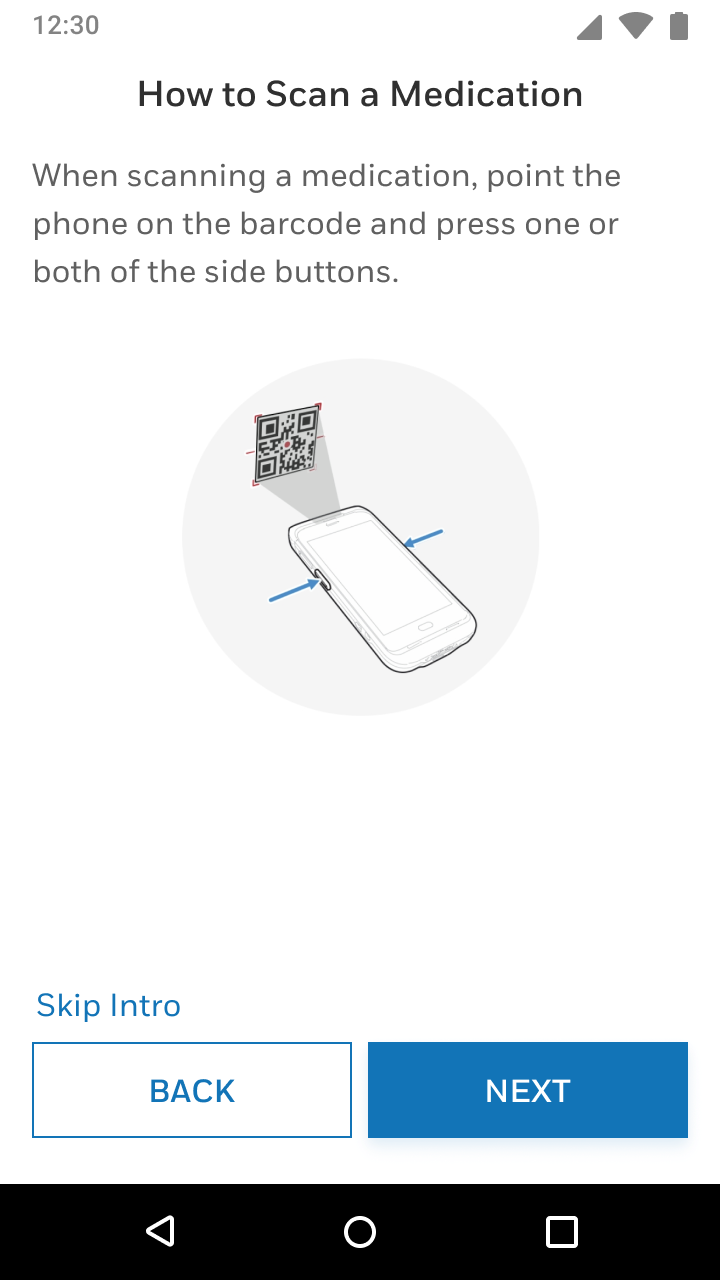
2. Scan Meds: The user is then prompted to Start Scanning Medications by pressing buttons on the sides of the mobile device to scan barcodes. As medication is scanned, a toast message confirms the "Medication Found" (e.g., "Triple Antibiotic Ointment") and auto-closes after 1500ms, minimizing distraction. The scanned item moves to the top of the list and is checked off from the planned 5/5 scanned count. Nurses can swipe left to disable a medicine from the scannable list.
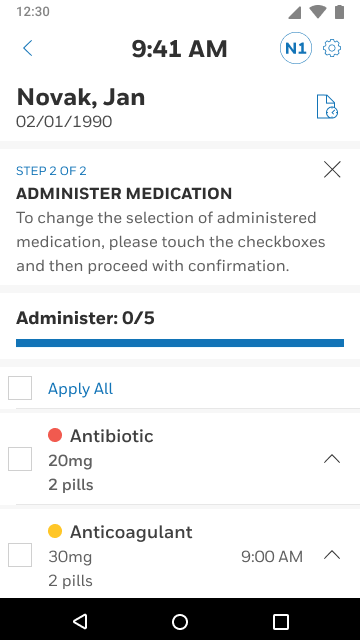
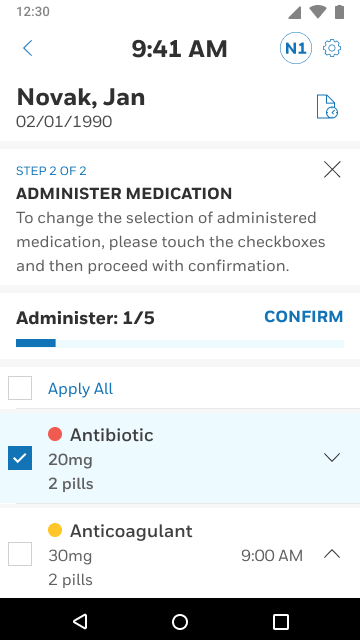
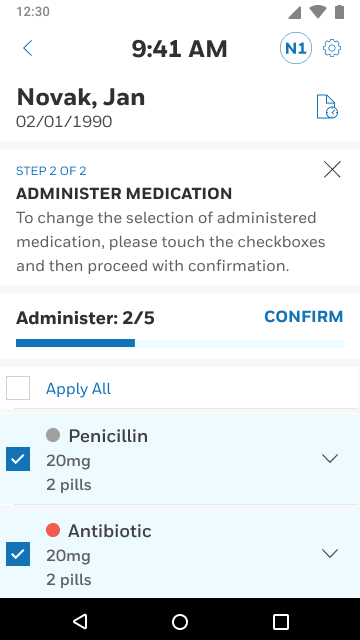
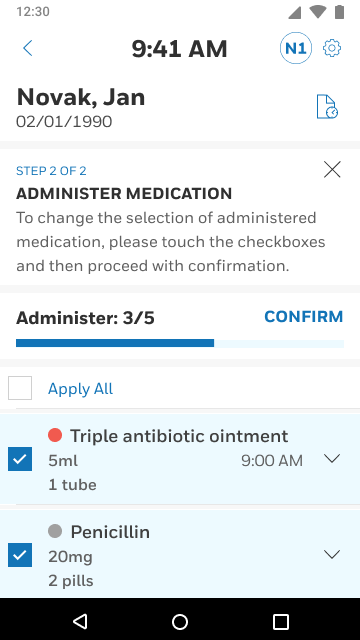
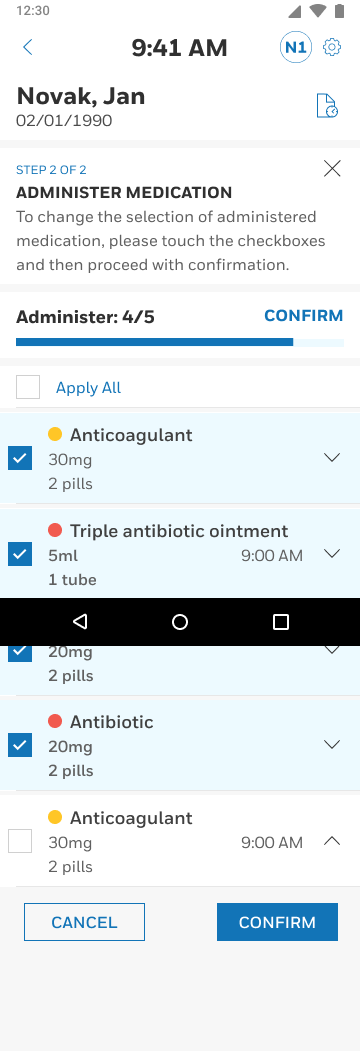
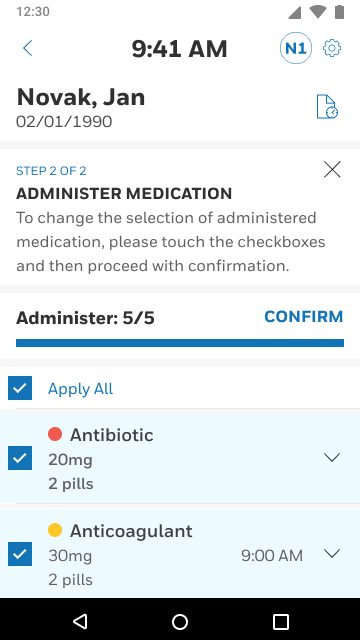
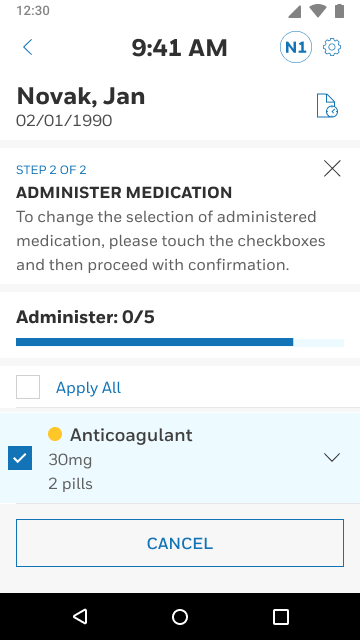
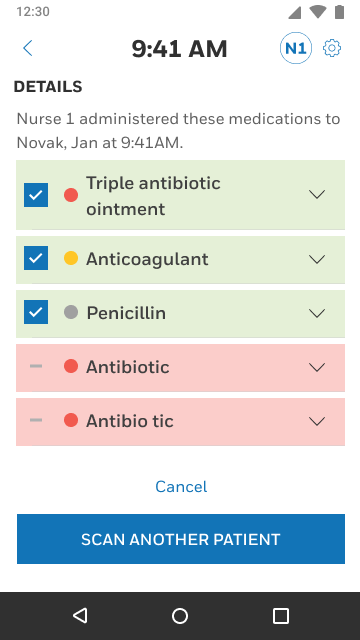
3. Confirm & End Session: Once all medications are scanned, the screen automatically navigates to the "Administer Medication" screen, where the nurse confirms administration. The final step, End Session, provides a confirmation popup, distinguishing itself from the confusing "Submit" action of the prior design. The system uses color-coded safety states on the confirmation screen (Green for administered, Red for un-administered).
Validation: User research was crucial to validate the design changes, involving prototype testing with healthcare professionals.
Quantitative Findings (Inferred Task Improvements):
◦ Faster Response/Speed: The design achieved an average scan-to-confirm time improved by 28% in validation testing, contributing to faster rounds completion.
Qualitative Feedback (Ease of Use Scores):
◦ Improved Flow: 90% of users preferred the new linear flow, describing that it “felt more natural and less like a checklist”.
◦ Reduced Friction: Users appreciated that the automatic closure of toast notifications after scanning reduced screen clutter, noting, “I don’t have to tap to move on—it just works”.
◦ Increased Confidence: The inclusion of a “View Details” link before final confirmation gave nurses "confidence to verify before proceeding".
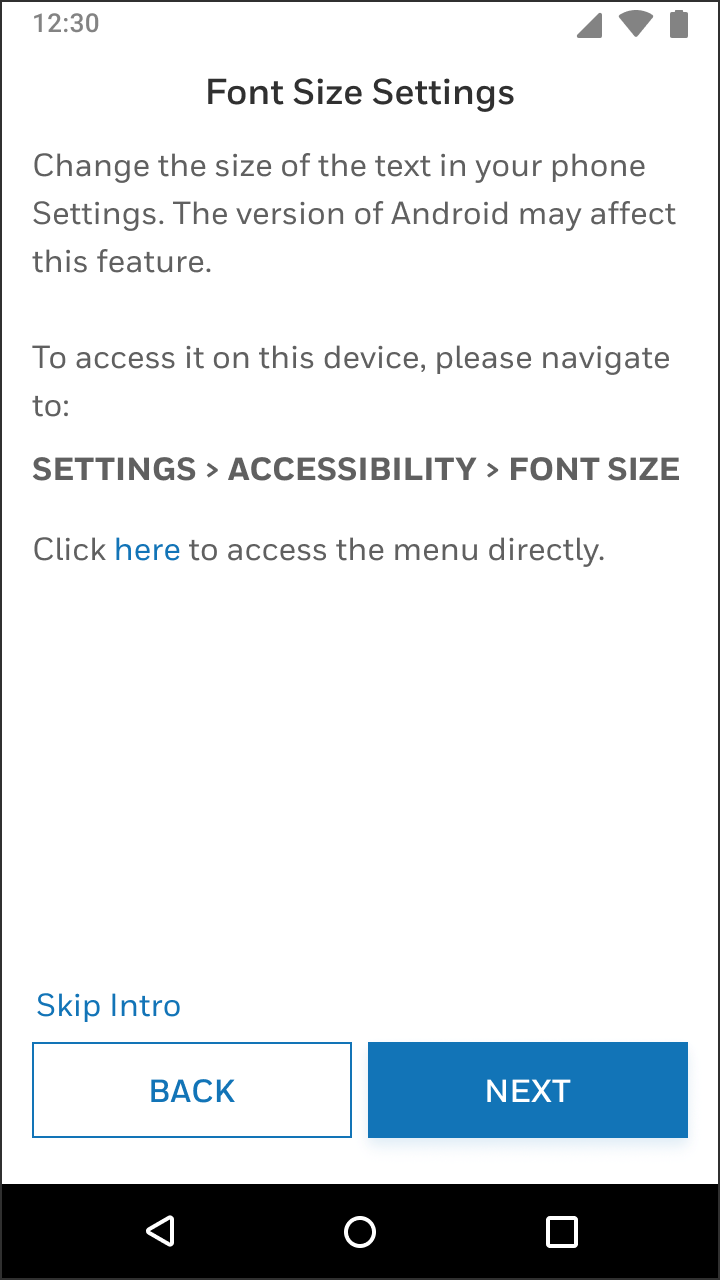
◦ Accessibility: Users experienced increased satisfaction due to the accessibility prompt linking to system font-size controls, which helped those with visual strain.
4. Impact & Conclusion
The Integrated Lifecare Platform achieved its goal of integrating critical clinical communication (Systevo Nurse Call) and medication administration (ILC Medication App) into seamless, reliable experiences guided by a unified design language. This unification ensured clinical-grade usability that adheres to regulatory standards and aligns with actual nursing cognitive flow, translating real-world urgency into clear, trustworthy flows
Systevo Nurse Call Admin Mobile App & QR Code Integration
(Collaboration with design agency)
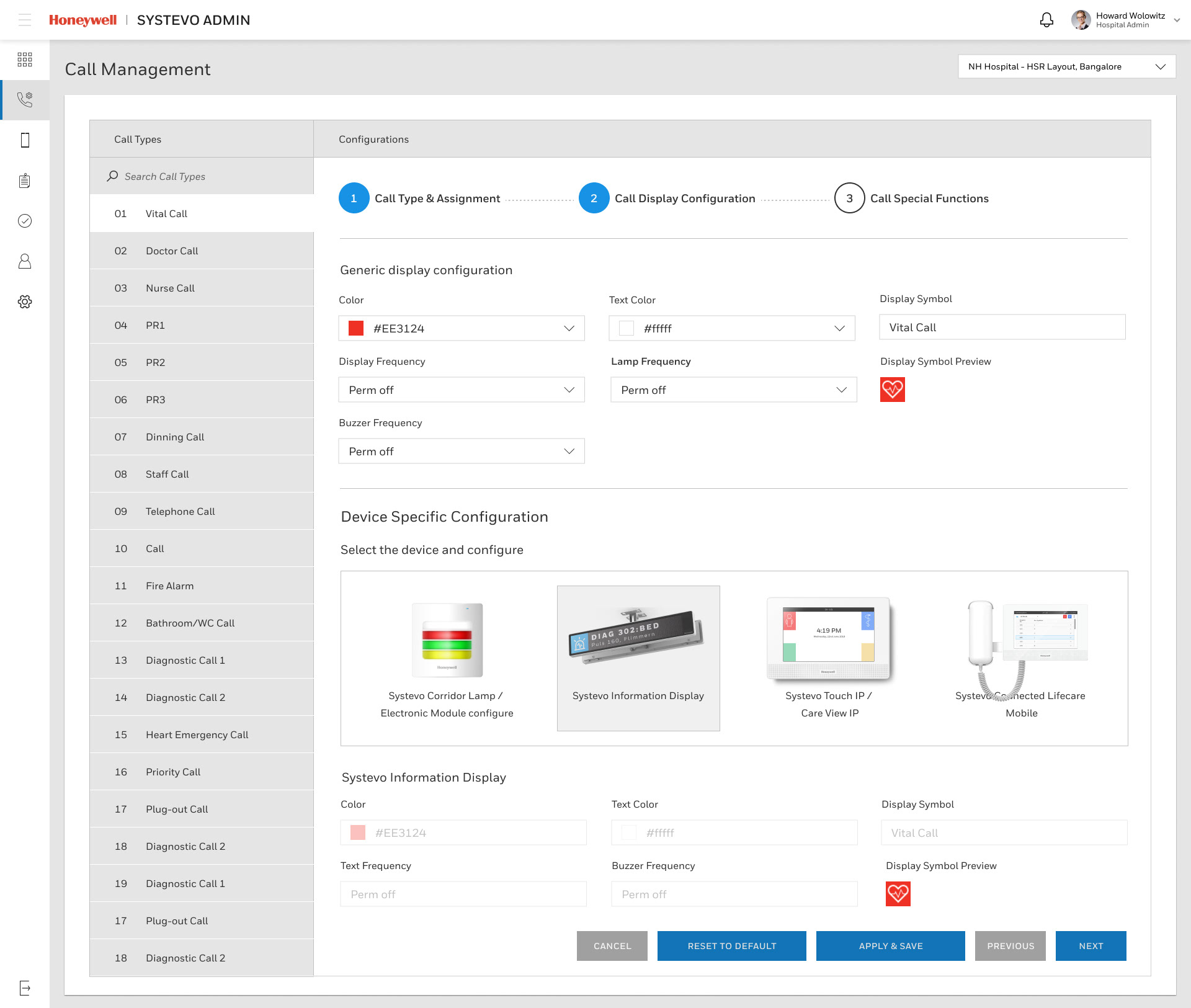
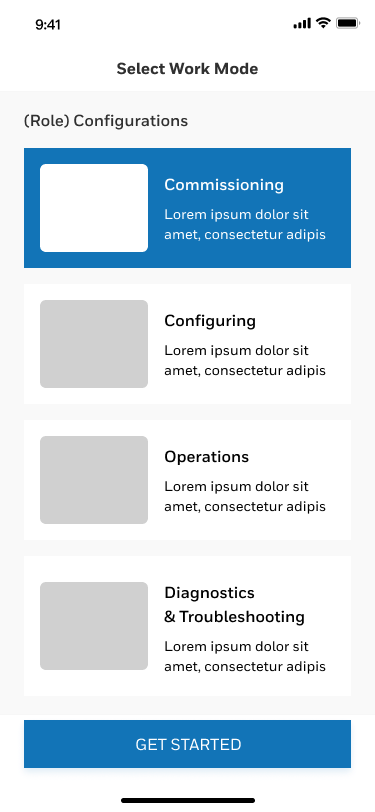
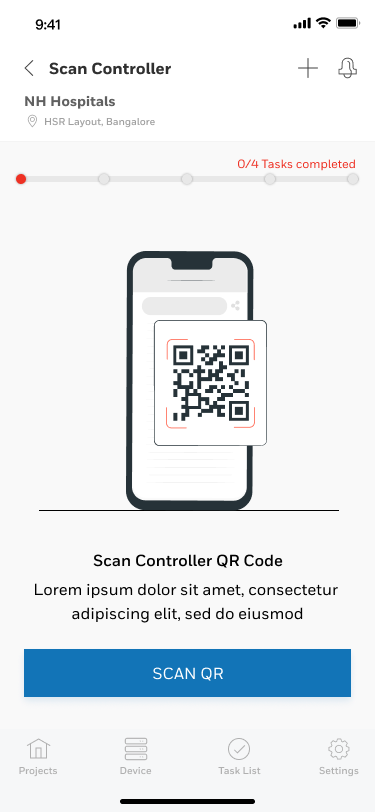
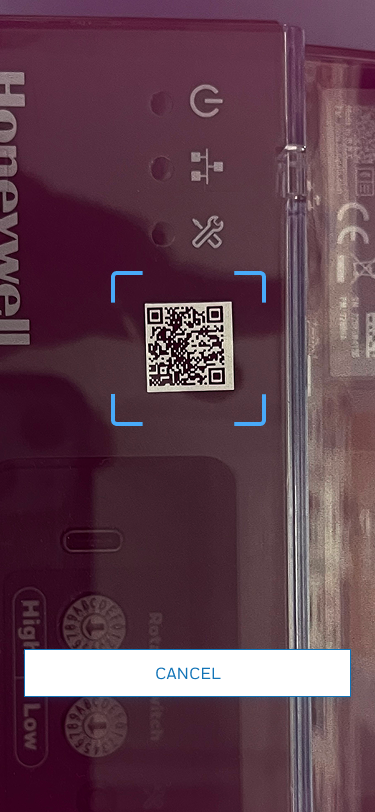
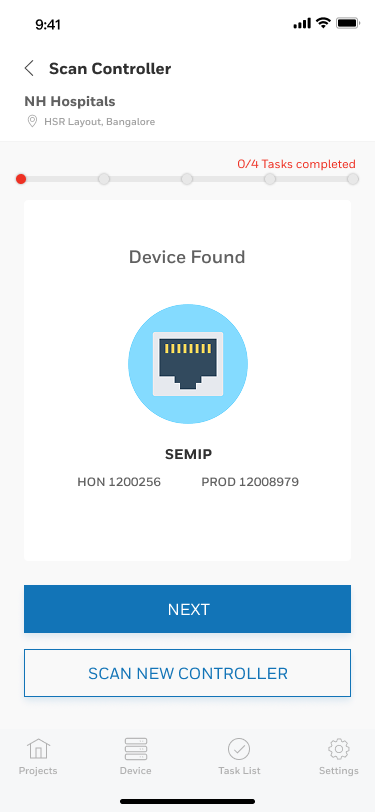
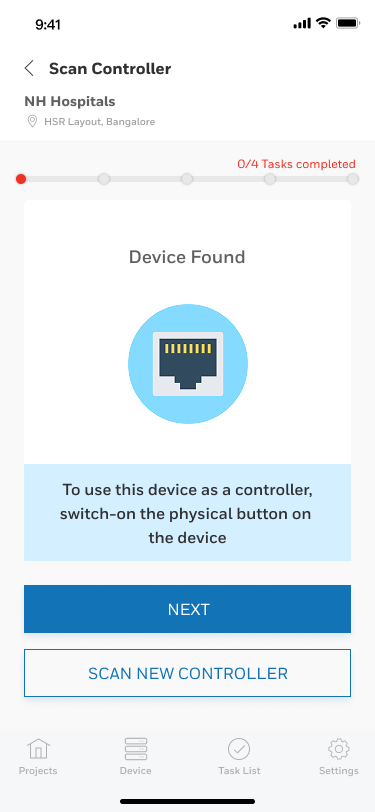
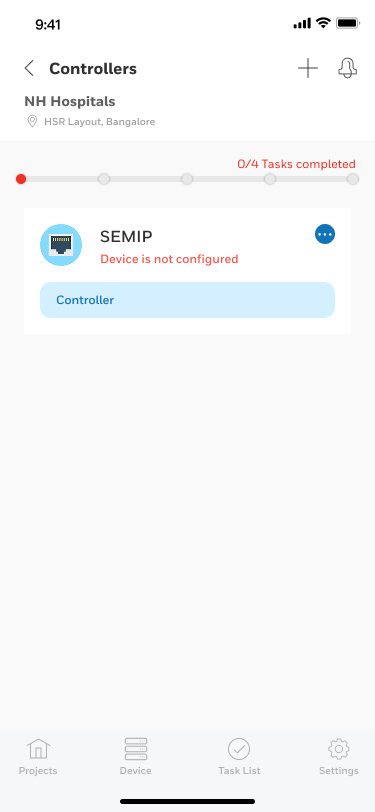
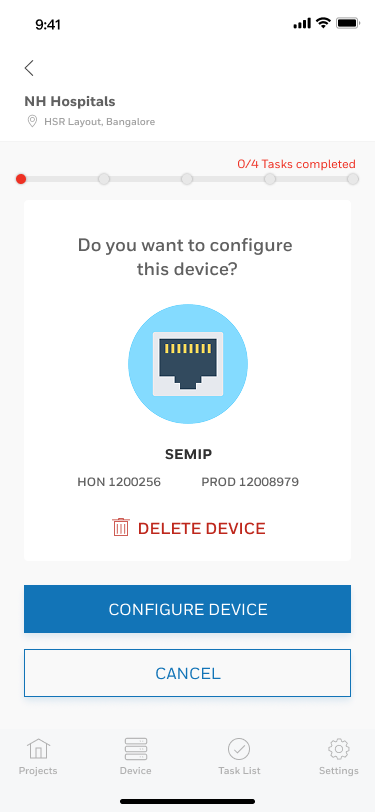
Add controllers using QR code and step by step guidance
The core mobile solution for nursing staff is the Systevo Connected Life Care mobile application, developed by Honeywell Intelligent Life Care (ILC).
• Function and Device: This app is an extension of the traditional nurse call system, allowing caregivers to receive patient calls as push notifications on a work mobile device anytime, anywhere on the move. It is designed to run optimally on specialized Honeywell enterprise mobile devices (e.g., EDA52HC, CT30 XP), which feature a scan engine and special surface treatment for easy disinfection.
• QR Code Login and Onboarding: Mobile app users gain easy access by scanning an on-boarding QR-code generated by a system administrator or by using an authorized username and password. The login session is intuitive and user-friendly.
• Mobile Call Management: Once logged in, the caregiver can assign the incoming call to herself/himself, which informs other staff that the request is being handled. The mobile app also features a "callback" intercom function for voice communication with the patient, providing quicker assistance when a physical presence in the room is not immediately required
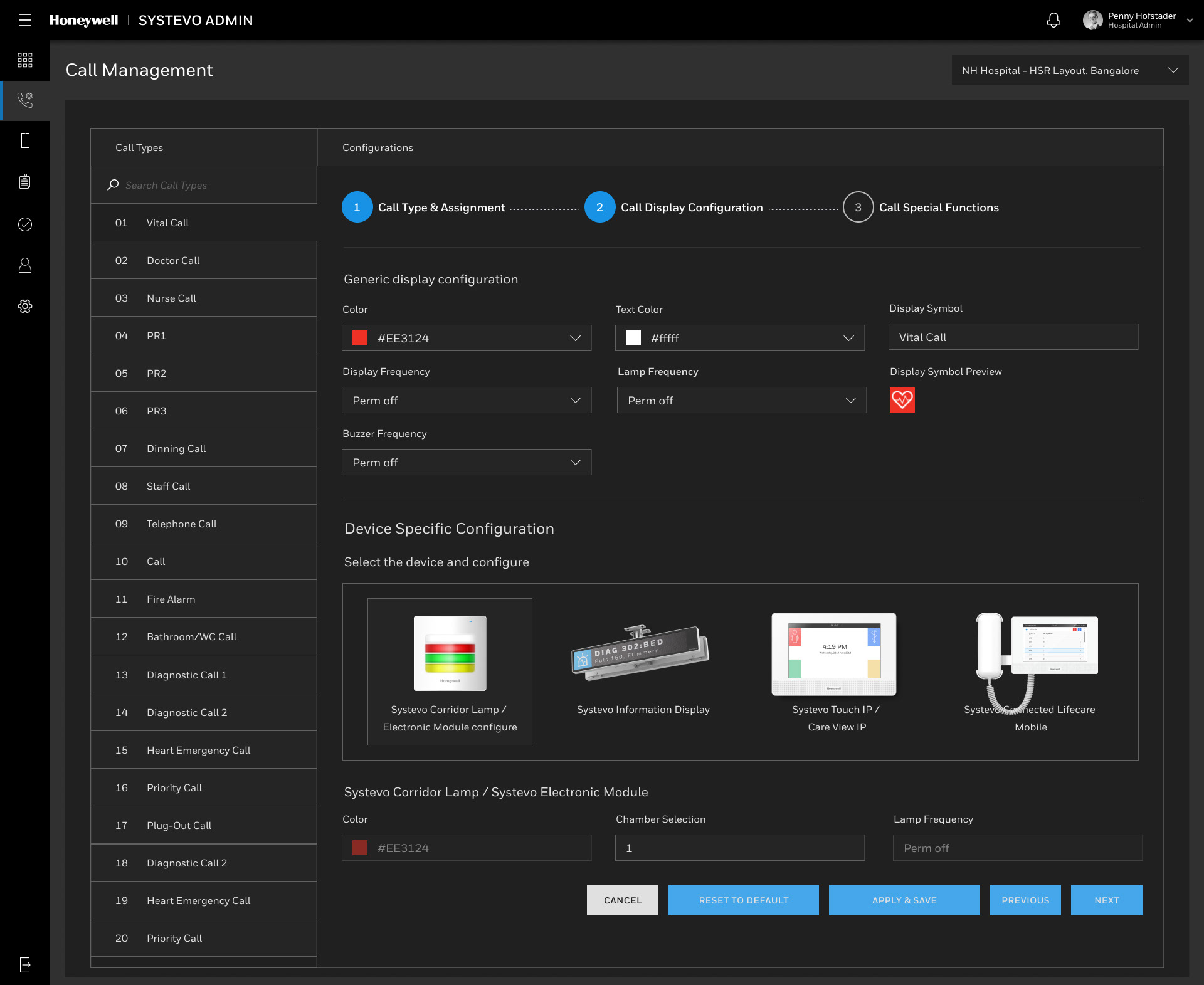
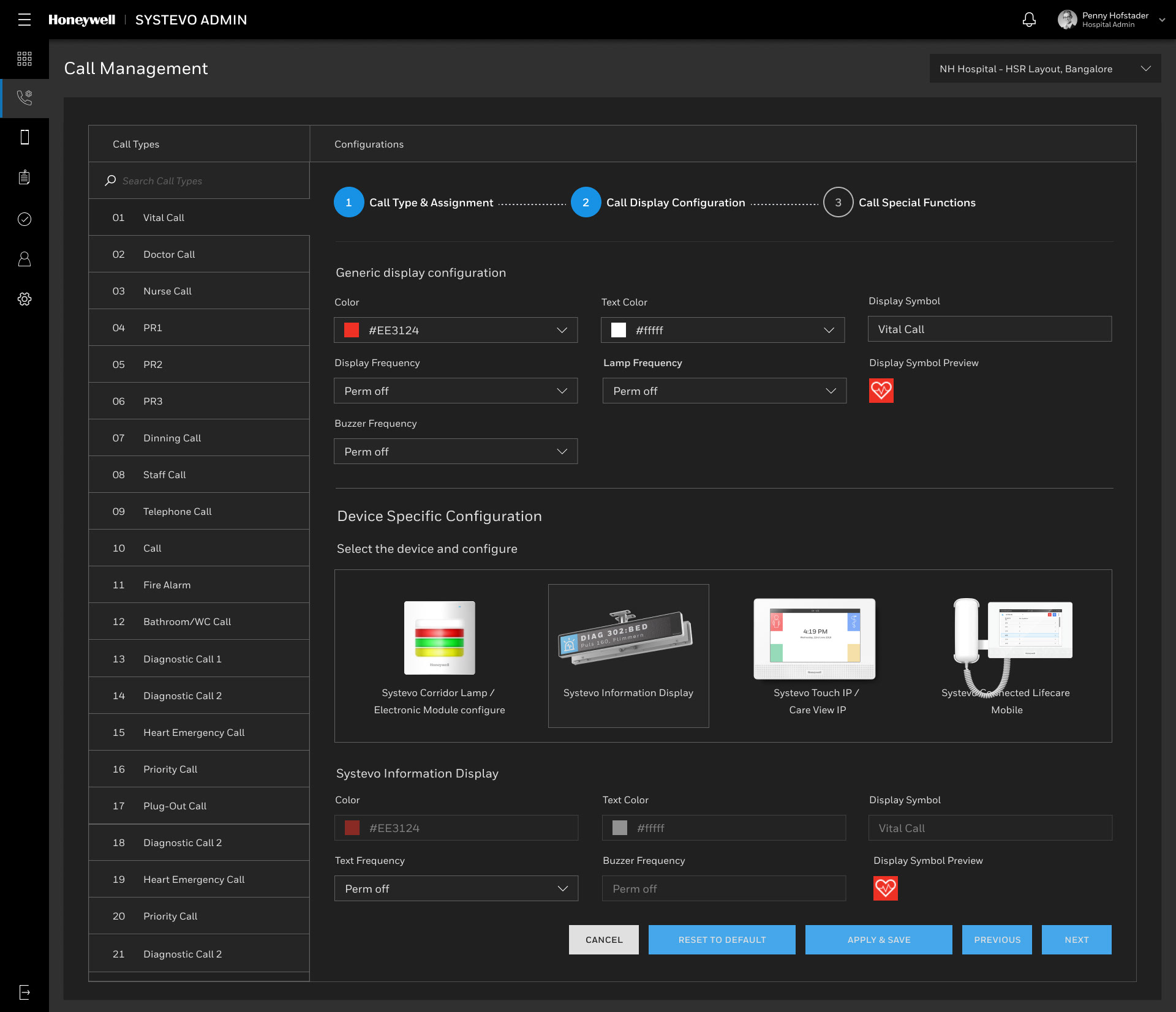
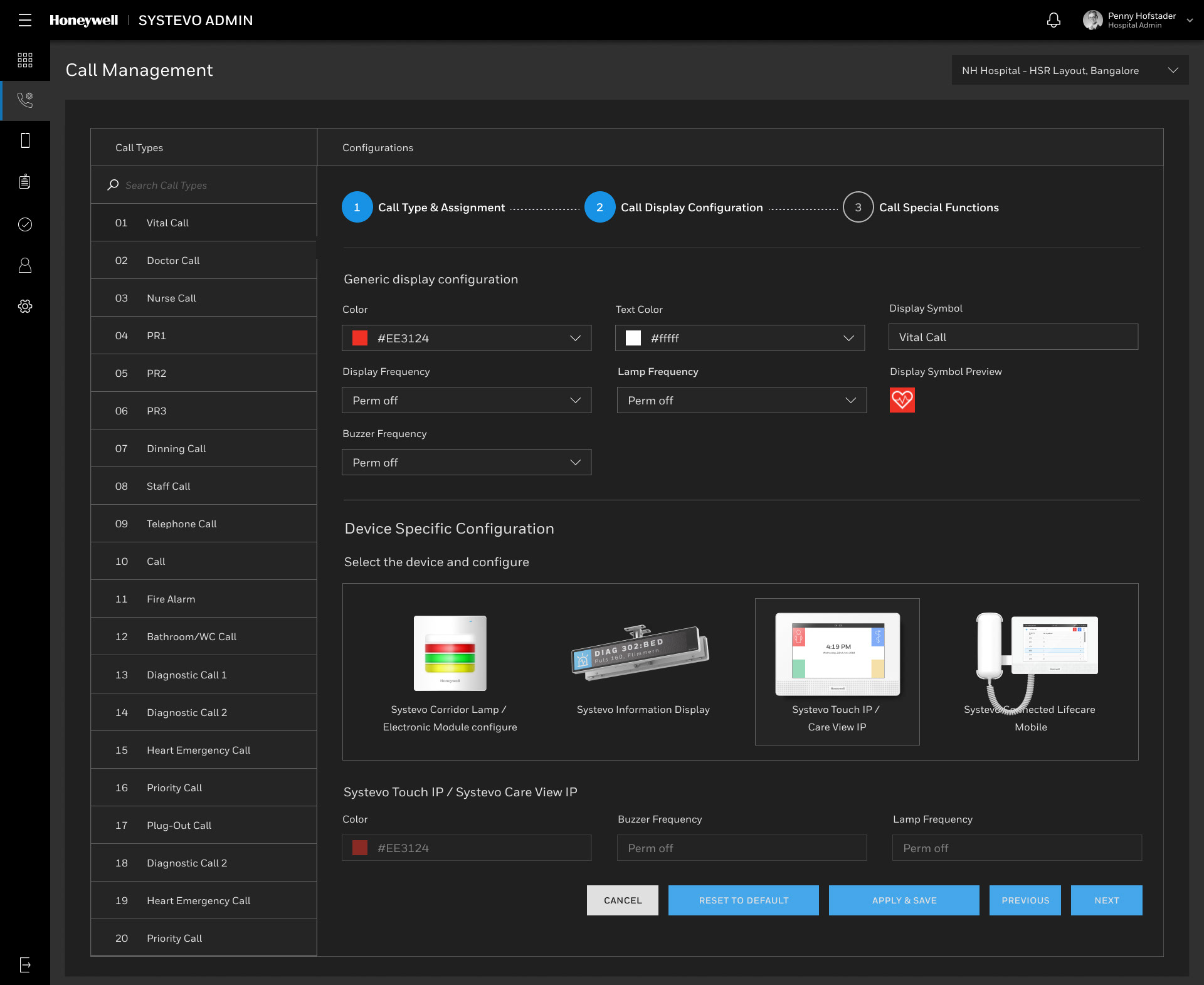
Call management administration system on the web
Guided steps for the complex process of add a nurse call system to a hospital.
Real Time Health System Dashboard
(Collaboration with Honeywell design team)
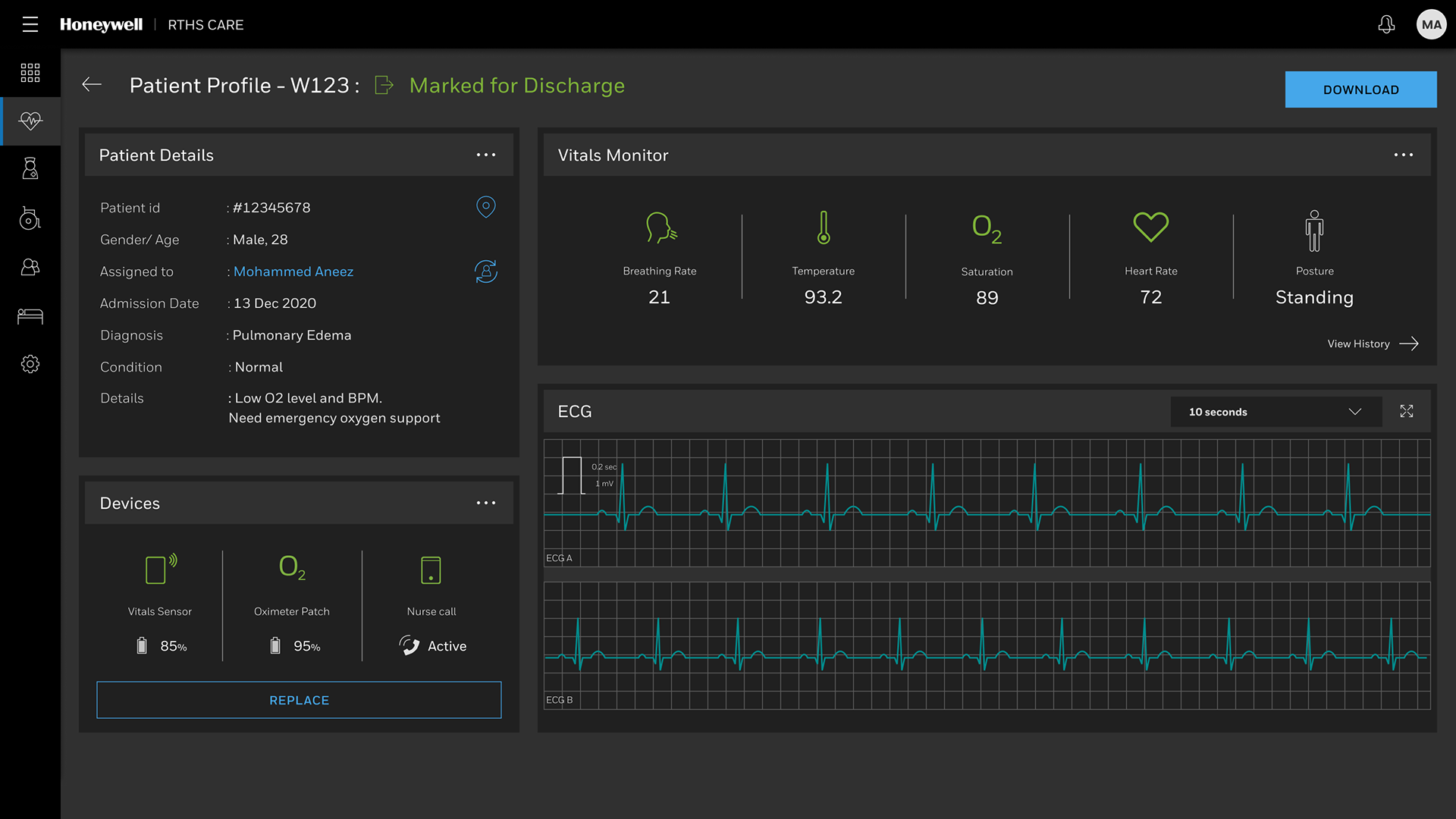
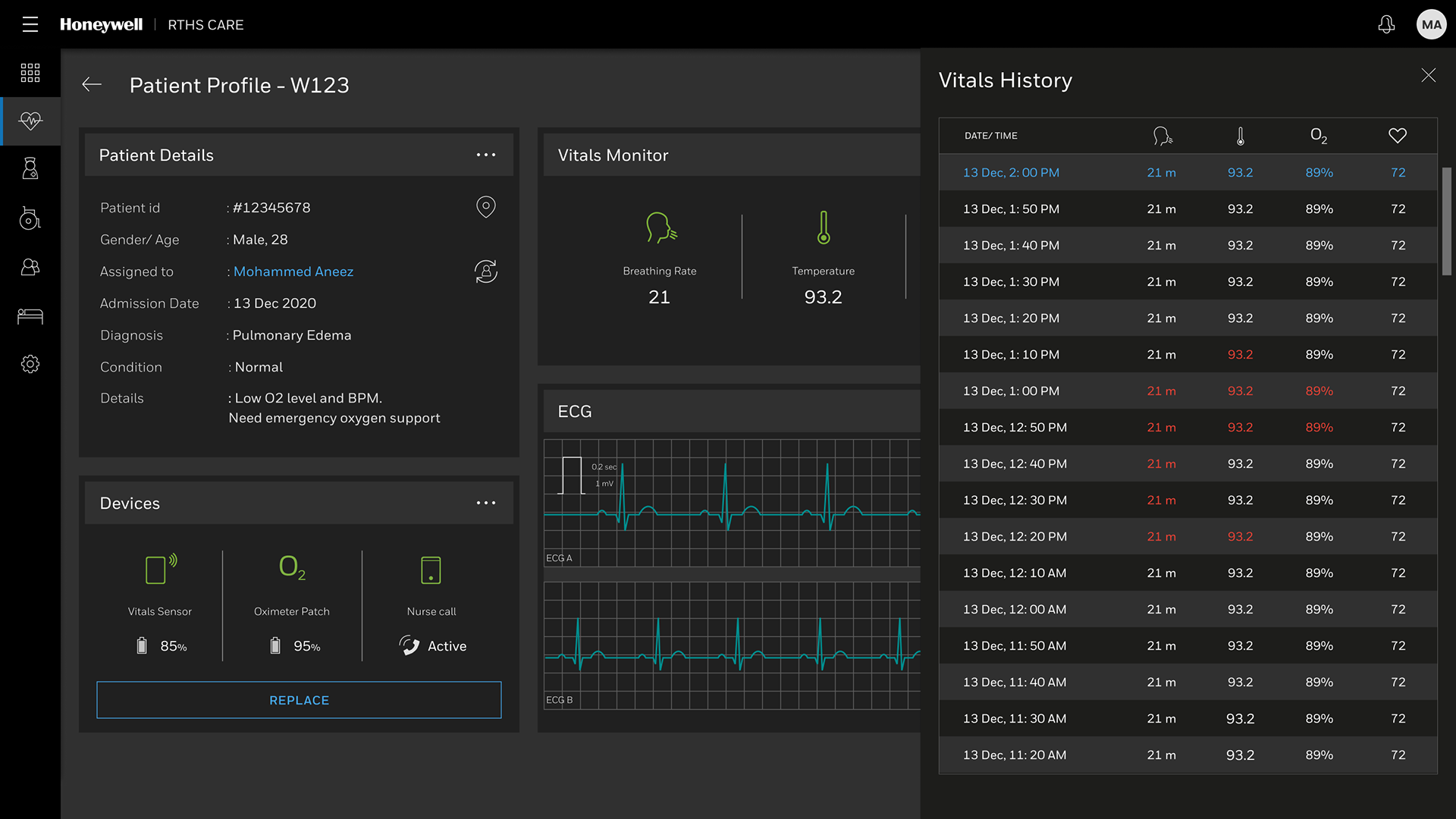
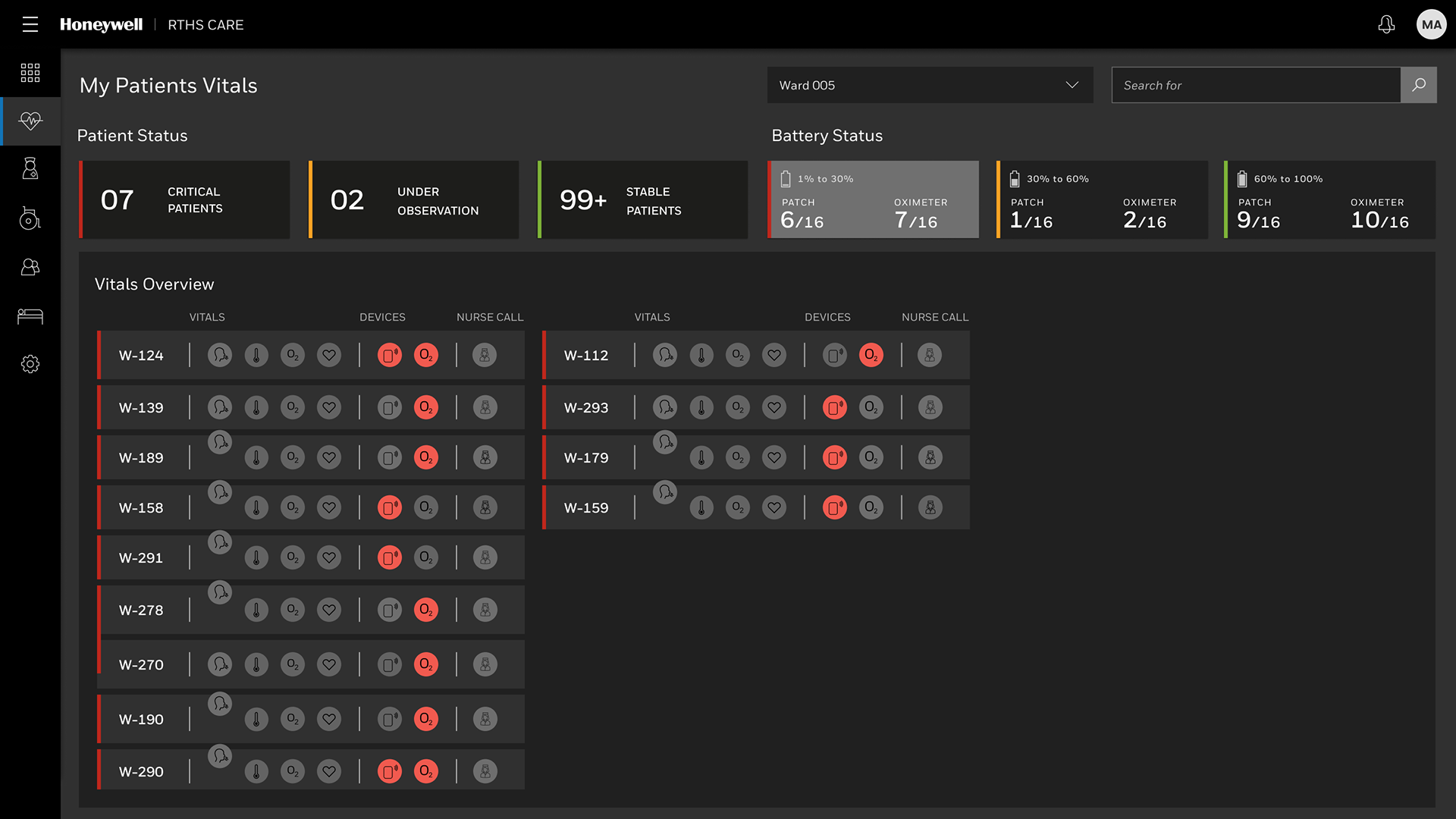
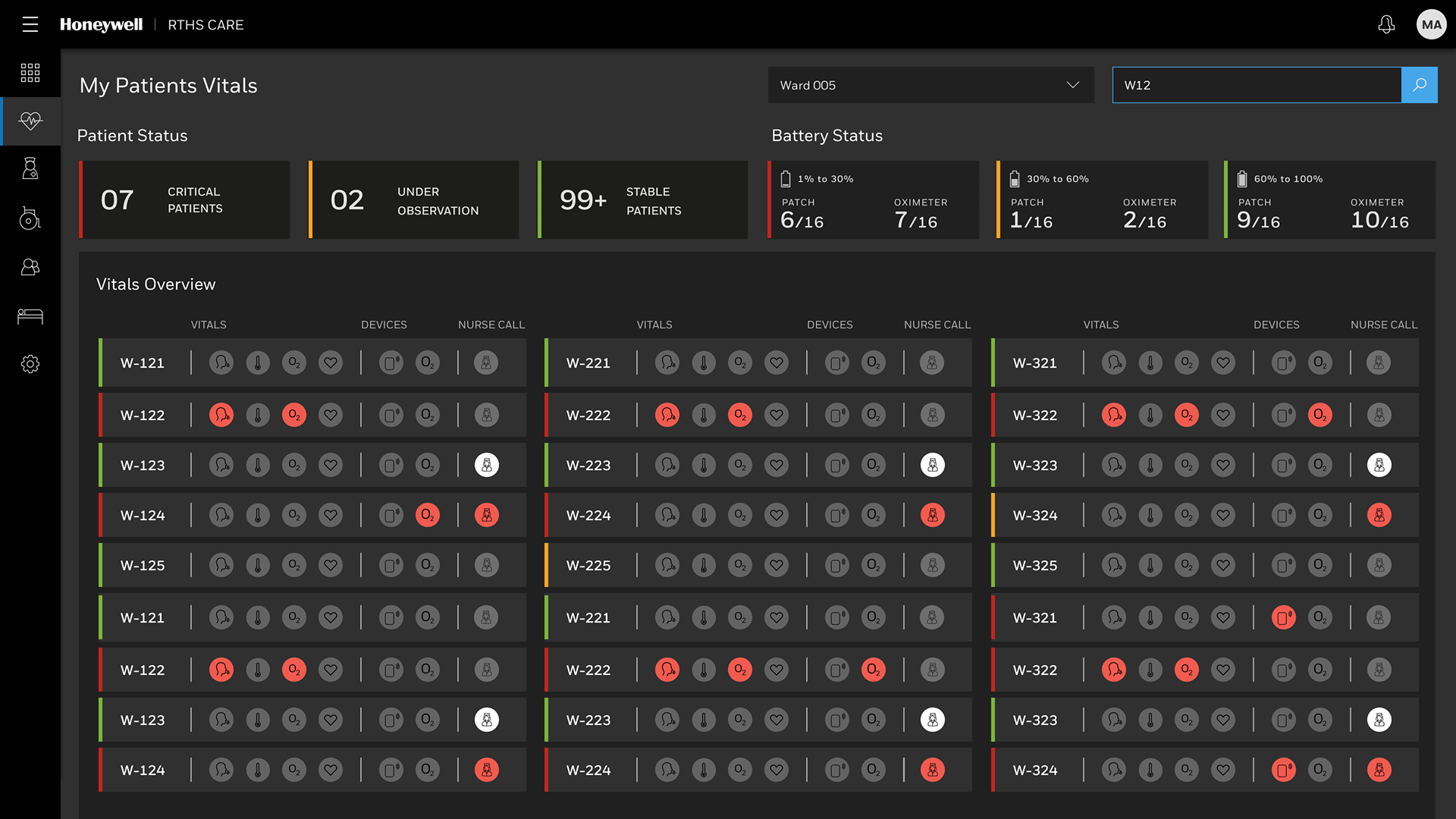
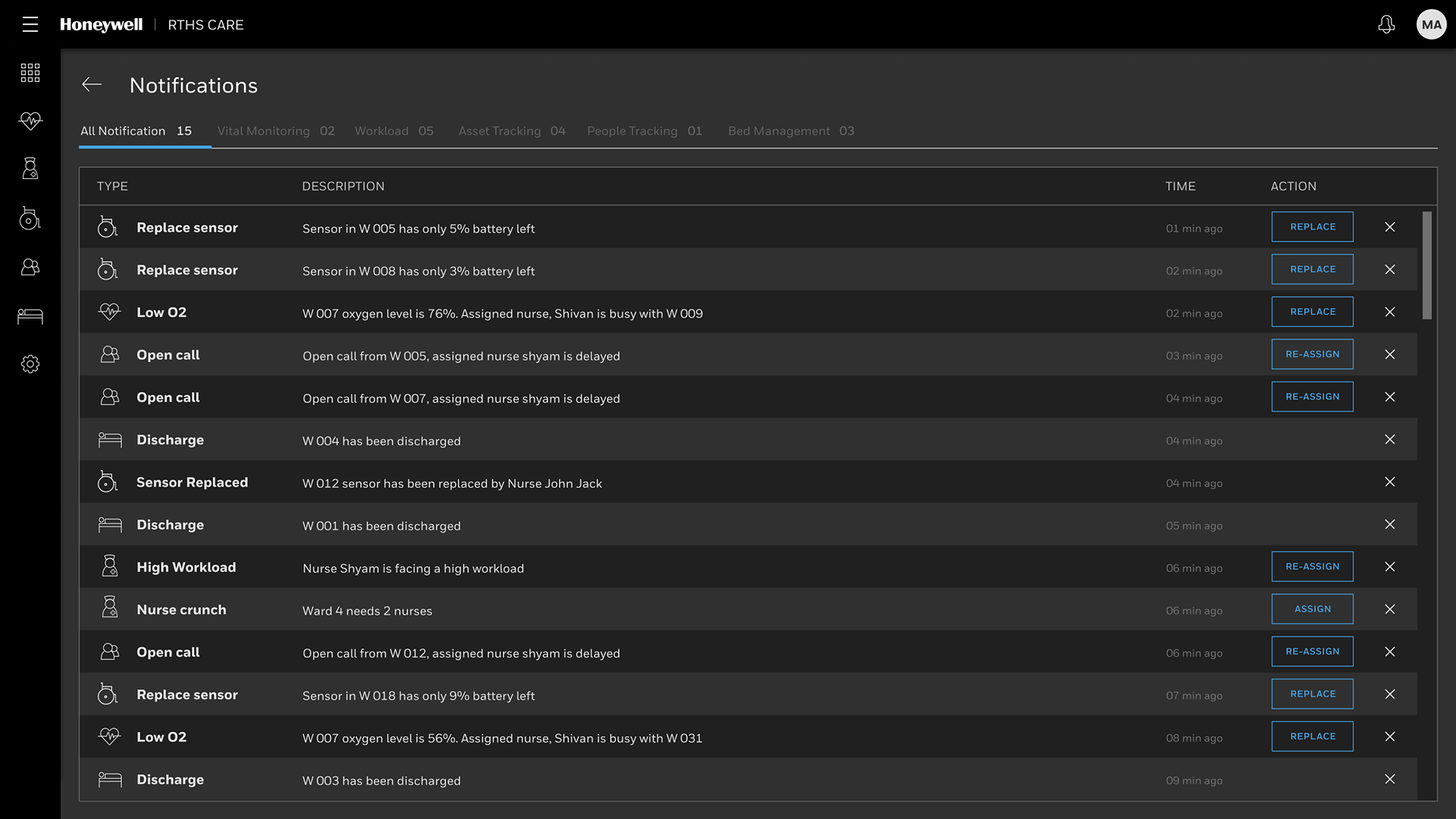
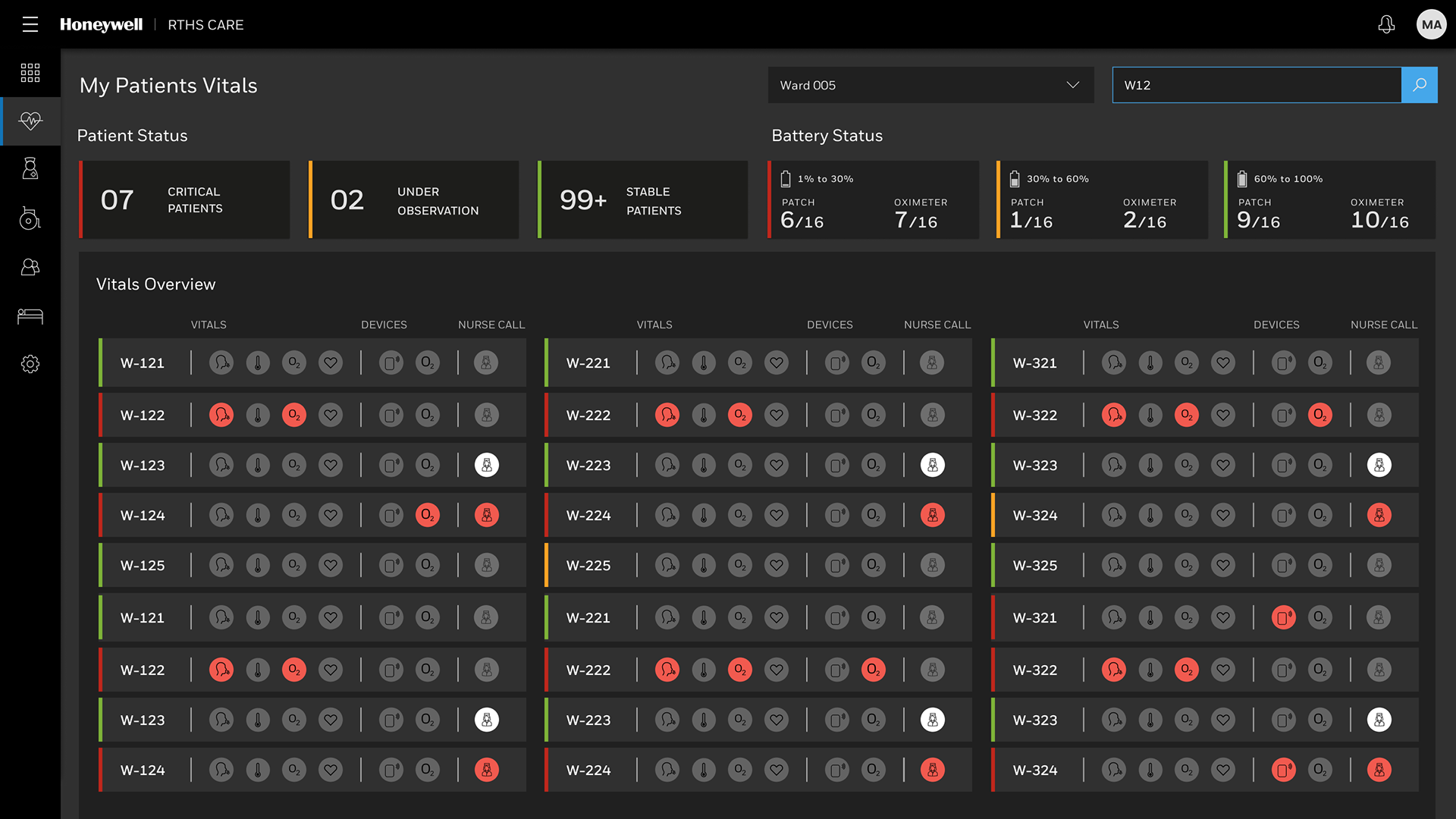
The RTHMS dashboard provides centralized, real-time visualization of patient status, vitals, and bed management information.
• Real-Time Vitals and Monitoring: The system continuously monitors patient vitals using a wireless patch with a QR code placed on the patient's chest. Real-time vitals tracked can include ECG, Respiratory rate, Heart rate, Skin temperature, and Posture.
• Patient Status Dashboard: The dashboard visualization provides a Vitals Overview that segments patients by severity status, showing counts for Critical Patients, Under Observation, and Stable Patients.
• Bed Management Display: The administrative interface includes a Bed Management view that indicates the status of beds, such as Occupied, Bed ready, and Sanitization in process.
• Alerts and Metrics: The system utilizes data and analytics processing to generate real-time alerts when clinical thresholds are breached. The dashboard displays operational metrics like the number of Nurses ON-DUTY, Occupied BEDS, Average Response Time, and an Average Call Types graph tracking metrics like Presence, Normal, Doctor, Emergency, and Fault calls over time