Challenge
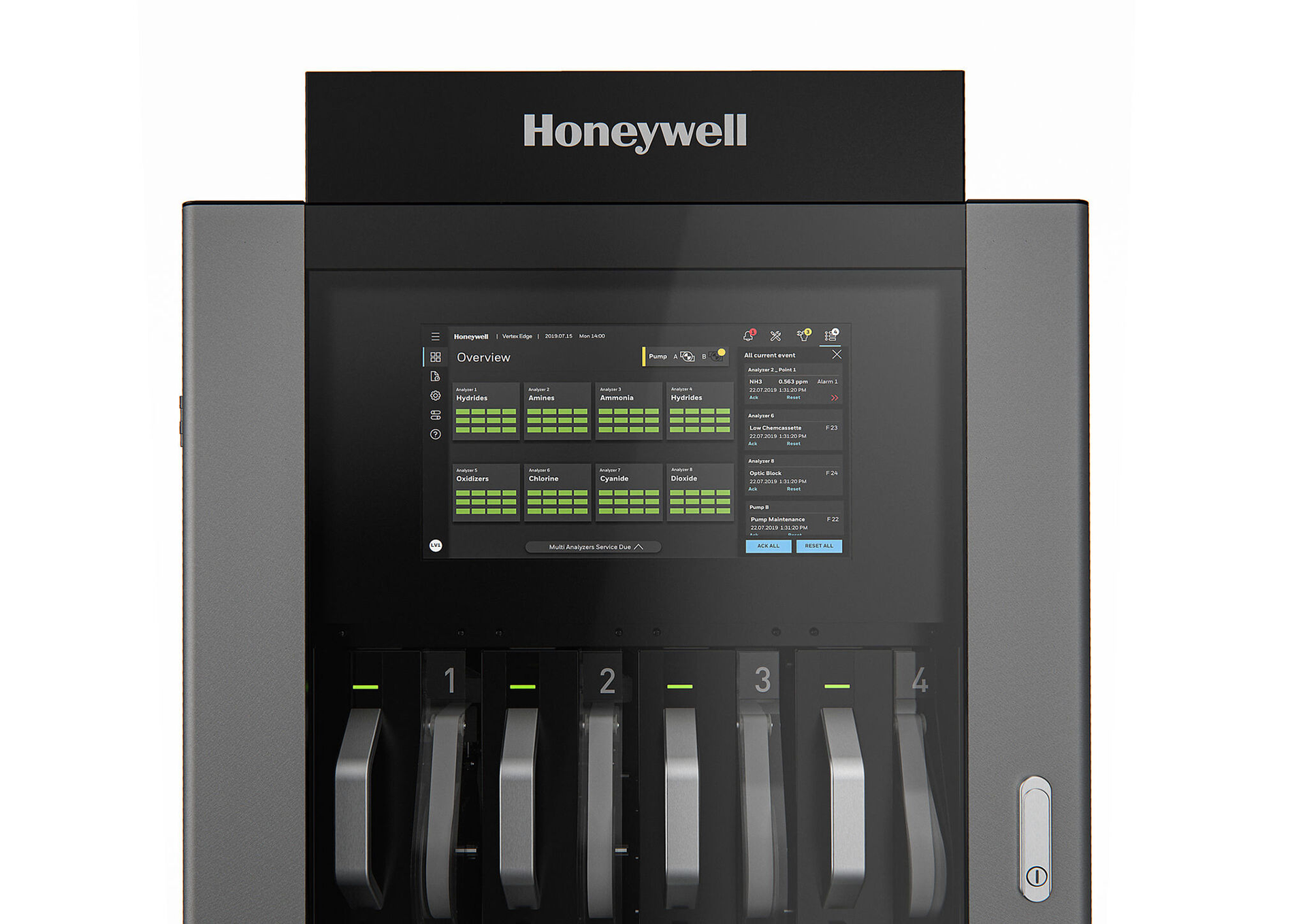
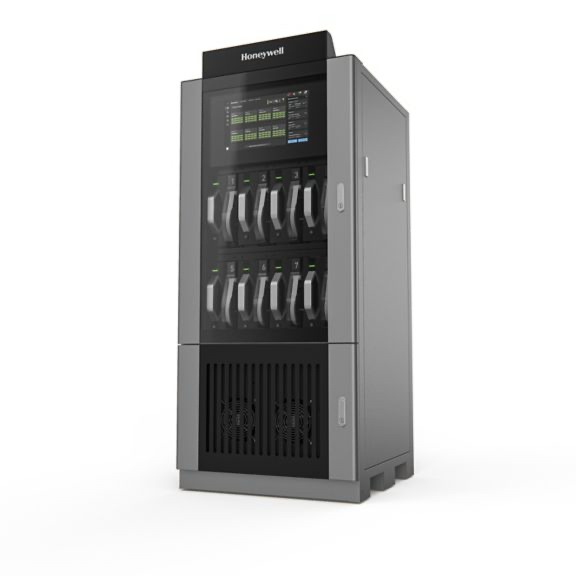
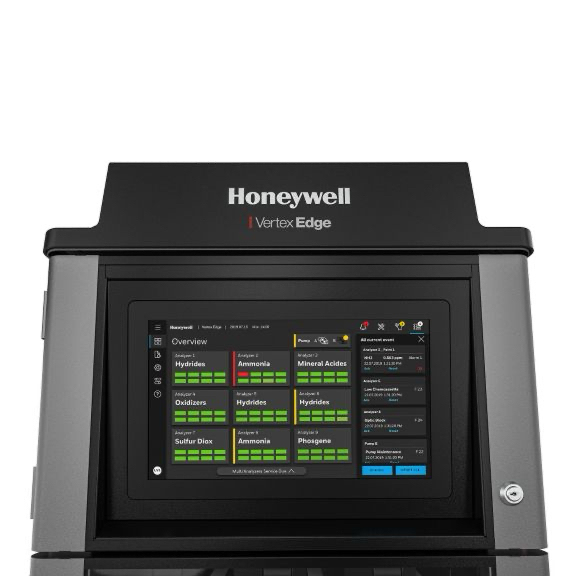
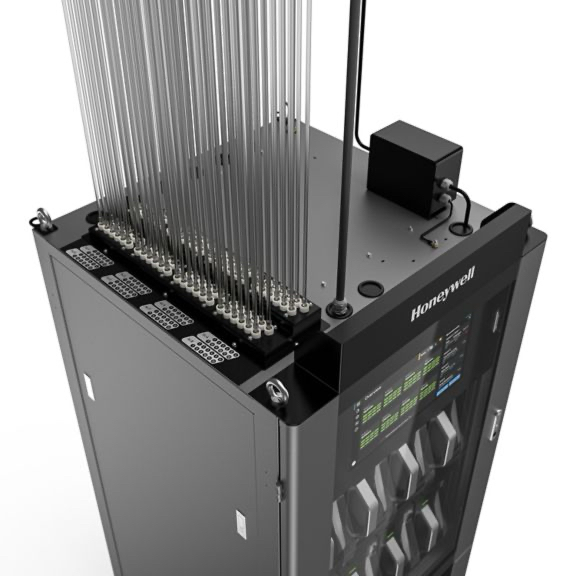
The core challenge involved designing the Human-Machine Interface (HMI) for Honeywell Vertex One, a critical industrial control system used for toxic gas detection in high-tech environments such as semiconductor fabs (e.g., Samsung Austin, Intel). In this environment, a gas leak is an invisible, fatal threat that demands split-second decisions and ensures near zero false positives.
The existing and legacy interfaces created significant usability and operational challenges for field service engineers (FSEs) and safety managers, including:
• Data Overload: Operators were overwhelmed by raw sensor data, making it difficult to maintain rapid situational awareness.
• Legacy Workflows: Maintenance workflows were complex and manual, contributing to lengthy repair times and potential operational downtime.
• Ergonomics/Serviceability: The physical design of the existing gas detection racks often made basic tasks like pump swapping and filter replacement difficult during long shifts
The existing and legacy interfaces created significant usability and operational challenges for field service engineers (FSEs) and safety managers, including:
• Data Overload: Operators were overwhelmed by raw sensor data, making it difficult to maintain rapid situational awareness.
• Legacy Workflows: Maintenance workflows were complex and manual, contributing to lengthy repair times and potential operational downtime.
• Ergonomics/Serviceability: The physical design of the existing gas detection racks often made basic tasks like pump swapping and filter replacement difficult during long shifts
Interpreting artifacts
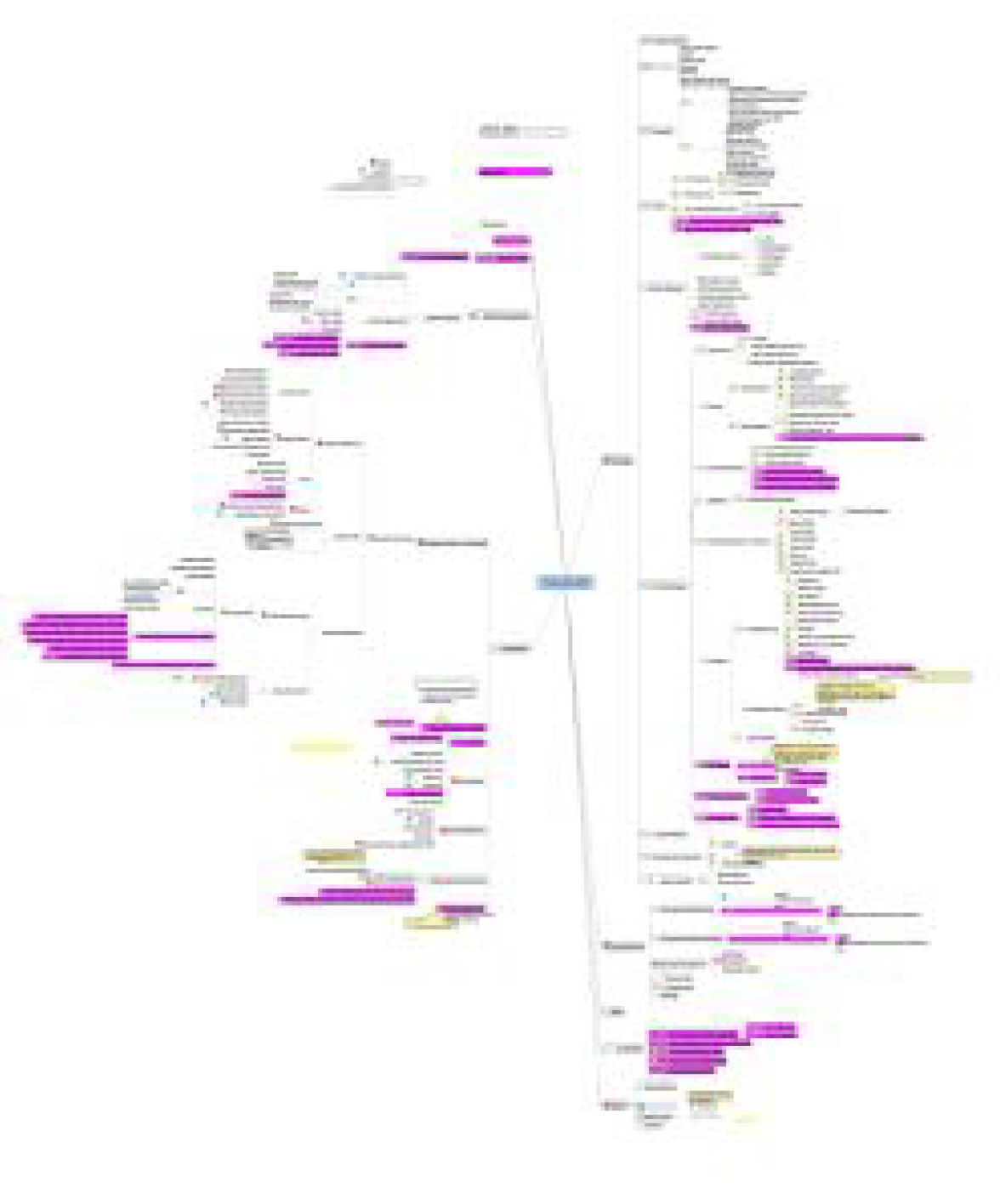
Many artifacts from the engineering team were highly technical and difficult to follow, though ultimately very informative. I analyzed and translated these materials—ranging from specifications and process diagrams to test results—into clear, shareable frameworks and visual summaries. This helped cross-functional partners quickly grasp complex concepts and apply them effectively during design and development discussions.
Goals and Assumptions
My primary task as Lead UX Designer was to modernize and reimagine the Vertex One HMI, effectively creating a touch interface for toxic gas detection that allow field maintenance technicians to quickly diagnose problems within the fab and prevent a critiical downtime or safety situation.
This involved three critical mandates:
1. Reduce Cognitive Load: Synthesize complex data (Parts Per Billion) into clear, immediate status alerts and actionable intelligence to support rapid decision-making.
2. Bridge Hardware and Software: Integrate the digital interface with the physical hardware and field mainentnanc eservice workflows (HMI/Human Factors Engineering).
3. Future-Proof with AI/Data: Design new features for predictive maintenance and diagnostics leveraging AI/ML insights to move operations from reactive response to proactive prevention
Research and Process
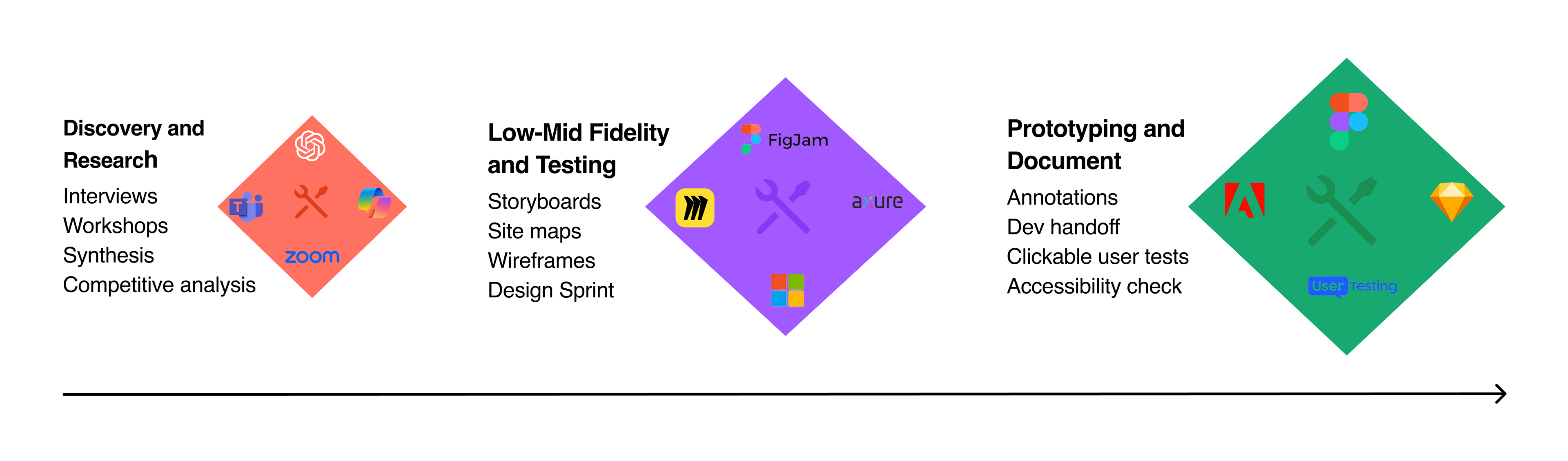
I undertook a comprehensive human-centered design approach including the definition of information architecture and navigations structures, competitive analysis, existing screen analysis, workshops,
Minimizing Cognitive Load and Managing Data Overload
• Rigorously defined the information architecture and navigation structures to organize complex data flows for quick comprehension on both local touchscreens and remote management hubs.
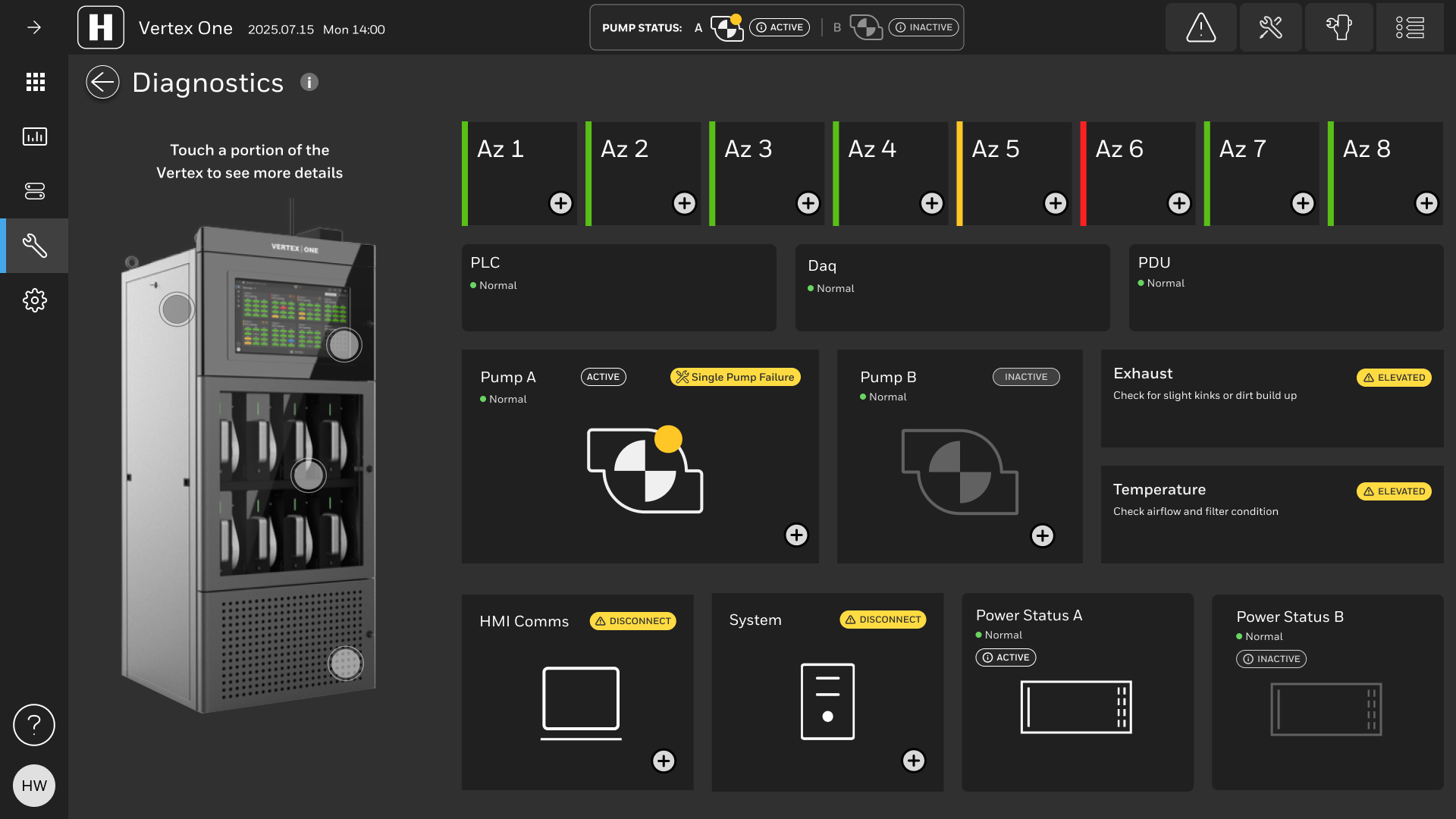
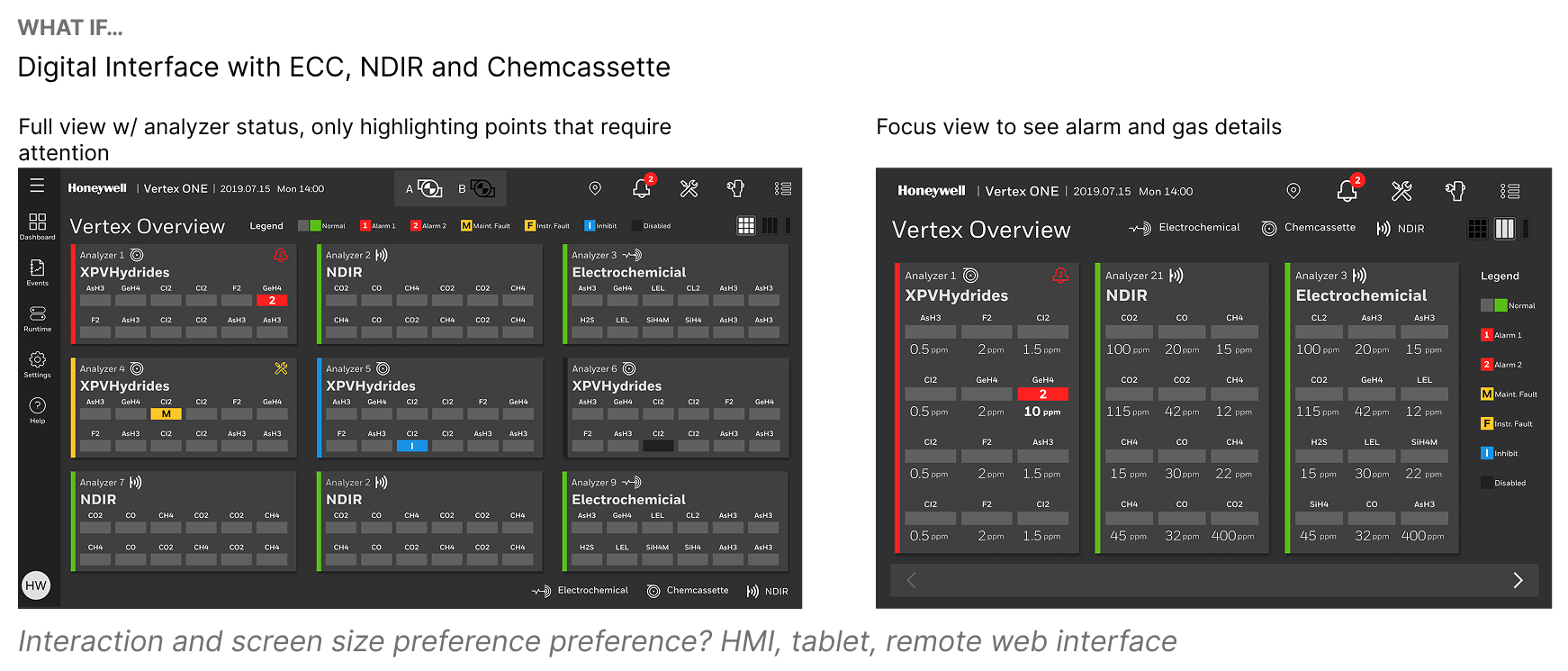
• Prioritized clarity over aesthetics by implementing easy-to-read card-oriented layouts for touch-friendly navigation, minimizing cognitive overload.
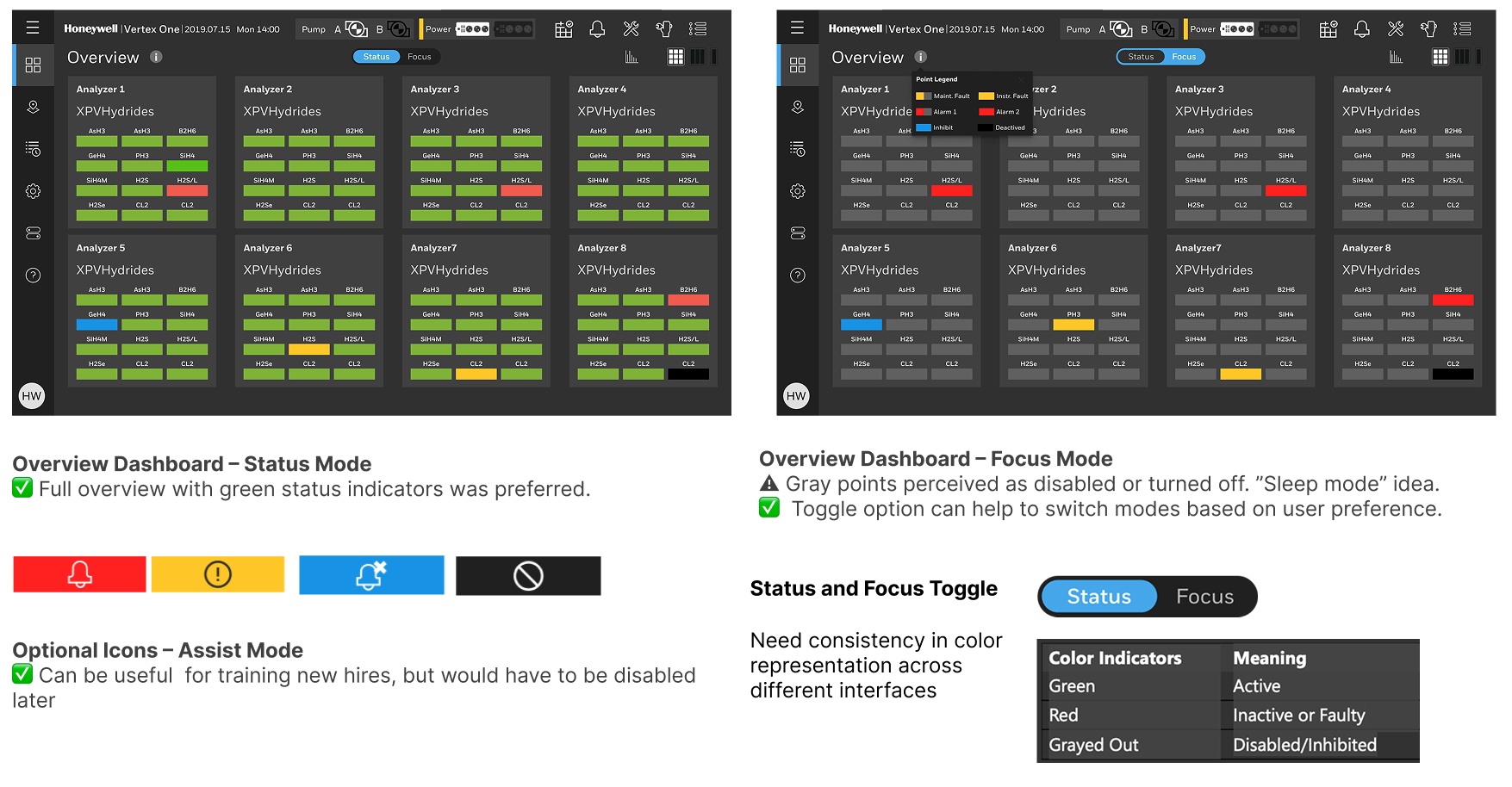
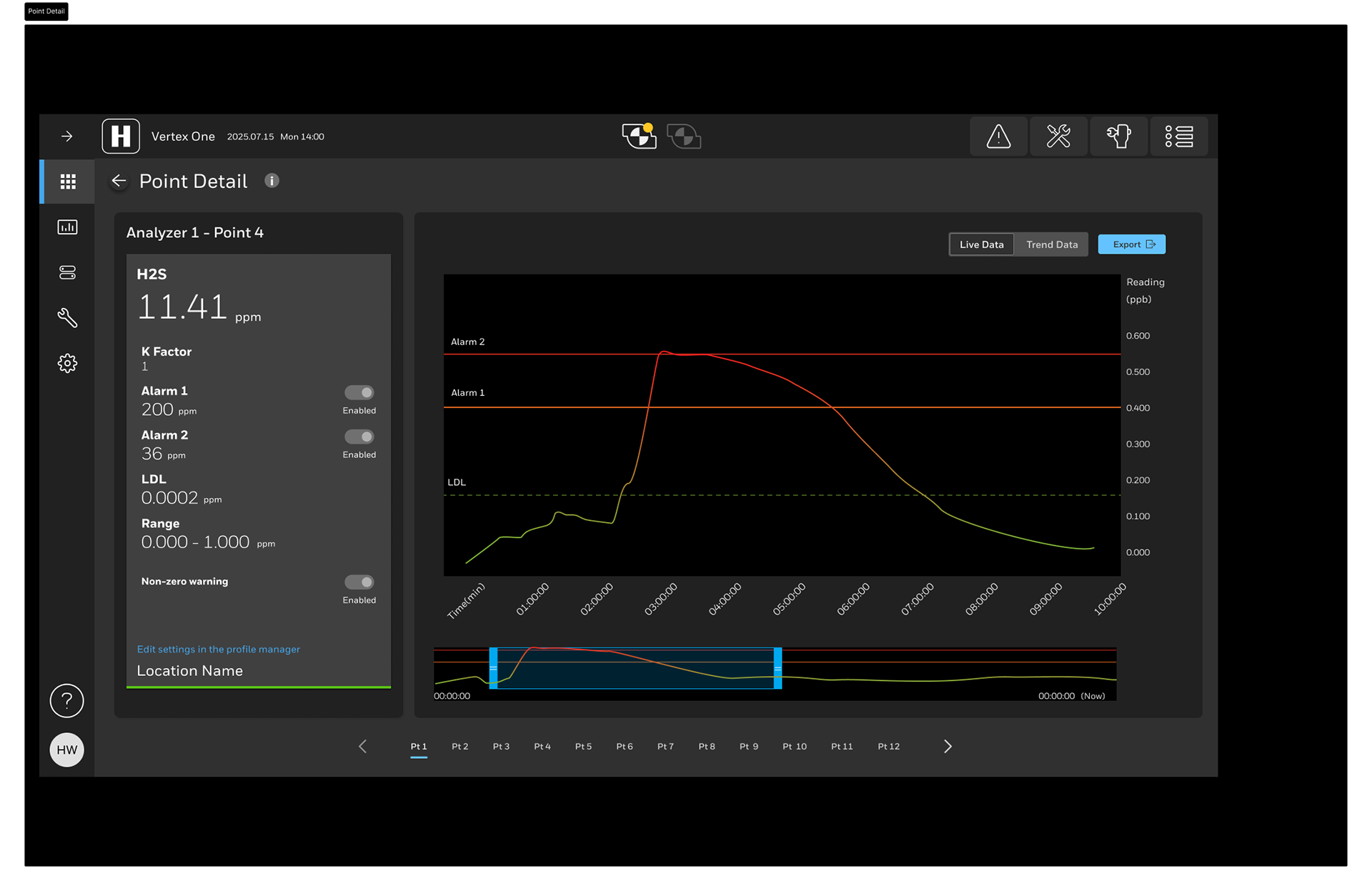
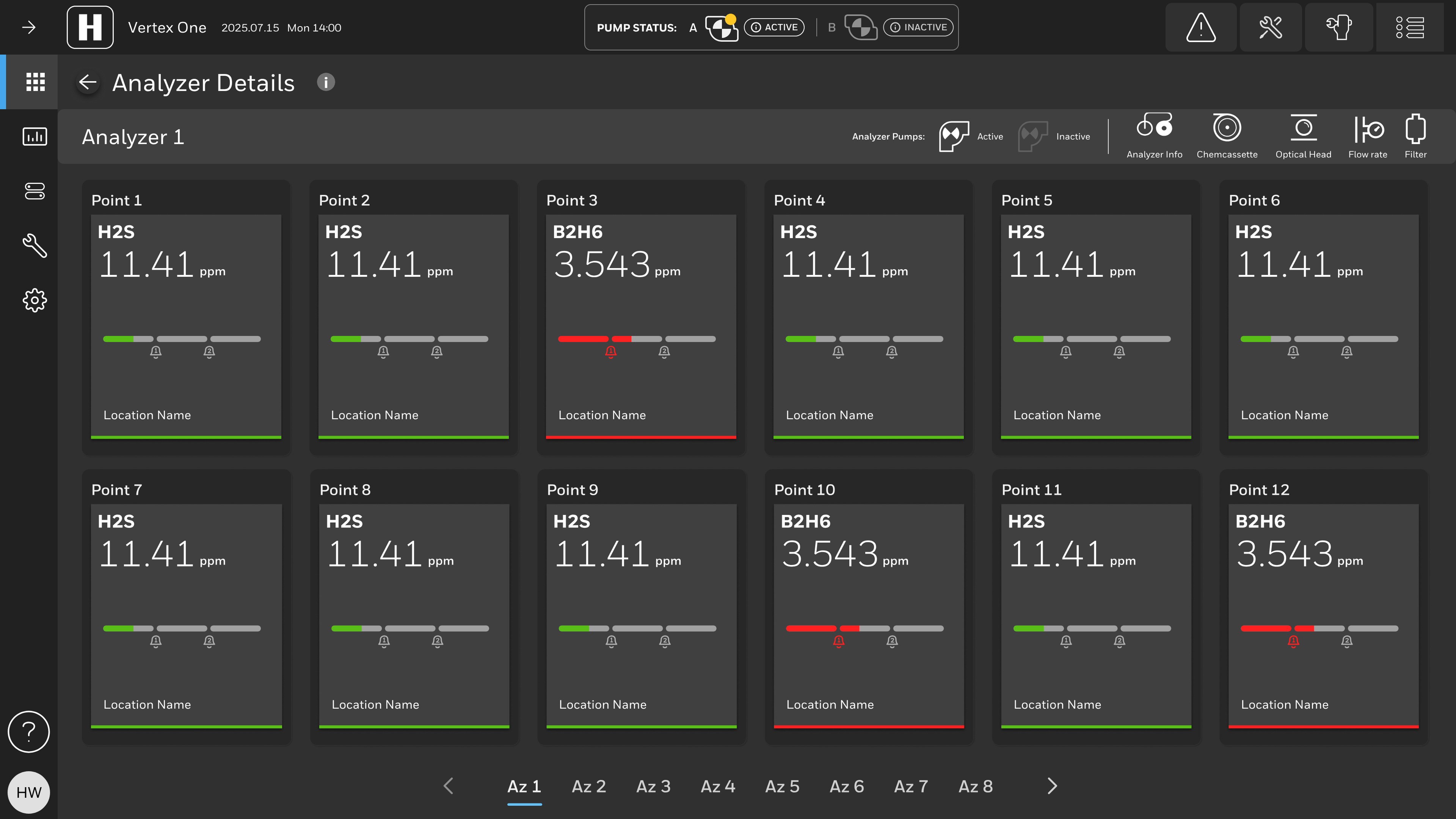
• Focus Mode and filtering capabilities to manage alerts, drawing attention with color highlights to points requiring immediate action (Active Latched alarms) while providing lower contrast for other active points, applying a triage logic directly relevant to managing missile tracks.
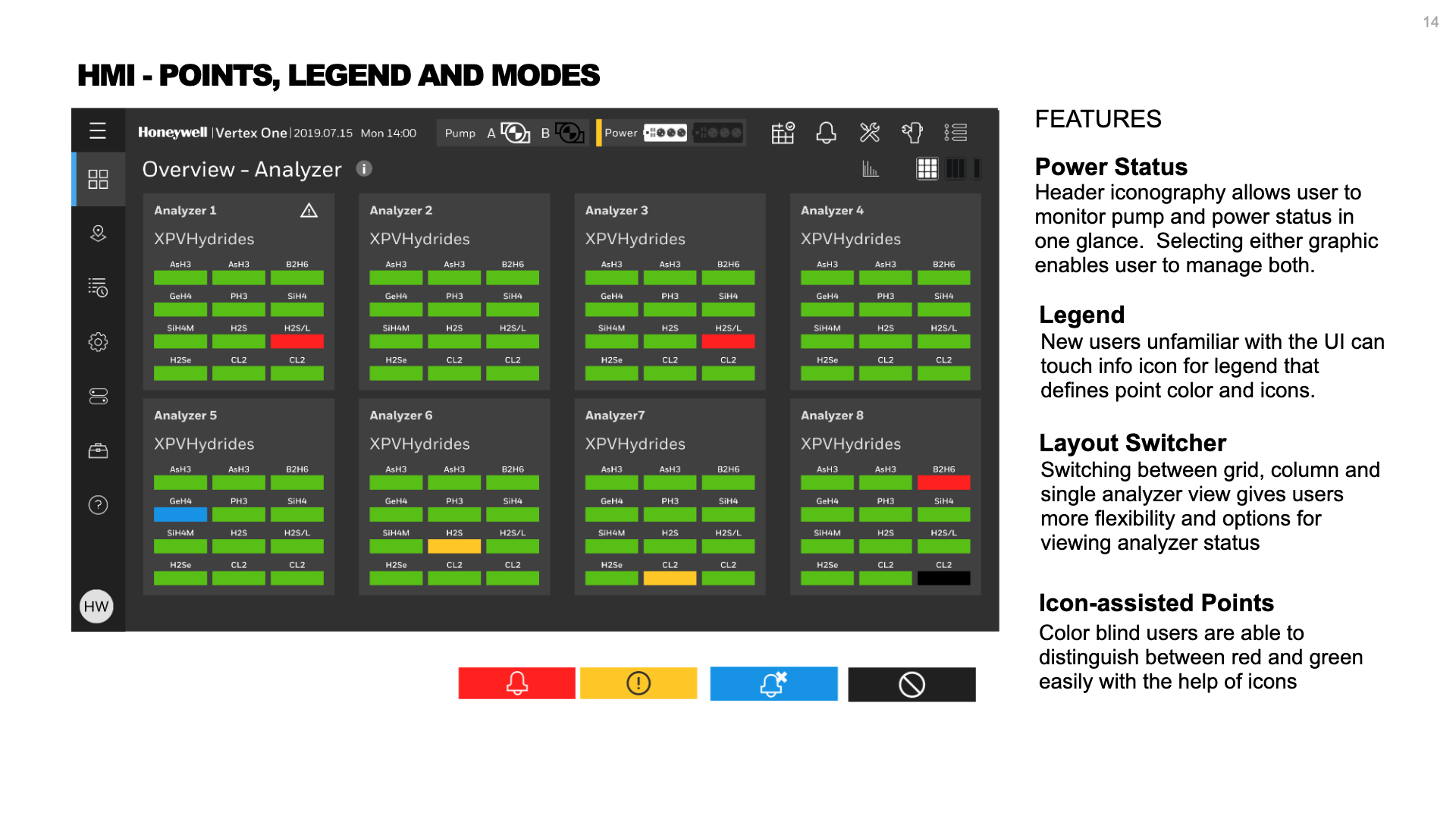
• Proactively ensured accessibility by incorporating features like icon-assisted color coding to allow color-blind users to distinguish between status colors (green/red/yellow), recognizing the critical need for visual clarity in high-stakes environments.
Competitive Analysis, Existing Screen Analysis, Workflows
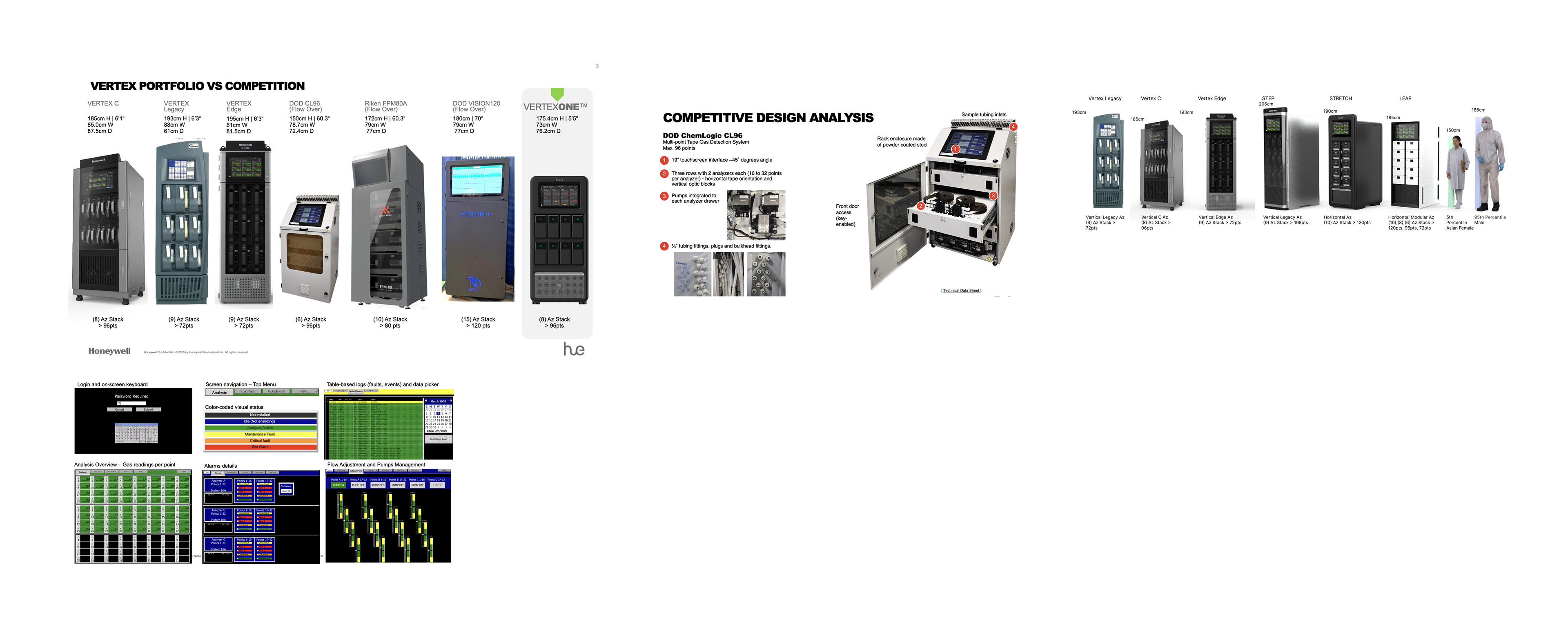
An evaluation of major competitors—such as Riken and DOD—revealed several usability and accessibility issues in their touchscreen interfaces. Poor color contrast, dense information layouts, and small touch targets make competitor screens difficult to operate and visually overwhelming.
Screen Analysis
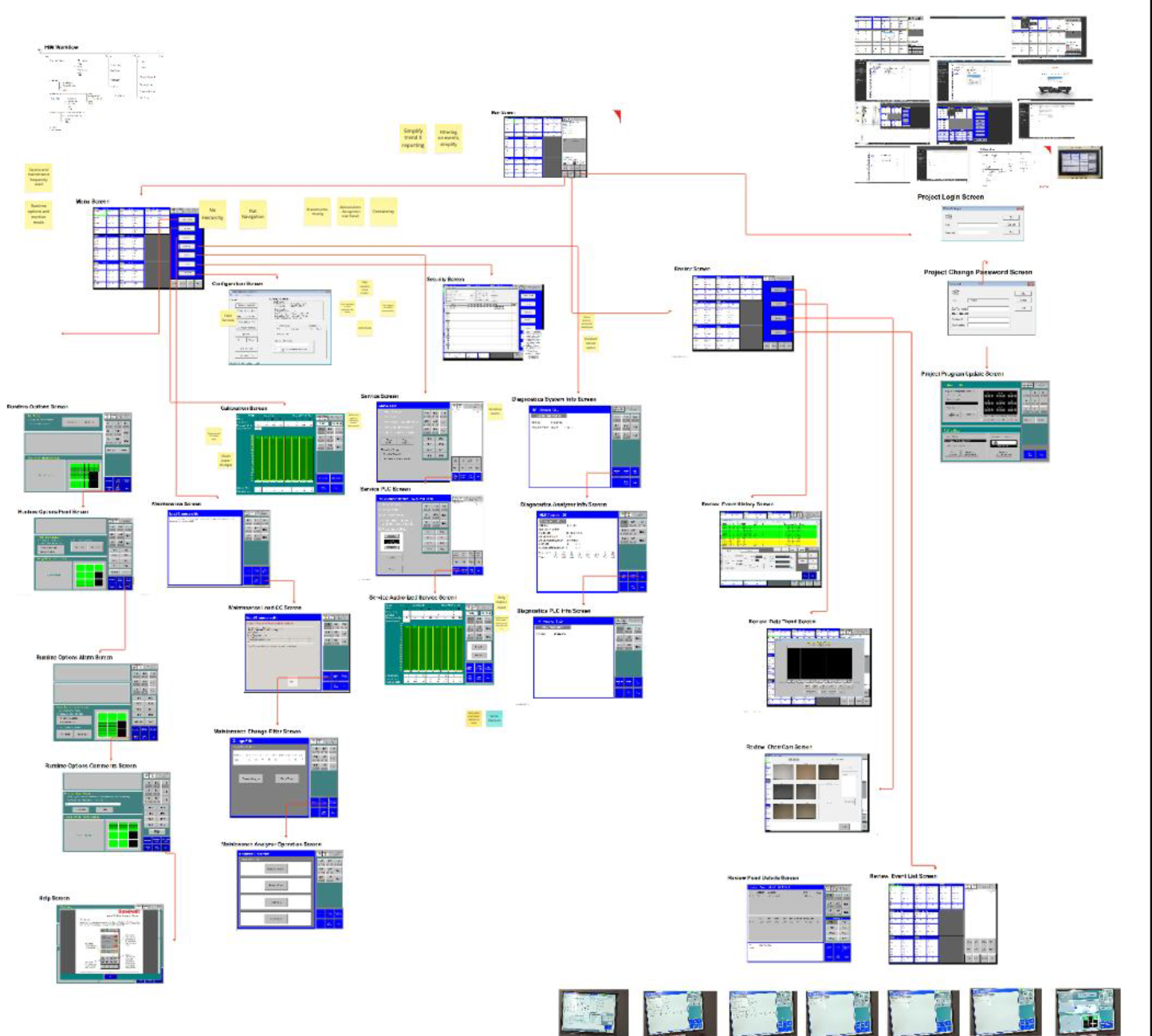
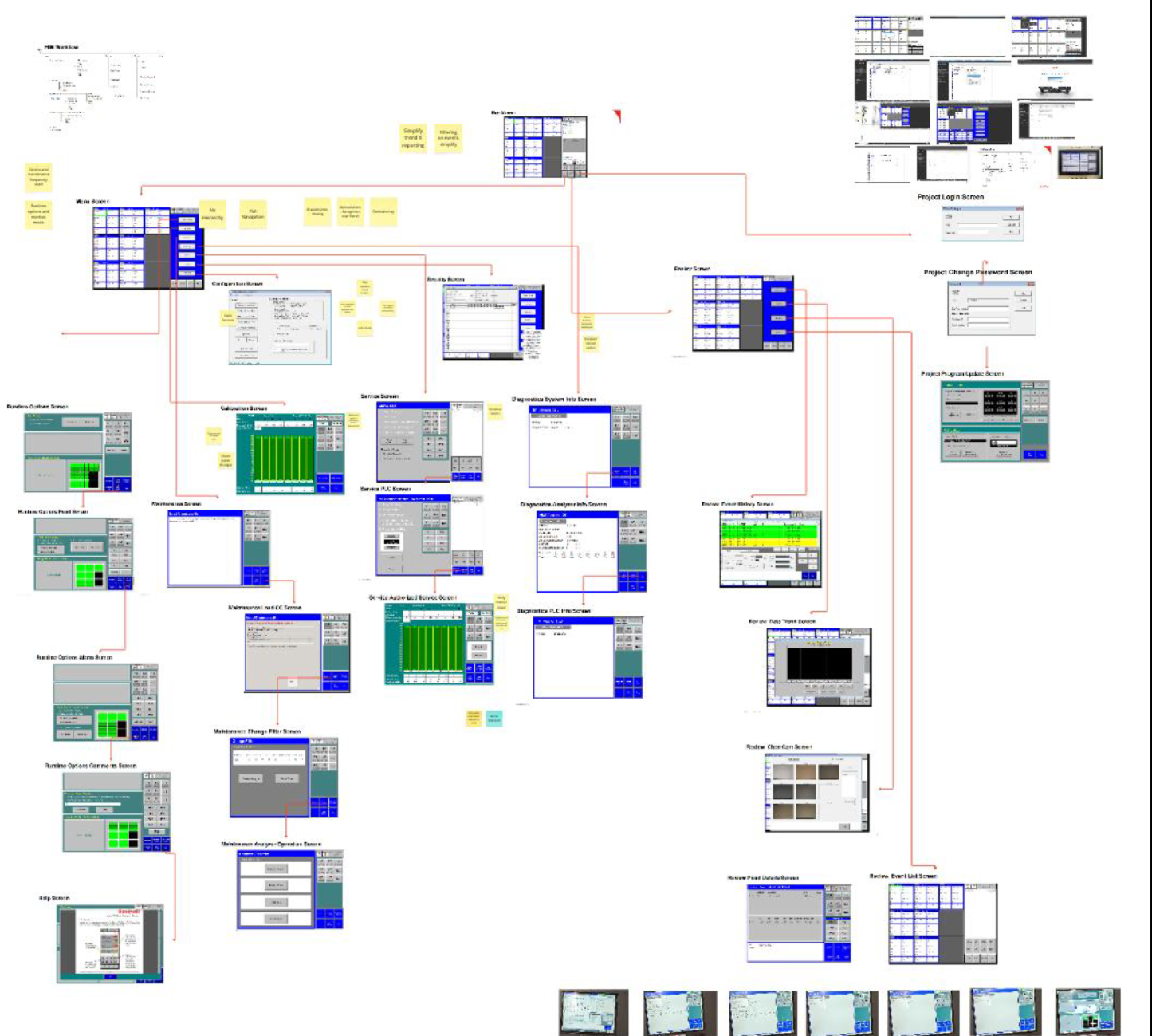
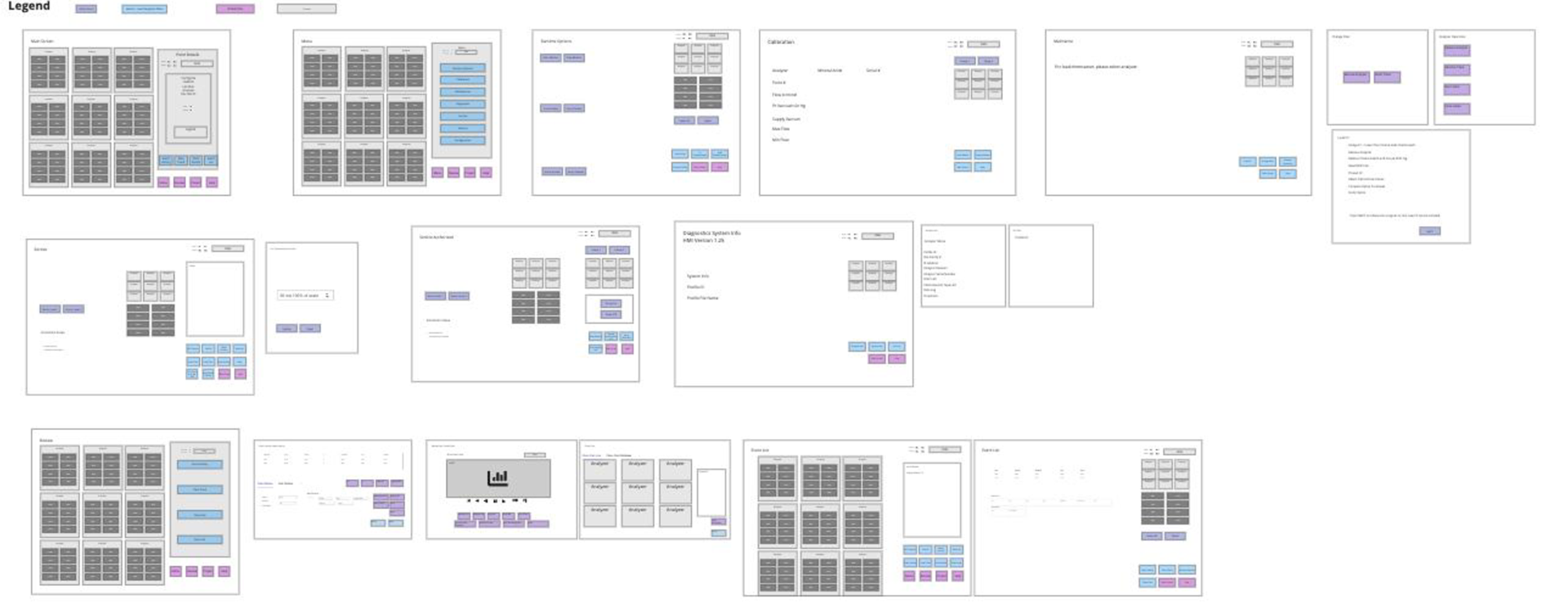
Mapping the legacy Vertex screens helped to make sense of the decades old interface. Ahead of its time, the interface was designed prior to inventions like iPhone and iPad and the advent of touch interfaces. Therefore, trial and error and a reliance on training manuals were prerequisites for usage. Wireframing the legacy interface aided my understanding of the product by removing unnecessary colors. Patterns and a system of thought began to emerge.
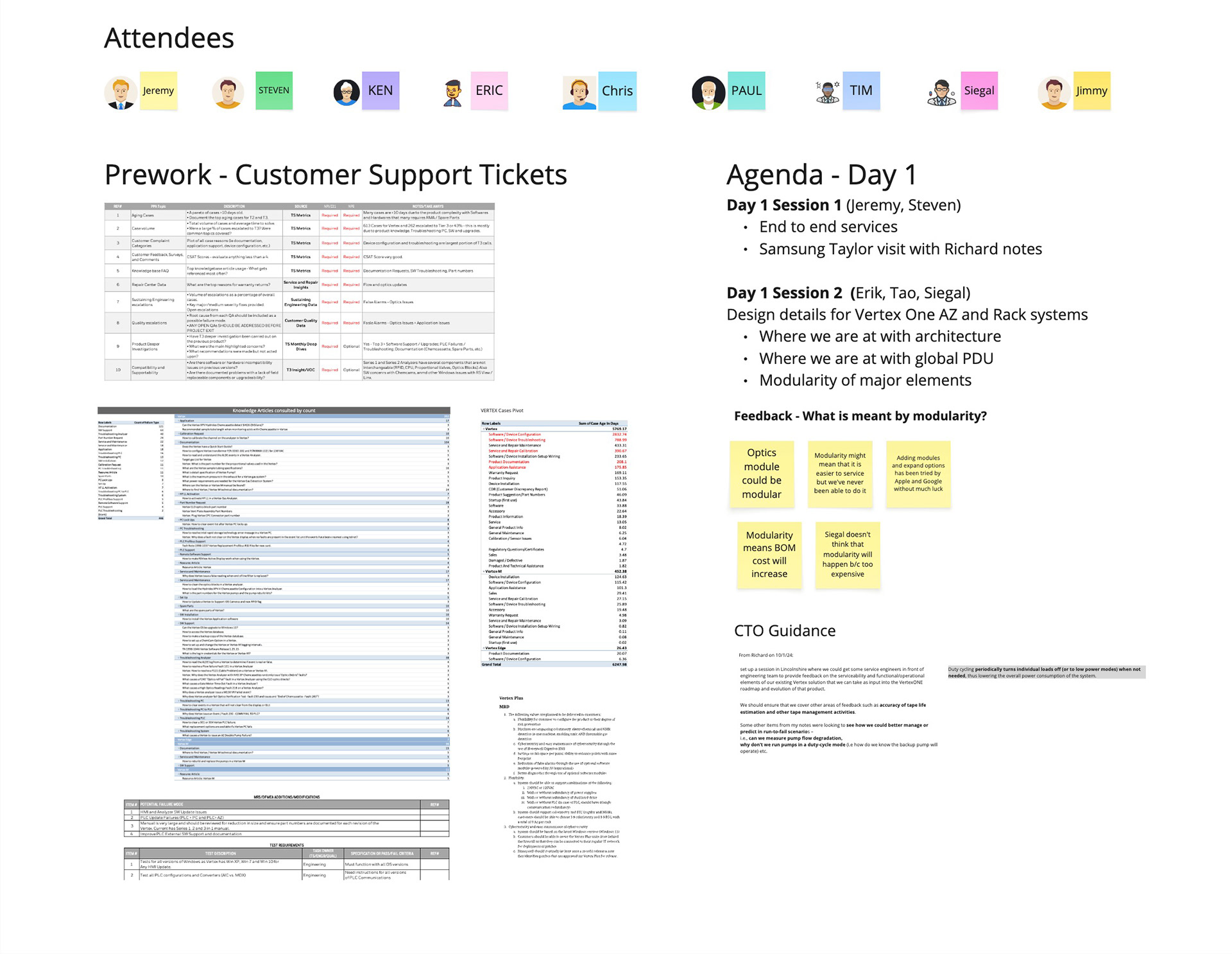
Workshop - Pre-work and Agenda
Held at Honeywell’s Lincolnshire headquarters, the Vertex One UX Workshop brought together cross-functional stakeholders from product management, engineering, human factors, and field services to align on the next-generation Vertex One vision. The session focused on reimagining the human–machine interface (HMI) and overall user experience for toxic gas detection in high-risk semiconductor FAB environments.
As the UX Design Lead, I helped shape the workshop agenda, methods, and synthesis framework that guided subsequent concept validation at Samsung Austin. The workshop surfaced key challenges in integrating and maintaining Vertex systems, with emphasis on cybersecurity, preventative maintenance, documentation, system upgrades, and service efficiency. Discussions included field service team members for Intel, Samsung, and other partner accounts.
As the UX Design Lead, I helped shape the workshop agenda, methods, and synthesis framework that guided subsequent concept validation at Samsung Austin. The workshop surfaced key challenges in integrating and maintaining Vertex systems, with emphasis on cybersecurity, preventative maintenance, documentation, system upgrades, and service efficiency. Discussions included field service team members for Intel, Samsung, and other partner accounts.
The technical support performance analysis revealed key factors affecting customer experience and service efficiency for the Vertex product line. The study identified documentation, software support, and analyzer troubleshooting as the top drivers of customer assistance requests.
Together, these patterns show that user friction peaks during installation, configuration, and maintenance workflows—especially around software compatibility, optics calibration, and documentation clarity. Streamlining these areas with improved procedural guidance, interactive digital tools, and enhanced remote diagnostics could significantly reduce escalation rates and technician downtime.
Workshop sessions
Over four collaborative workshop sessions, a cross-functional team—including field service engineers, tech support leads, software developers, mechanical and electrical engineers, systems engineers, offering managers, and global fellows—examined the end-to-end customer experience of Honeywell’s gas detection systems.
Day 1:
Discussions focused on service inefficiencies, training gaps, and nuisance alarms in semiconductor fabs. Human factors were central, referencing Fitts’ Law, ergonomics, and Nielsen Norman heuristics to assess HMI usability. Microsoft Copilot supported synthesis by summarizing transcripts and quotes. A review of the Samsung customer visit highlighted repair turnaround challenges, pump reliability, and system architecture issues, leading to analysis of PLC configuration, alarm logic, modular design, and HMI responsiveness.
Day 2:
Using a “How Might We” framework, the team generated actionable ideas to automate reporting, improve training and diagnostics, reduce false alarms, and predict failures. Key opportunities included improving Chemcassette maintenance, parts replacement, software releases, PLC and pump duty cycles, and predictive tools to drive reliability and service excellence.
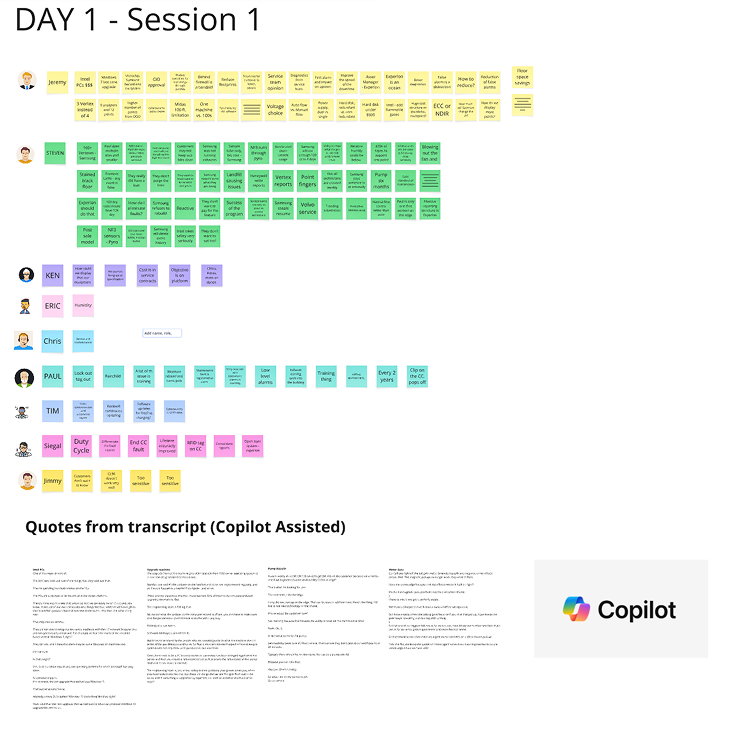
Talked about end to end services provided and pain points customers are experiencing. Included field service technicials at large and small fabs and the head of mainetnance and the head of tech support as well as software developer, mechanical engineers, electrical engineers, systems engineer, offering manager, project owner, fellows from Korea, China, USA, India, and Eastern Europe
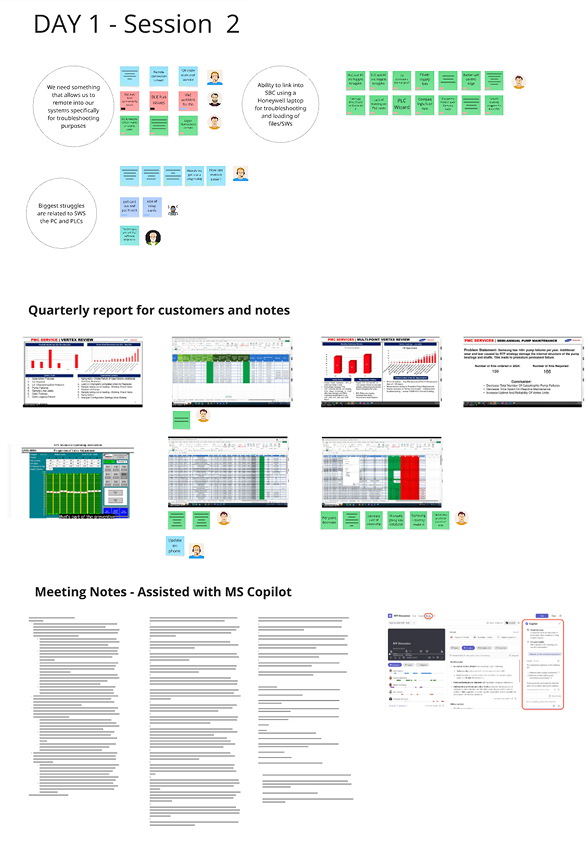
Discussed amsung visit and quarterly report as well as guidance from CEO. Discussed architecture, key failure points, repair-first mindset, case volume at Samsung, long turnaround times, system configurations, pump issues, and training issues. In addition focused on PLC comms and reducing escalations
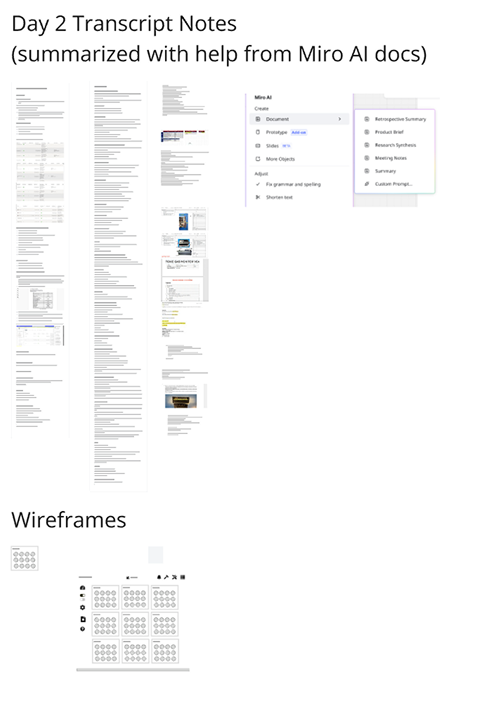
Discussed human factors including Paul Fitt’s model, ergonomics, touch screen, 10 heuristics from Norman Neilsen. We also discussed key influencers and pesonas. Lastly we brainstormed on how we improve on faults and trainings as well as false alarms. It was a continueation of discussion from previous day and we looked at PLC configuration, Alarm latching, modular design, tubing and HMI
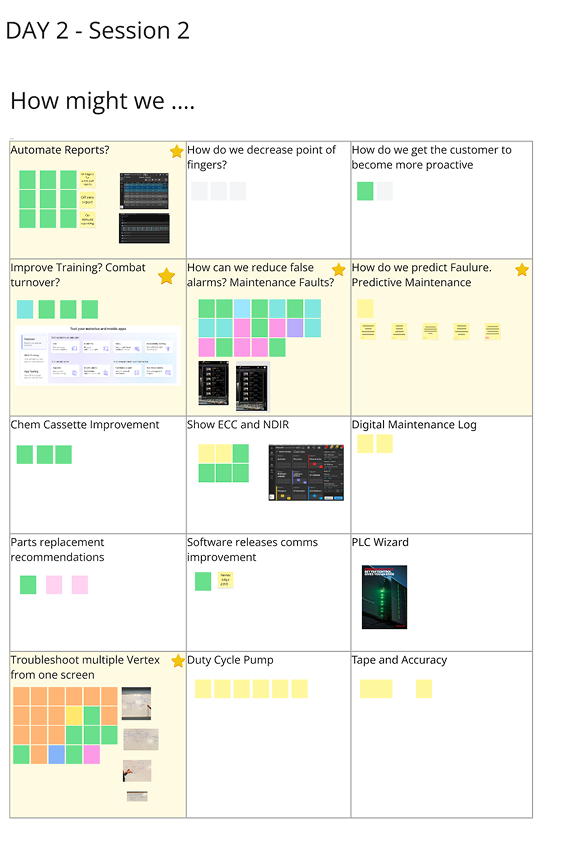
I conducted a How Might We discussion based on all the current themes form the previous sessions. These included asking the cross-functional team how might we automate reports, improve training, reduce false alarms, predict failure and troubleshoot more efectively. We als look at imporving chemcassete, parts replacements, software release, PLC, duty cycle pump and tape accuracy as well as customer pointing fingers and encouraging customerto become more proactive
Clustering and AI synthesis
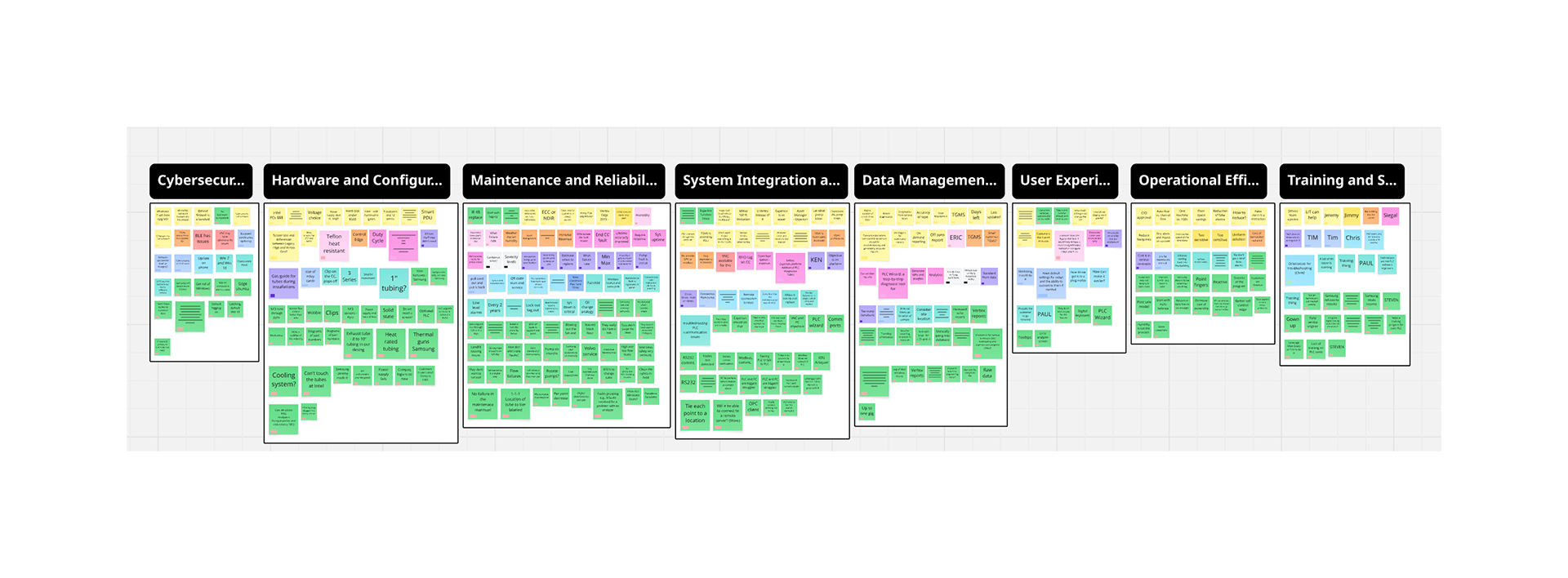
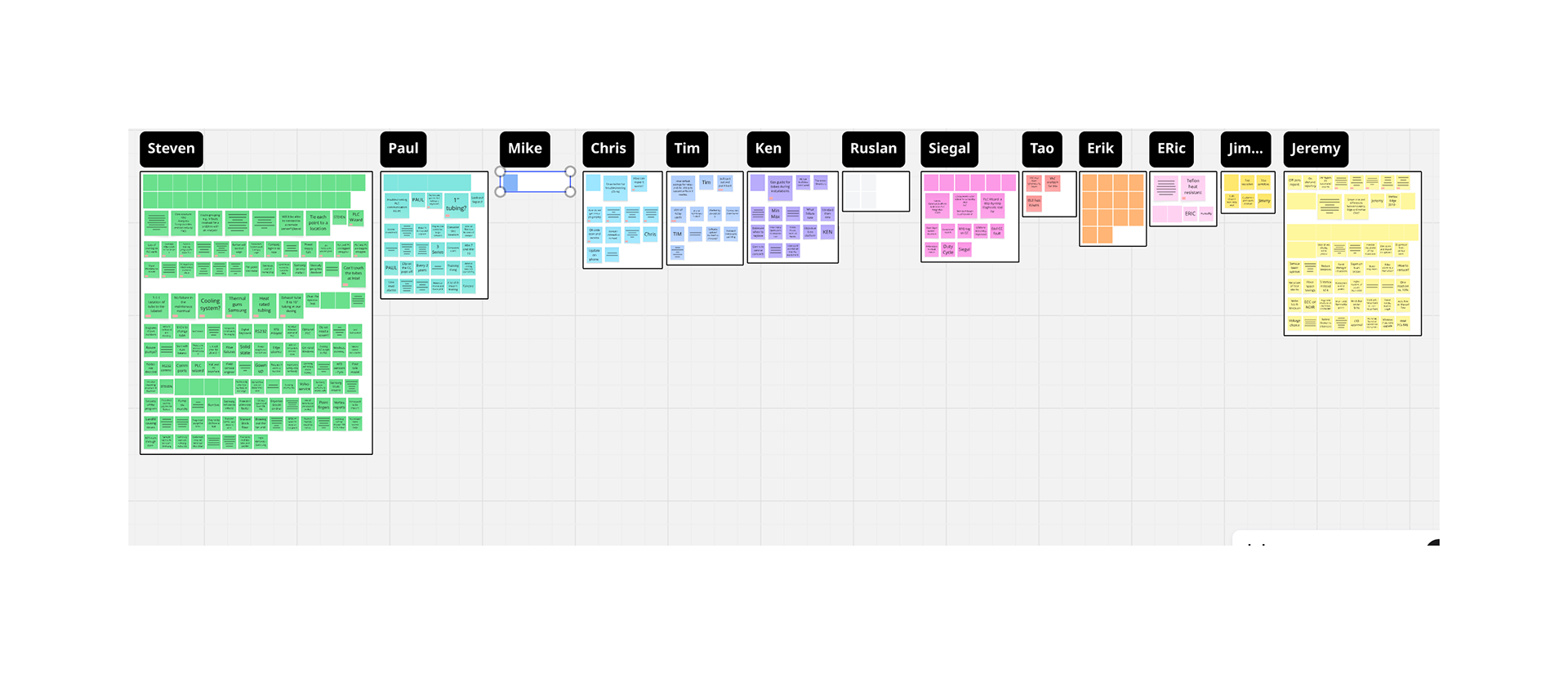
I organized all notes from the Day 1 and Day 2 workshops, first clustering them by the speaker’s name. Then, I used AI to group the notes by keyword and sentiment. Each note is now tagged by both name and keyword, giving us richer context and faster access to insights. From this process, clear themes have begun to emerge, including cybersecurity, hardware and configuration, maintenance and reliability, system integration, data management, user experience, operational efficiency, and training and support.
These findings reinforce our initial pre-work and include new insights and anecdotes from FSEs explaining root causes. For example, flow rate fault alarms may result from CC wobble, while frequent downtime and support cases often stem from limited understanding of preventative maintenance.
We brainstormed recommendations such as in-app tips to address training gaps and AI-driven custom guidance based on environmental or location data. Additional ideas include improved in-app documentation, diagnostics with recommended actions, clearer software versioning, and step-by-step guides for optics cleaning.
Automated reporting could deliver tailored insights for different audiences, while remote troubleshooting and clearer Chemcassette visuals could reduce inefficiencies and miscommunication.
Theming - Patterns emerge
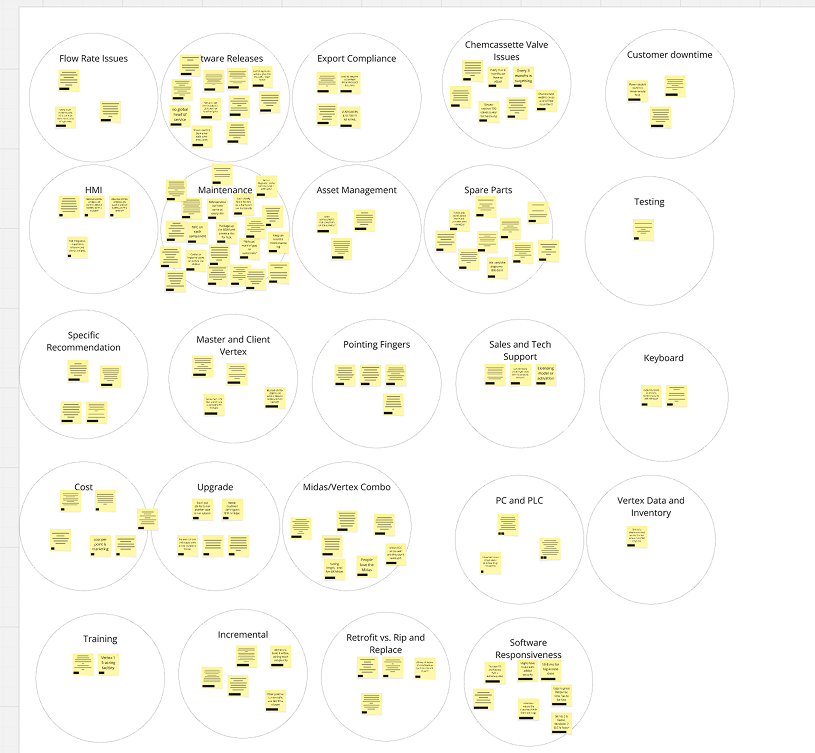
I gathered all information from workshops, tech support, meetings, and post-workshop debriefs, then sorted it into 20 themes. These would be pared down further to help us prioritize the best solutions and mitigate risk.
Themes identified during the analysis centered on configuration/installation, maintenance, and user experience. Configuration themes included software configuration, PLC configuration, upgrades, installation. Maintenance themes focused on documentation quality, preventative maintenance, spare parts management, valve performance, flow rate faults, optics issues and training. Finally, user-facing themes highlighted HMI improvements, specific troubleshooting recommendations, customer downtime and opportunities for Midas/Vertex integration.
With the workshop complete and key themes identified from pre-work with technical support tickets, stakeholder interviews, and the How Might We session, we now have clear priorities and initial solution paths to pursue. Themes such as documentation, configuration, custom recommendations, preventative maintenance, and PLC issues have emerged as core areas of focus. Next, we’ll examine the note clusters around these themes to determine where to concentrate our efforts.
Synthesizing Top Themes and Prioritizing
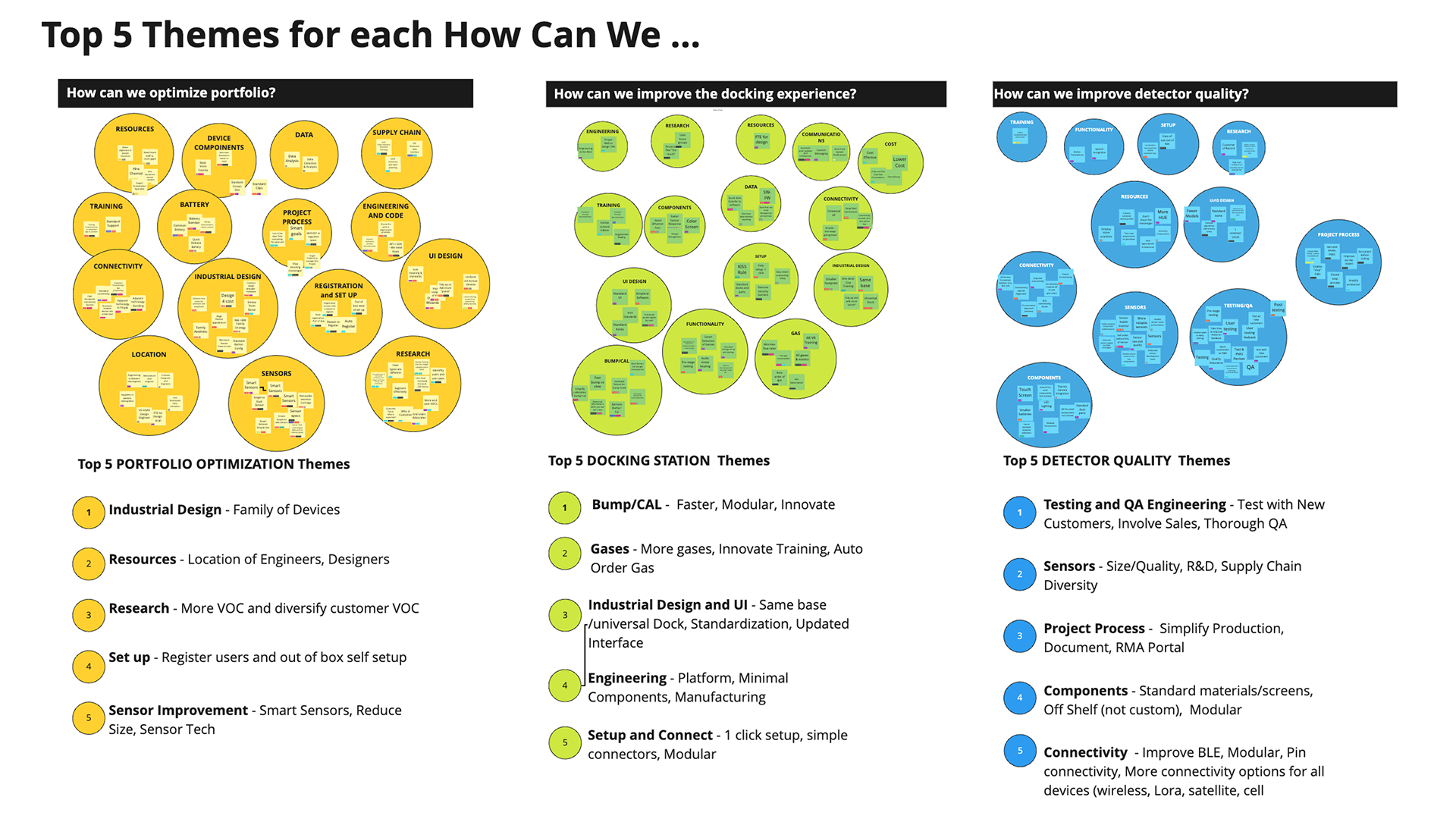
With the help of AI and synthesizing tools, I'm able to identify the Top 5 themes that emerged from the workshop and interviews.
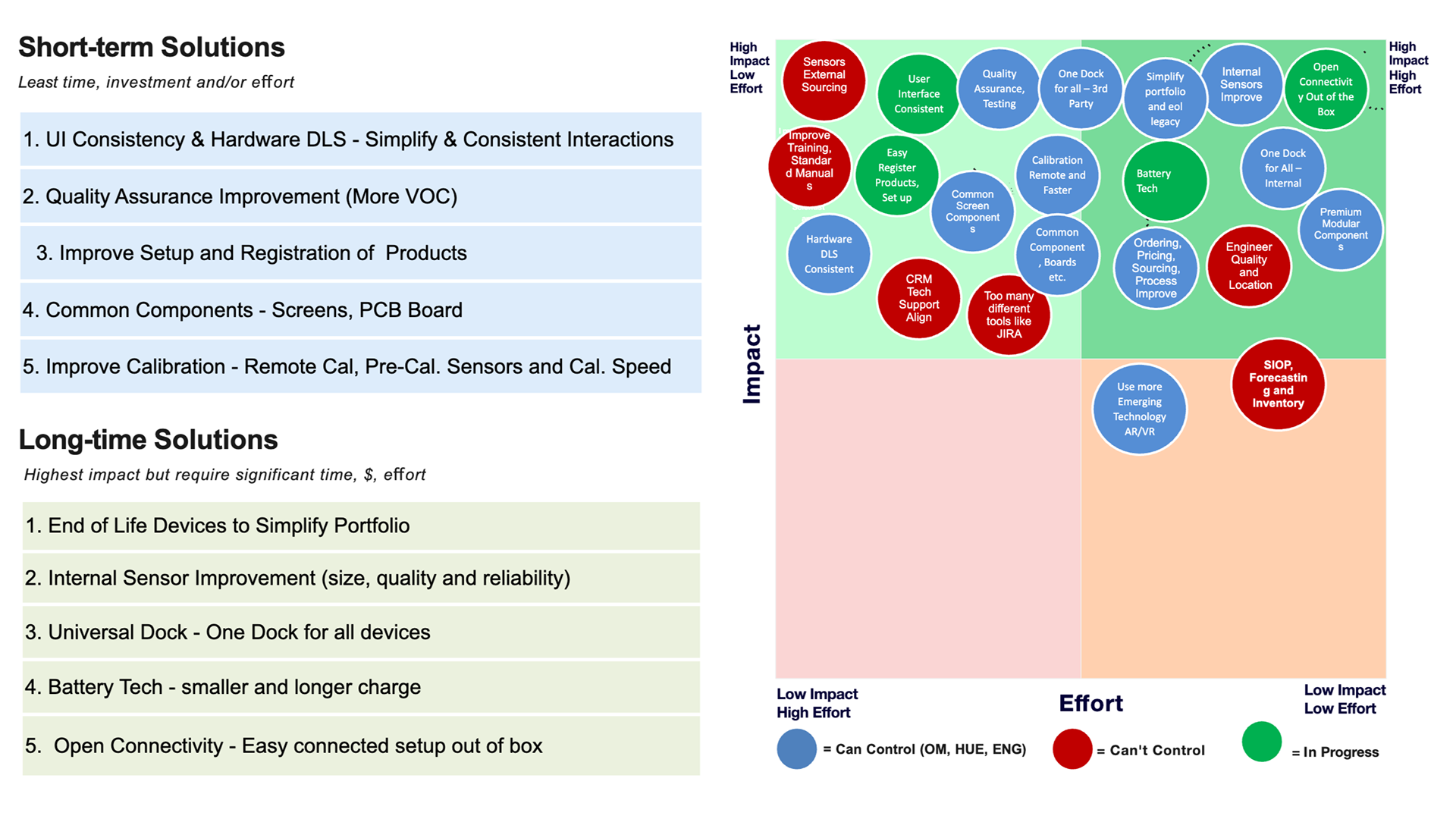
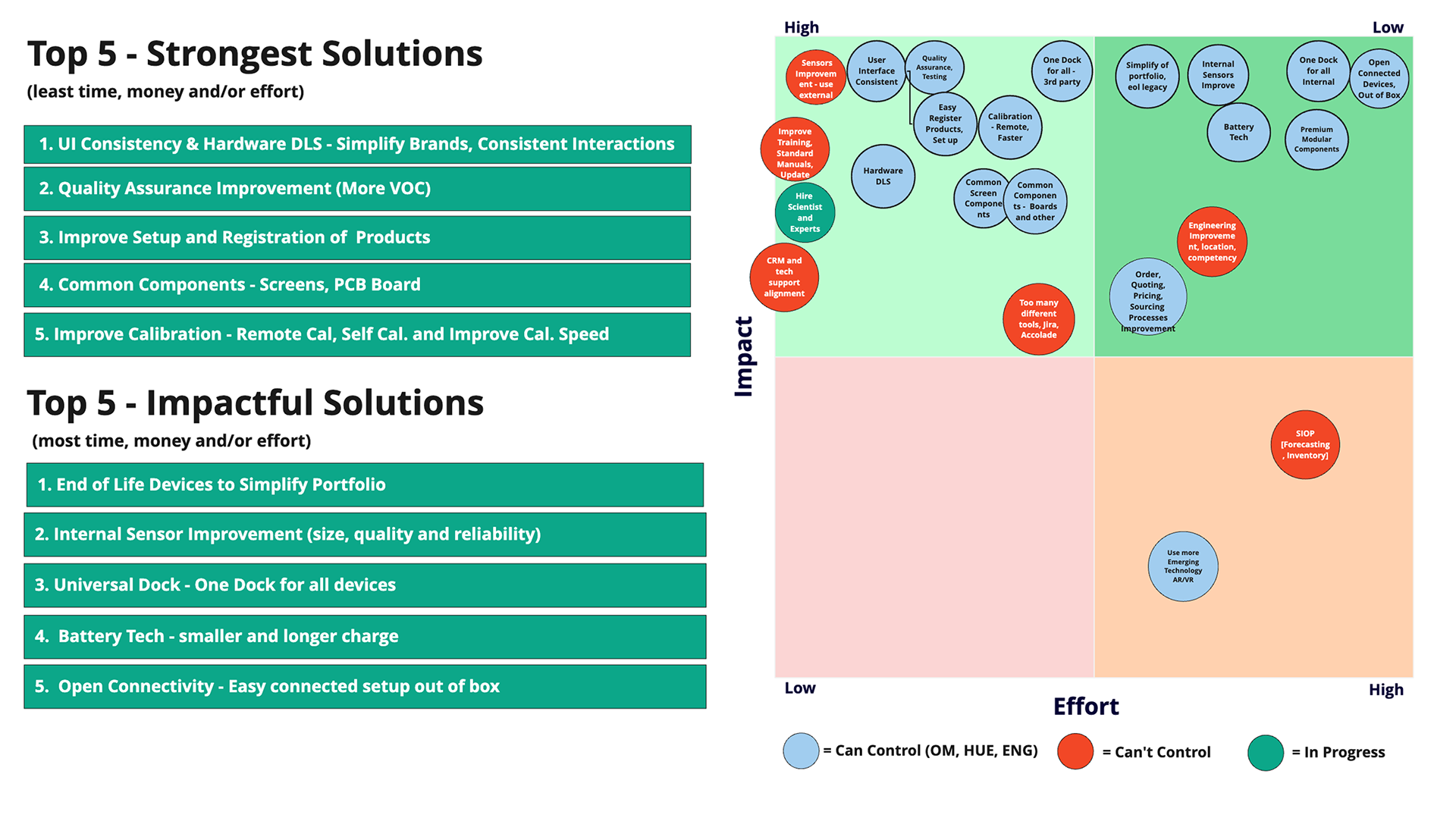
From there it is a matter of prioritizing features with stakeholders and identifying what to work and a strategy for the project. This identifies the features that we can control or can't control as well as which are the most impactful.
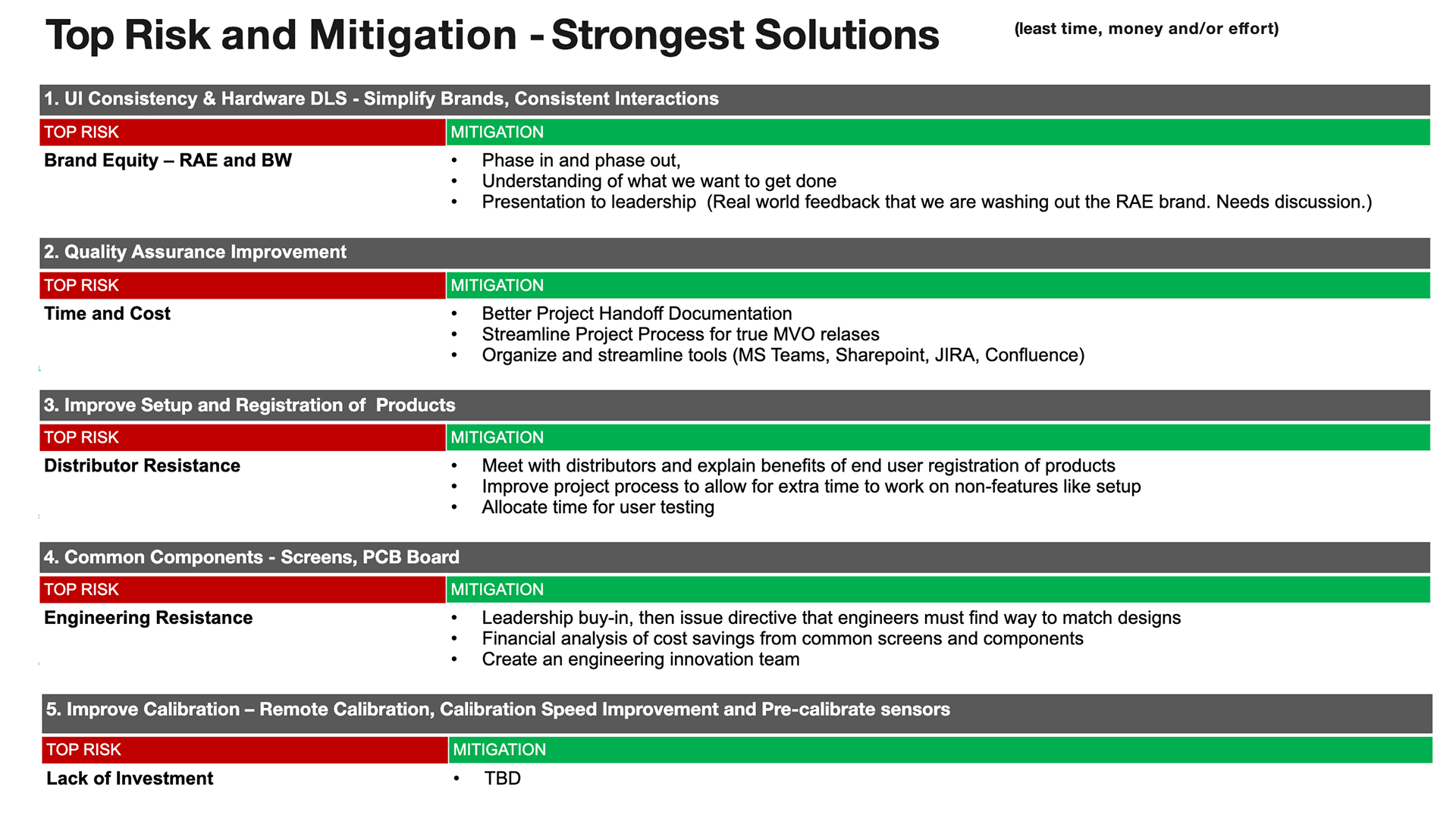
By identifying which solutions and features were high impact/high effort, high impact/low effort, low impact/low effort or low impact/high effort, the product team and I were able to confidently move forward with the knowledge that time was spent efficiently.
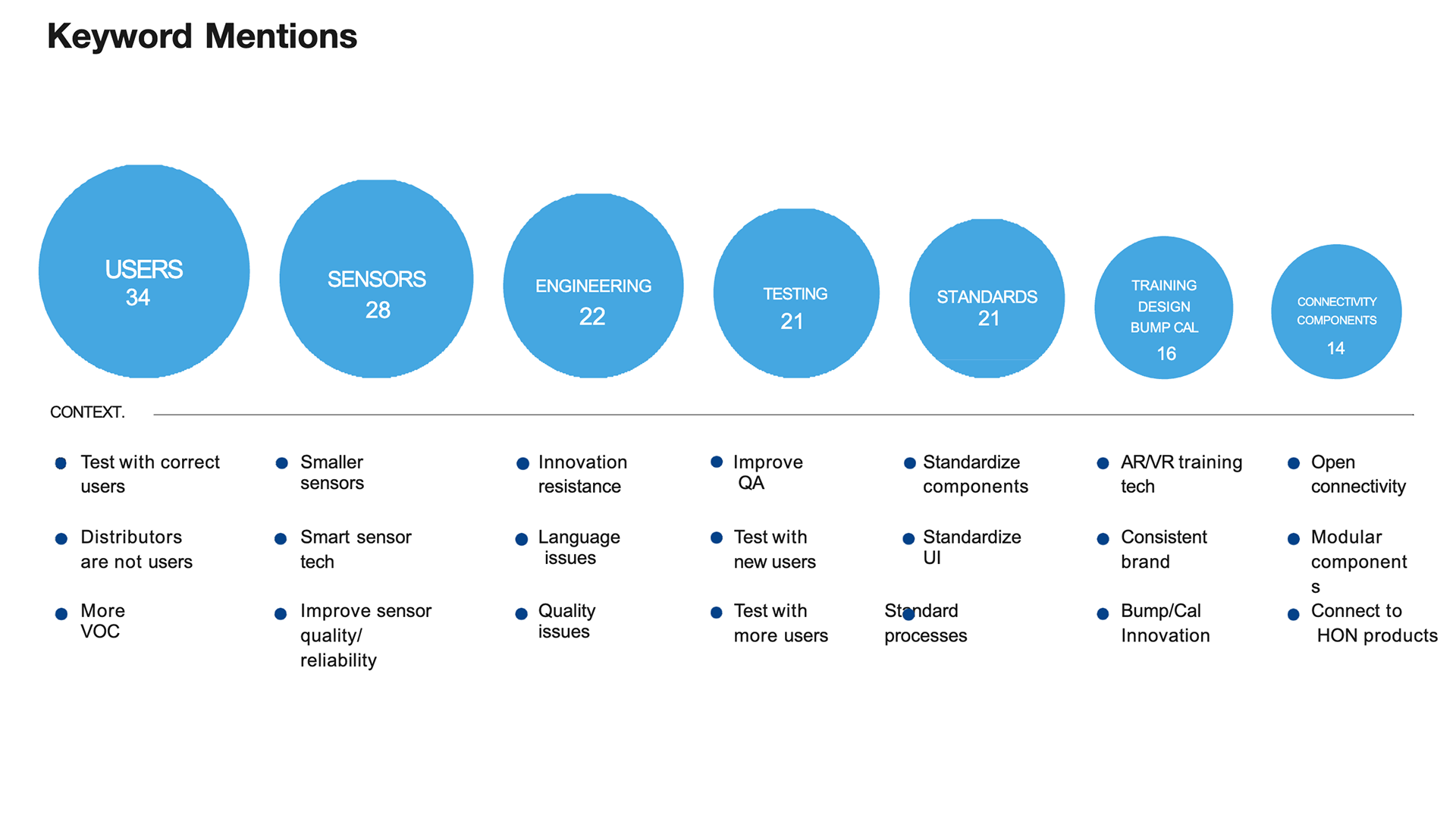
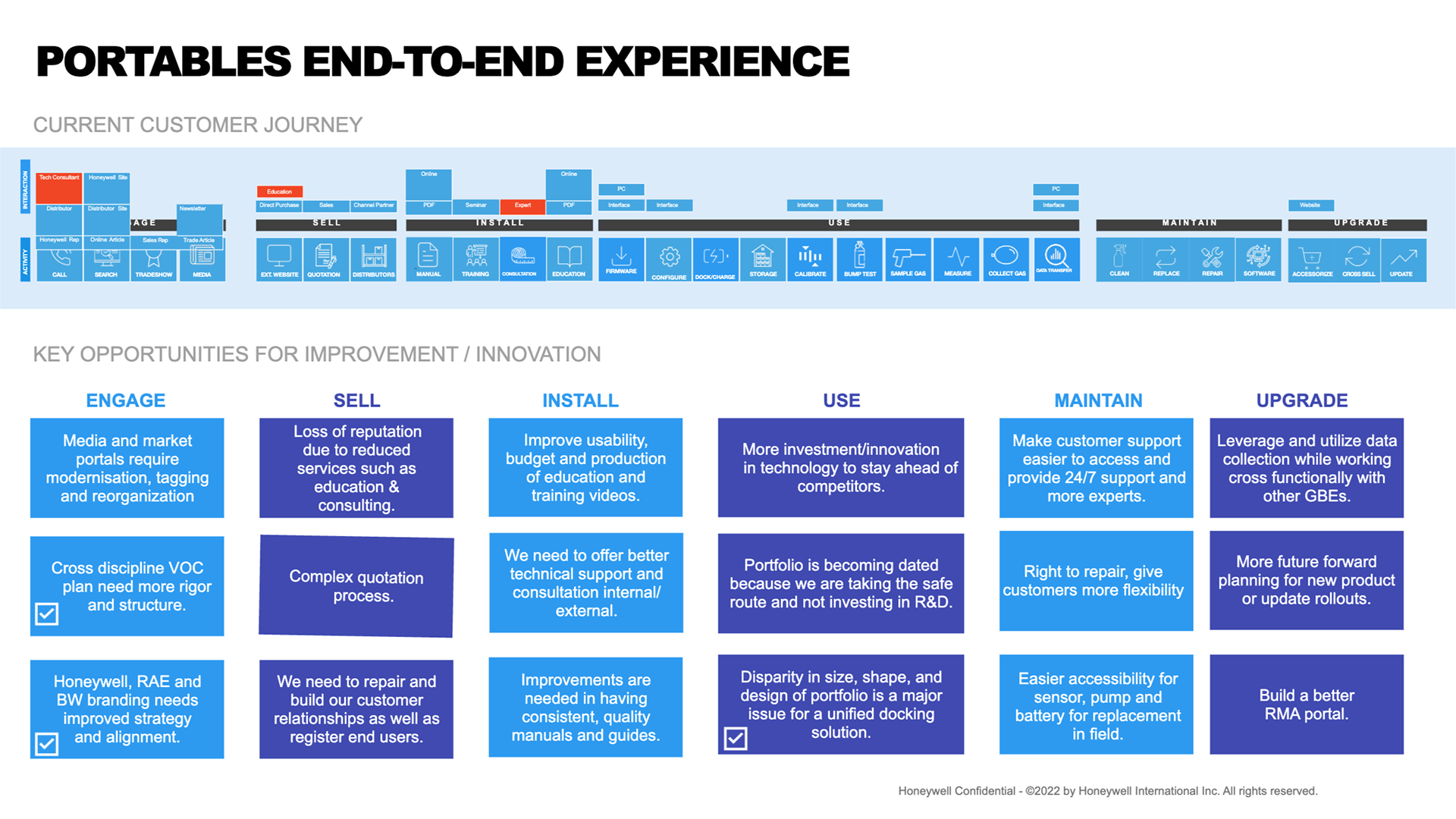
(Example from a similar project of prioritizing, analyzing keyword mentions, E2E experience, short-term/long-term solutions with impact/effort matrix, strongest/impactful solutions, top risks and mitigations)
(Example from a similar project of prioritizing, analyzing keyword mentions, E2E experience, short-term/long-term solutions with impact/effort matrix, strongest/impactful solutions, top risks and mitigations)
Documenting workflows and process
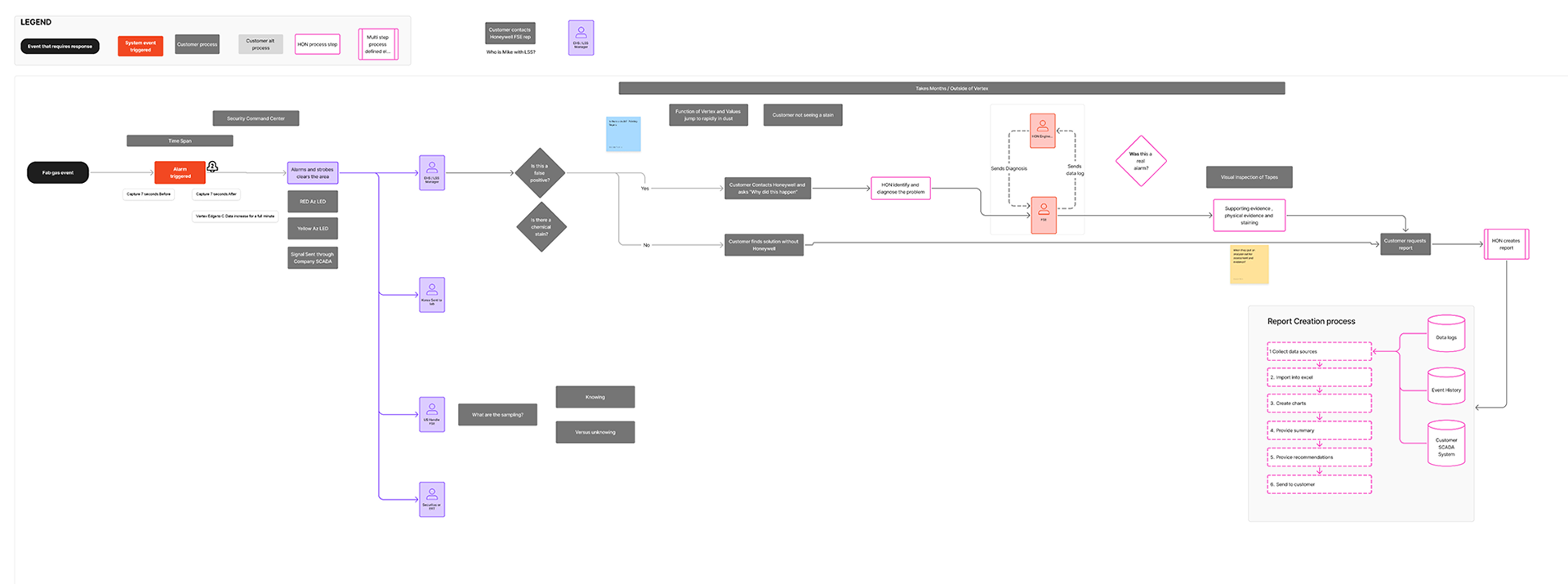
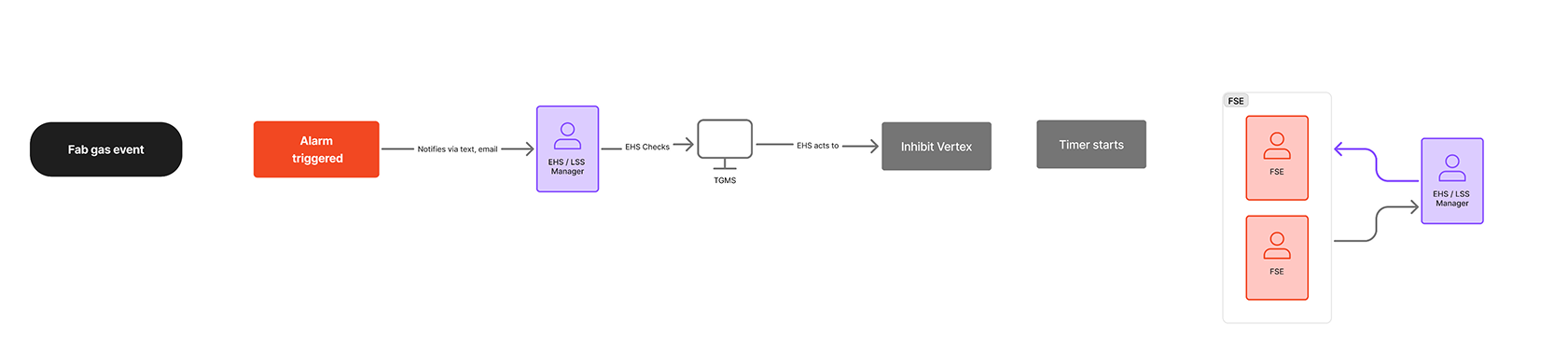
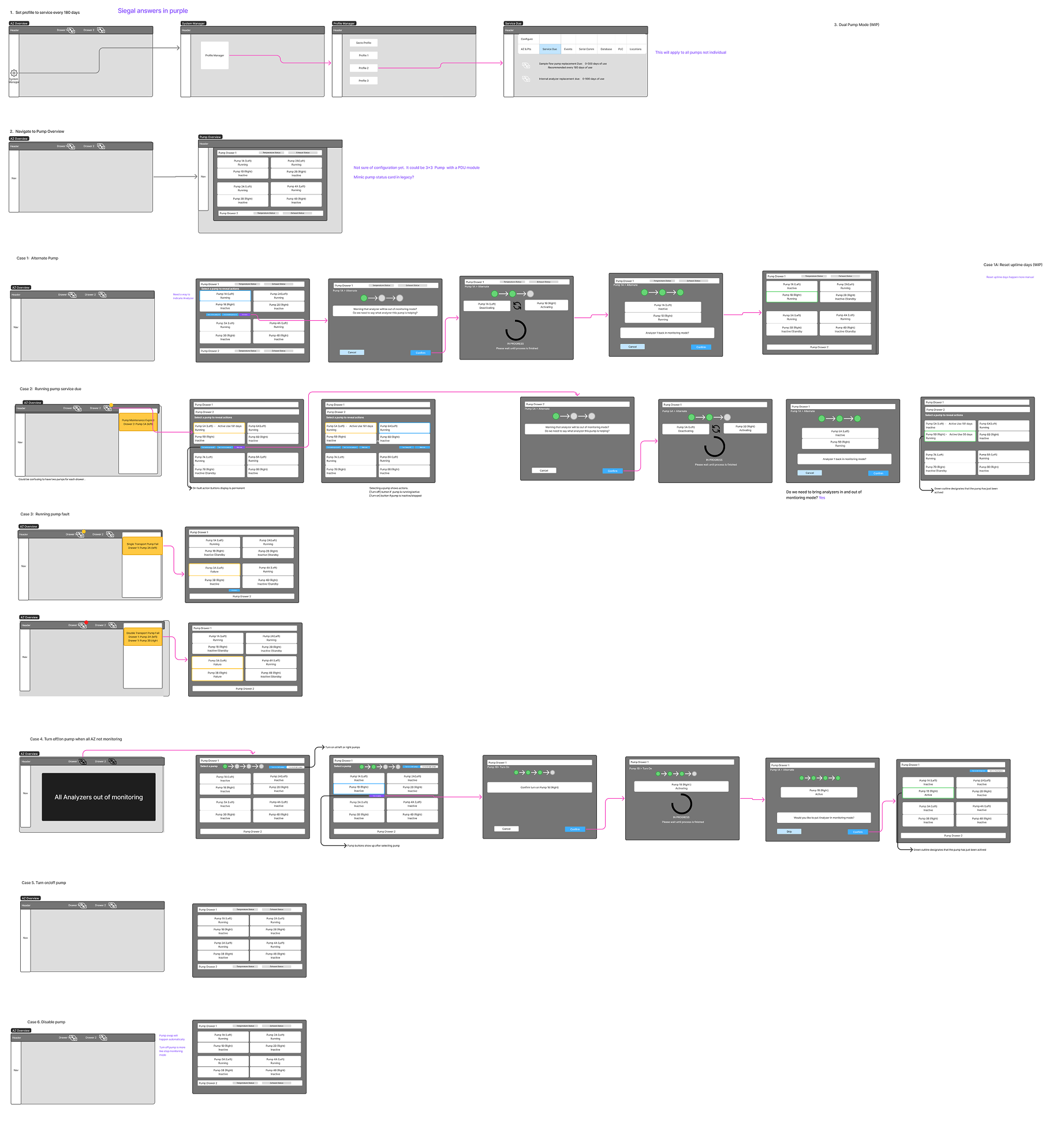
Mapping out flows with field service helped the team to better understand the steps involved when serious issues surrounding gas detection disrupted the FAB. Another key workflow introduced a differentiating feature for disabling auto pump swap and helped stakeholders visualize the functionality.
Wireframing and Usability Testing
In this case wireframing really helped to reduce the noise on highly complex concepts. The engineers and design team were better able to focus on the process and the placement of key elements as we designed a pump maintenance system.
By focusing solely on structure, content hierarchy, and the step-by-step guidance for complex procedures (such as optics cleaning and Chemcassette maintenance), we were able to quickly validate proposed workflows. This approach minimized early investment in high-fidelity visuals while maximizing team consensus on critical functionality like disabling auto pump swap—a key differentiating feature for field service efficiency.
By focusing solely on structure, content hierarchy, and the step-by-step guidance for complex procedures (such as optics cleaning and Chemcassette maintenance), we were able to quickly validate proposed workflows. This approach minimized early investment in high-fidelity visuals while maximizing team consensus on critical functionality like disabling auto pump swap—a key differentiating feature for field service efficiency.
Usability testing with customers and internal stakeholders
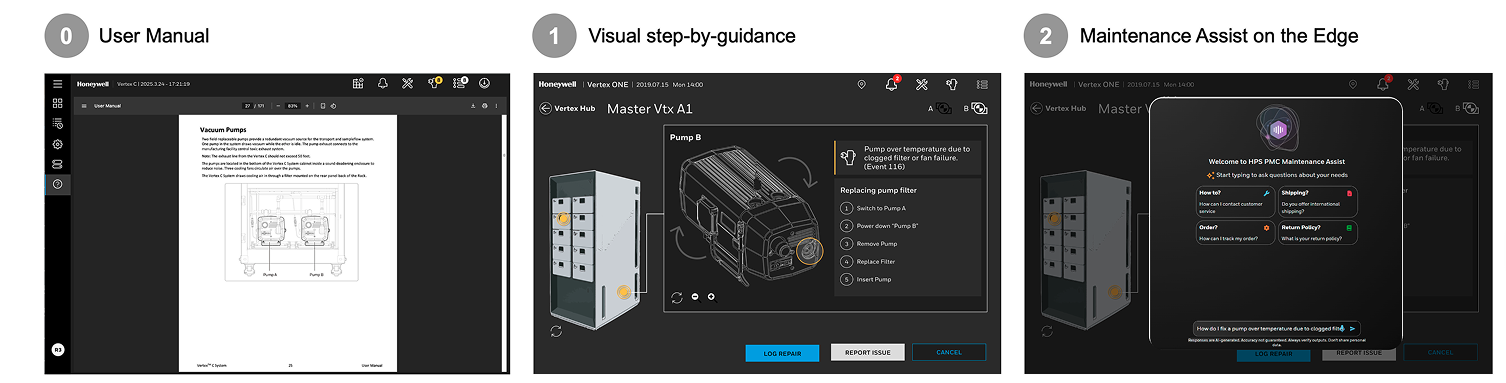
As initial concepts crystalized the team, consisting of ID, research and UX, wanted to test out the validity with customer and stakeholders. Through this process we discovered that seeing green is calming and that focus mode color palette can mean something different within the staff at the fab. We tested step-by-step guidance, and the value of an AI assistant, all of which yielded surprising results. Lastly we wanted to test the value of analytics and how the visualization would be more valuable than the current table based event history.
Designing for AI-Driven Prediction and Trust
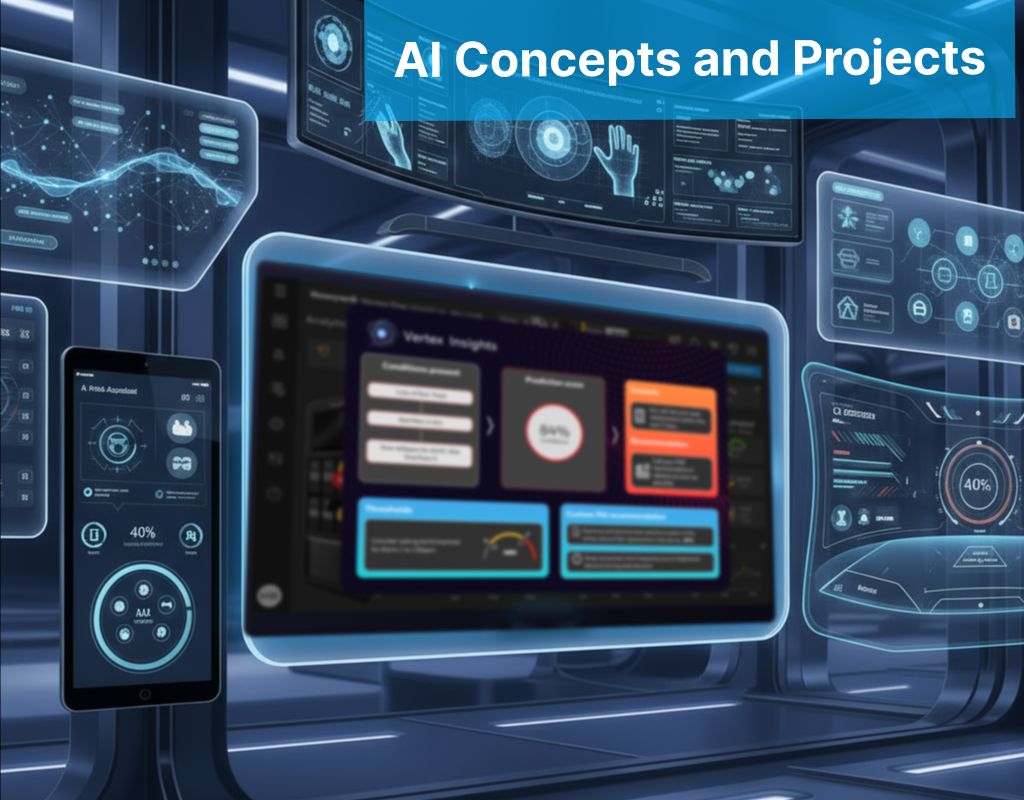
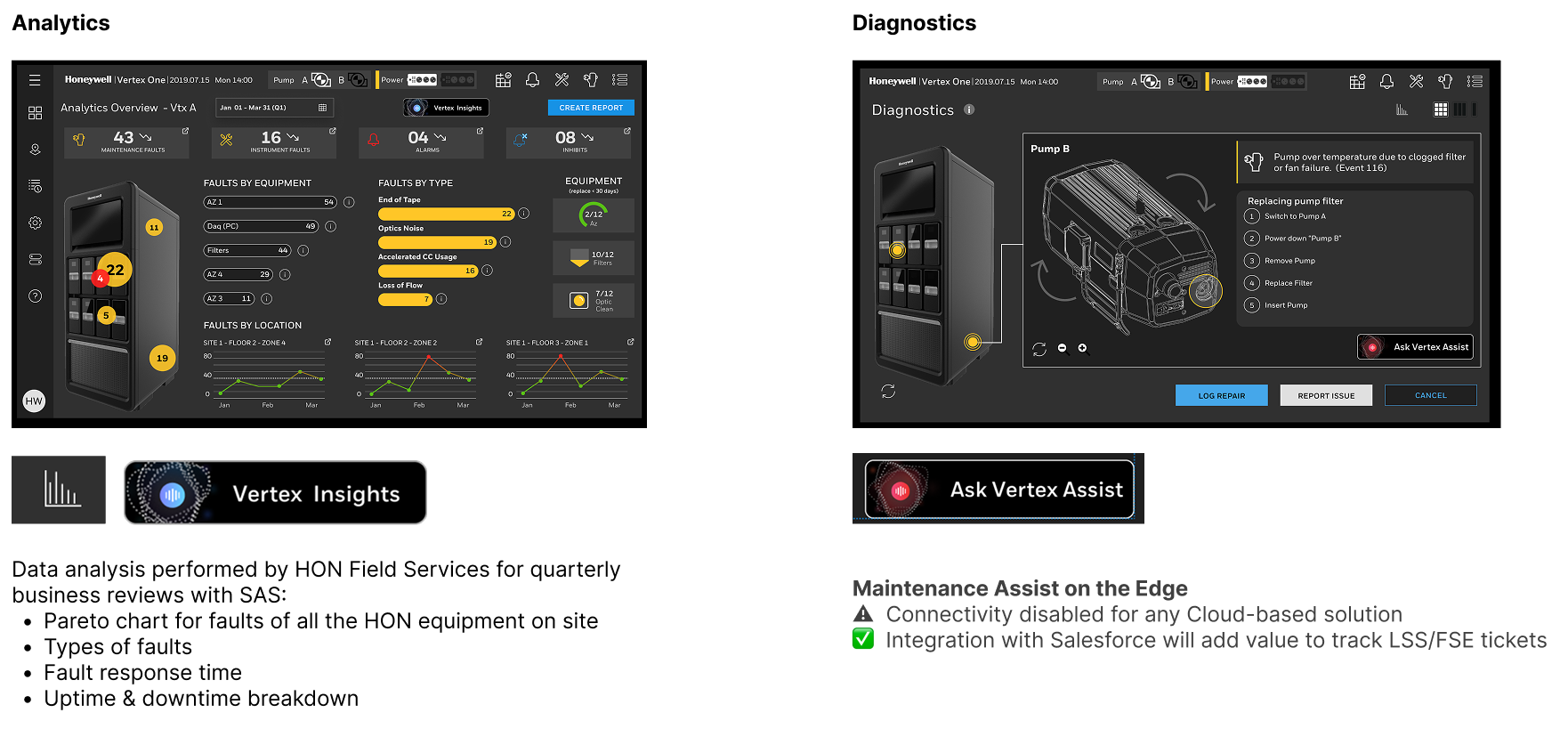
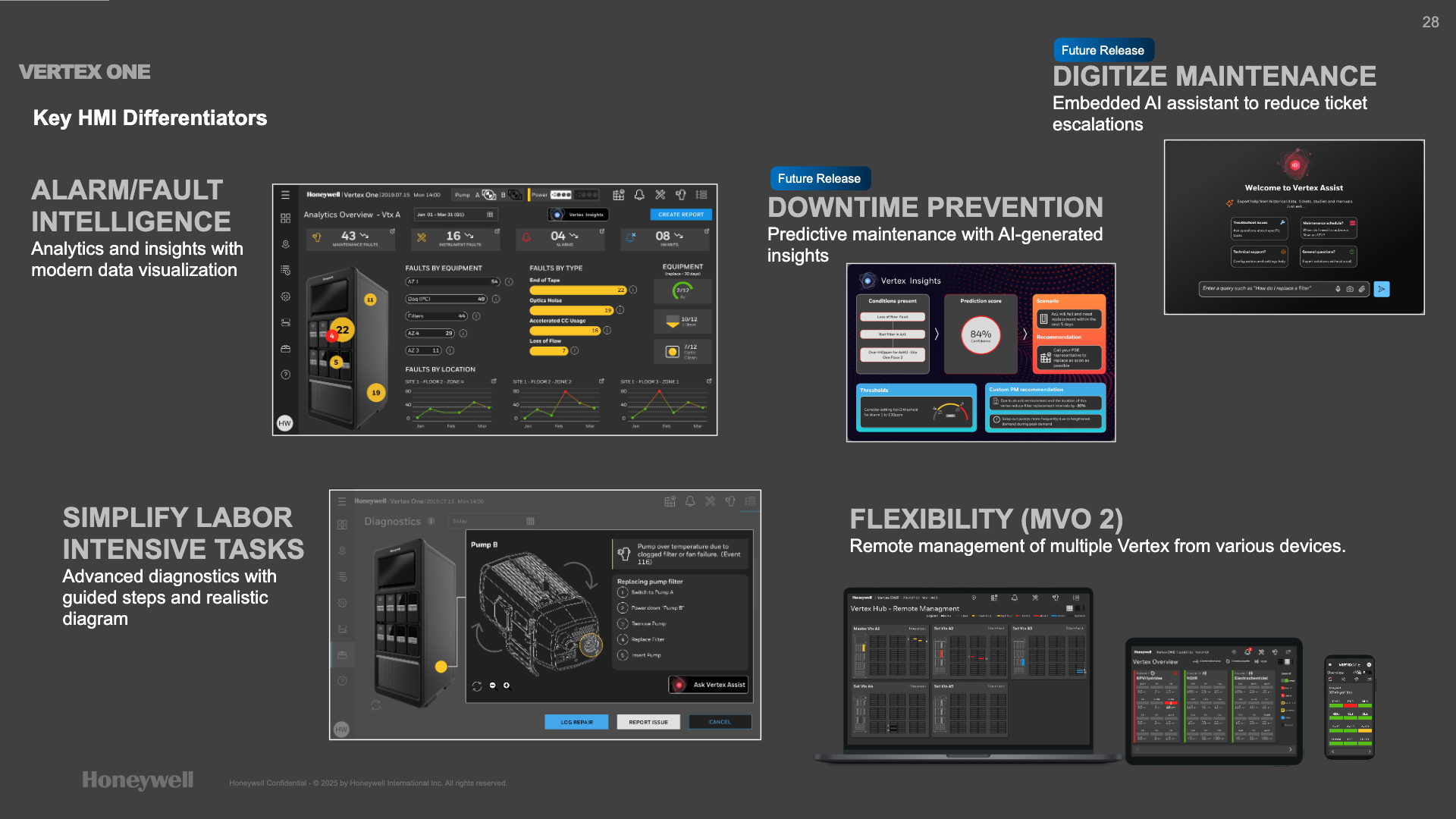
• Vertex Insights, visualizing predictive maintenance based on machine learning from historical fault and alarm data, with the goal of preventing costly downtime.
• Prediction Score (Confidence Score) alongside the scenario and recommended action, recognizing that operators must understand the reliability of automated suggestions before taking action.
• Vertex Assist conversational AI assistant for the embedded touchscreen, enabling technicians to quickly ask natural language questions for troubleshooting help and maintenance schedules directly at the machine, diverting support tickets
Concepts, High Fidelity Prototypes and Dev Hand-off
After thoroughly and meticulously researching the new Vertex UI, synthesizing and theming the result. After the interviews, VOC, usability studies, protoypes and wireframing ... only then am I ready for finalizing the user interface. This feels like the easy part after all of the preparation. My method is for user interface design relies on research, screen comparisons, and brand considerations. I want to use the latest design system that the Vertex seems modern and there is also special consideration for the touch screen nature of the HMI and the fact that people may be looking up at the interface. I considered alarms, complicated maintenance scenarios and the latest trends in AI and digital twins.
Concepts: Overview screens and event panels
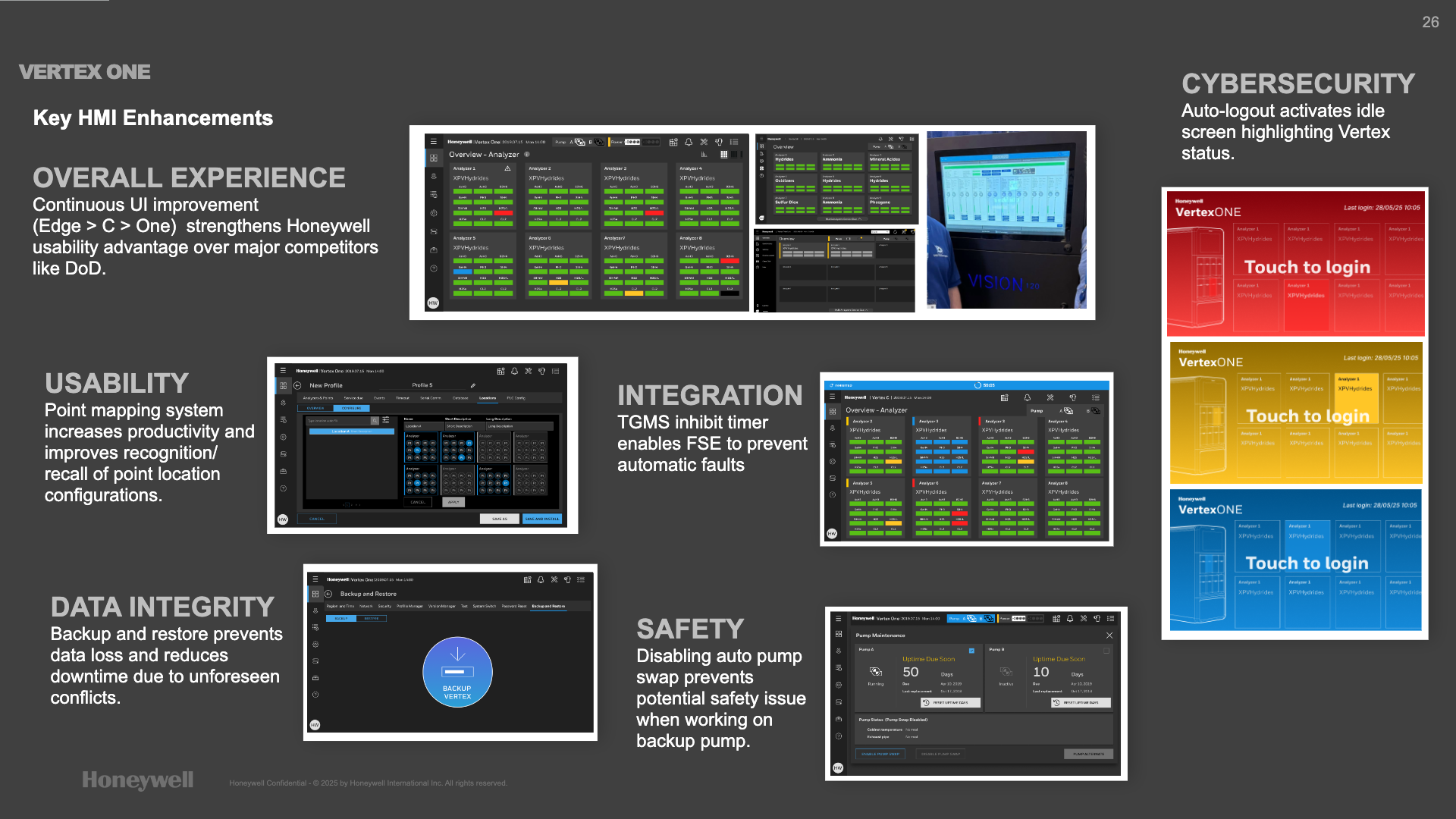
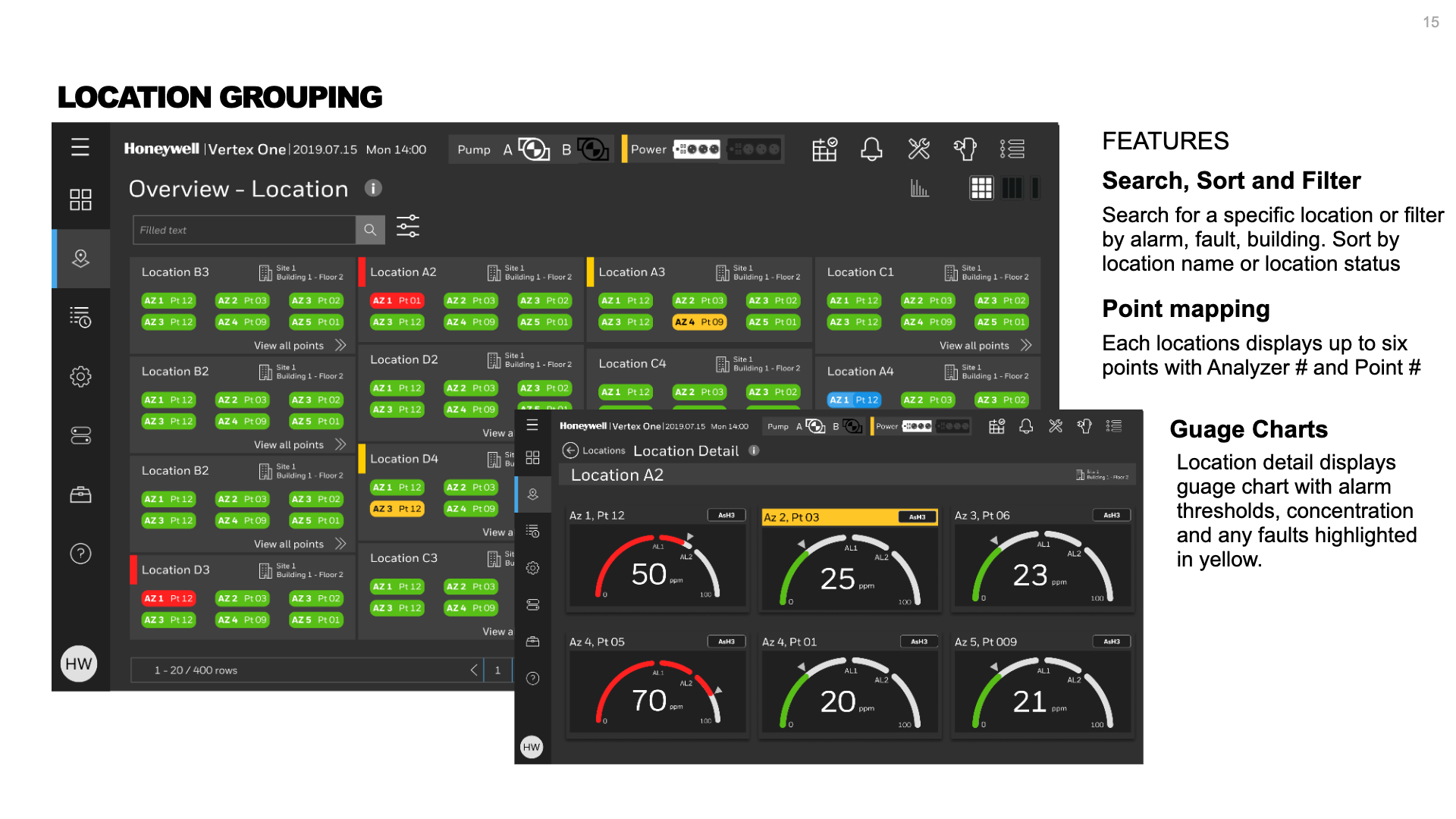
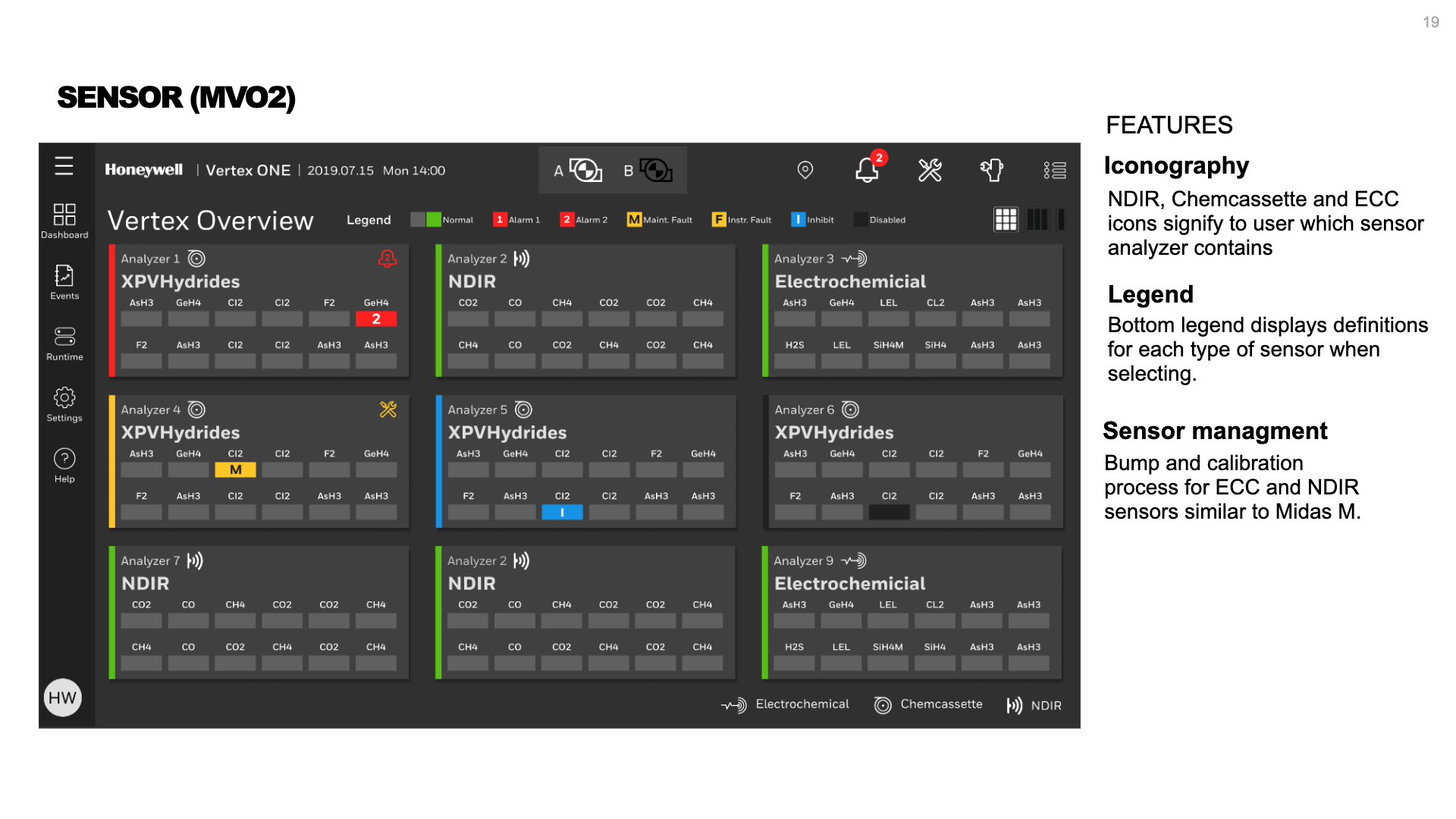
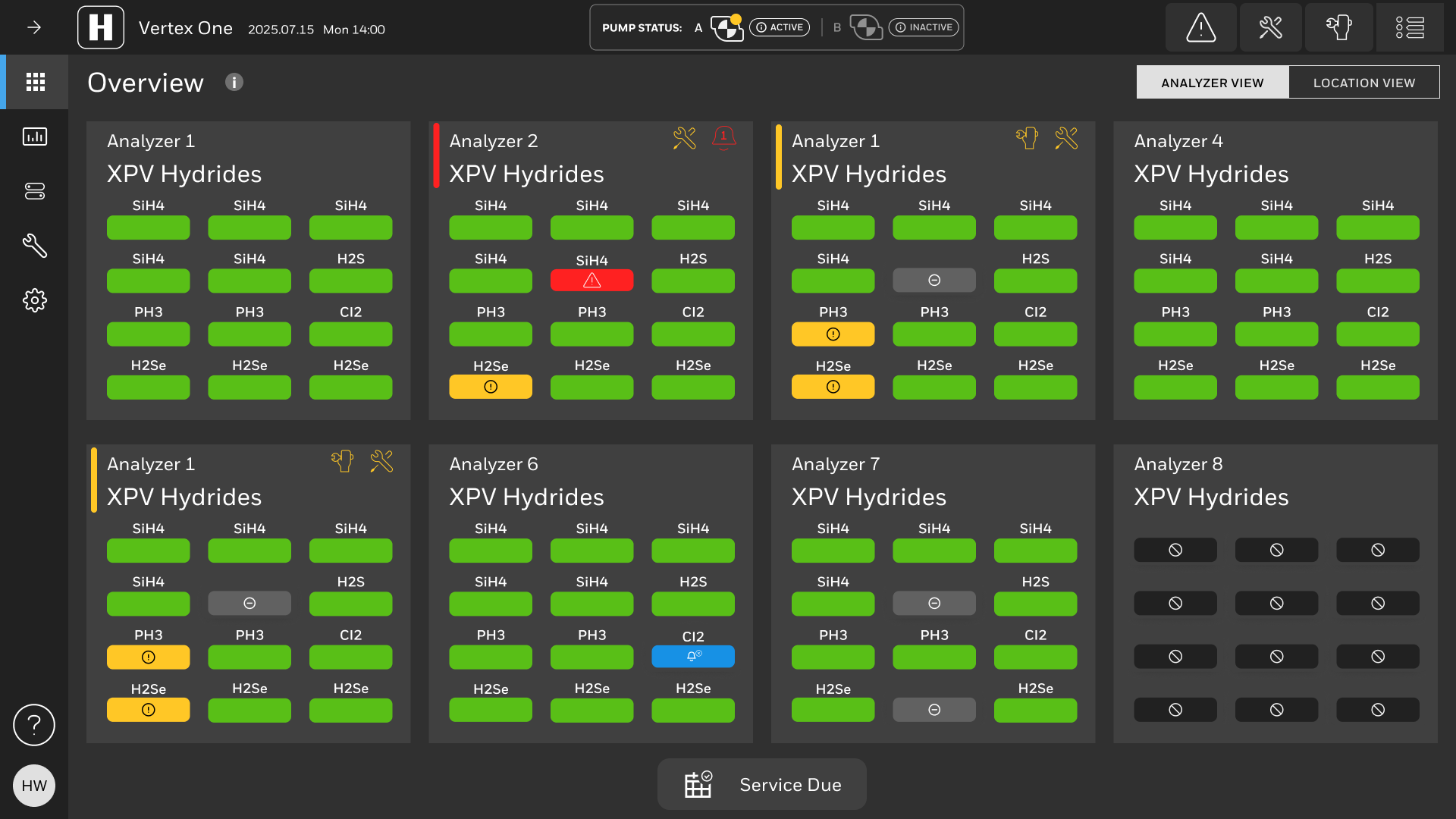
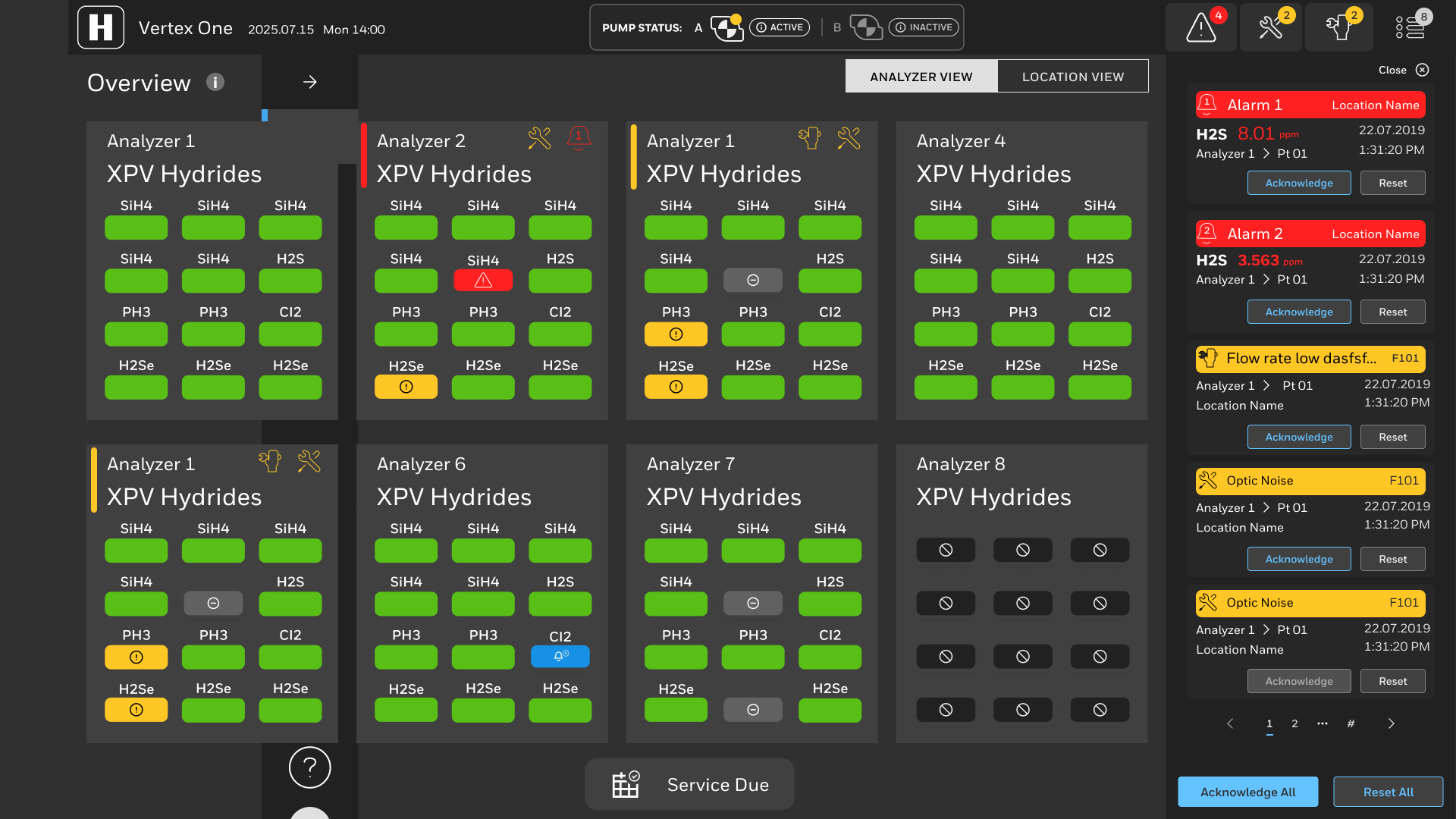
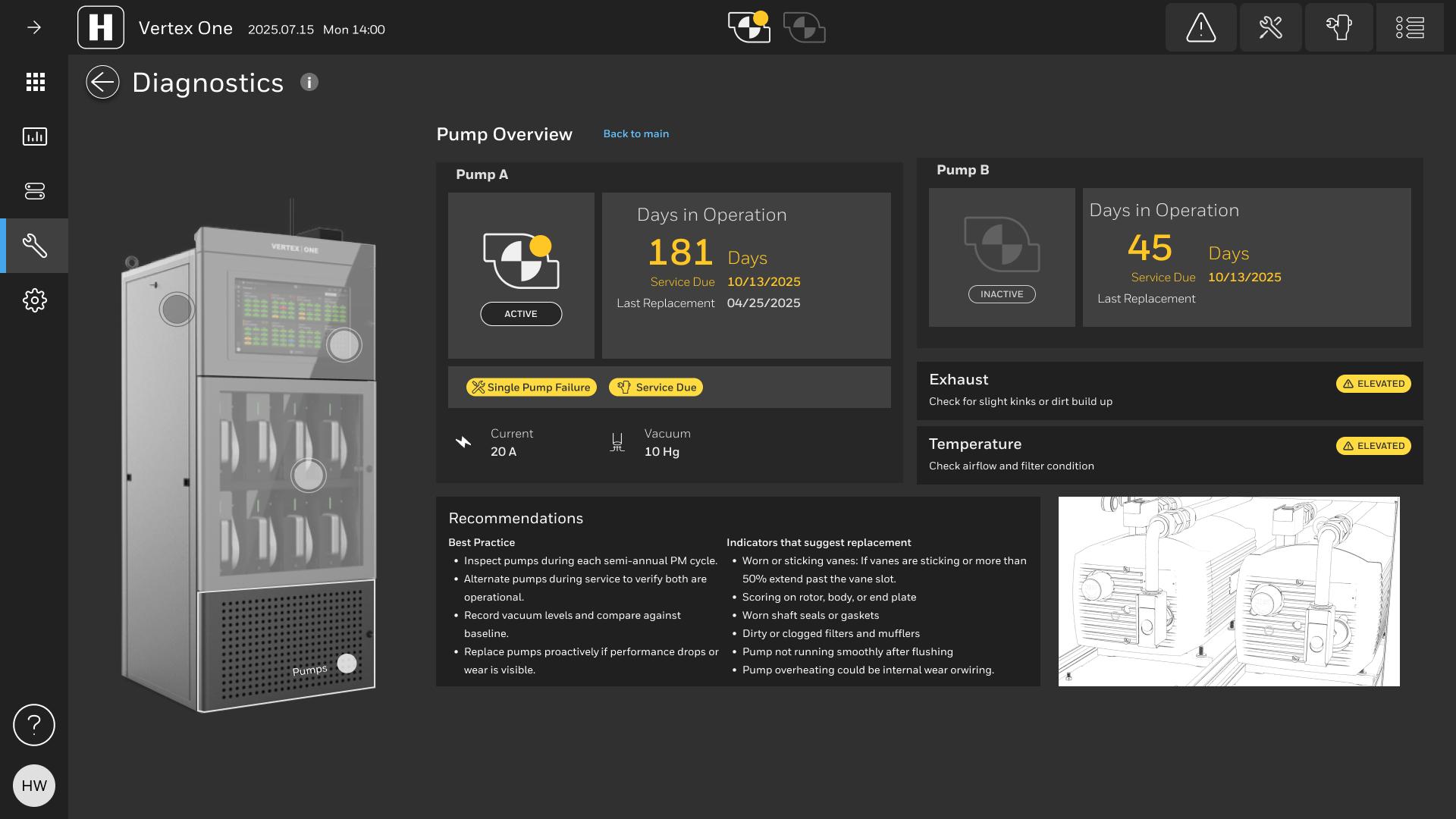
The new scan line mirrors the exterior indication of alarms and alerts. The icons within alarm and faults on each point is a special consideration for low vision and color blind users as red and green is a common challenge for color blind users. We made the pump status more easy to digest and more descriptive of faults since this is one of the differentiators the new Vertex. Location grouping was a submitted invention disclosure for this project as was another feature for disabling the automatic pump swap.
Concept: PLC touch configurator
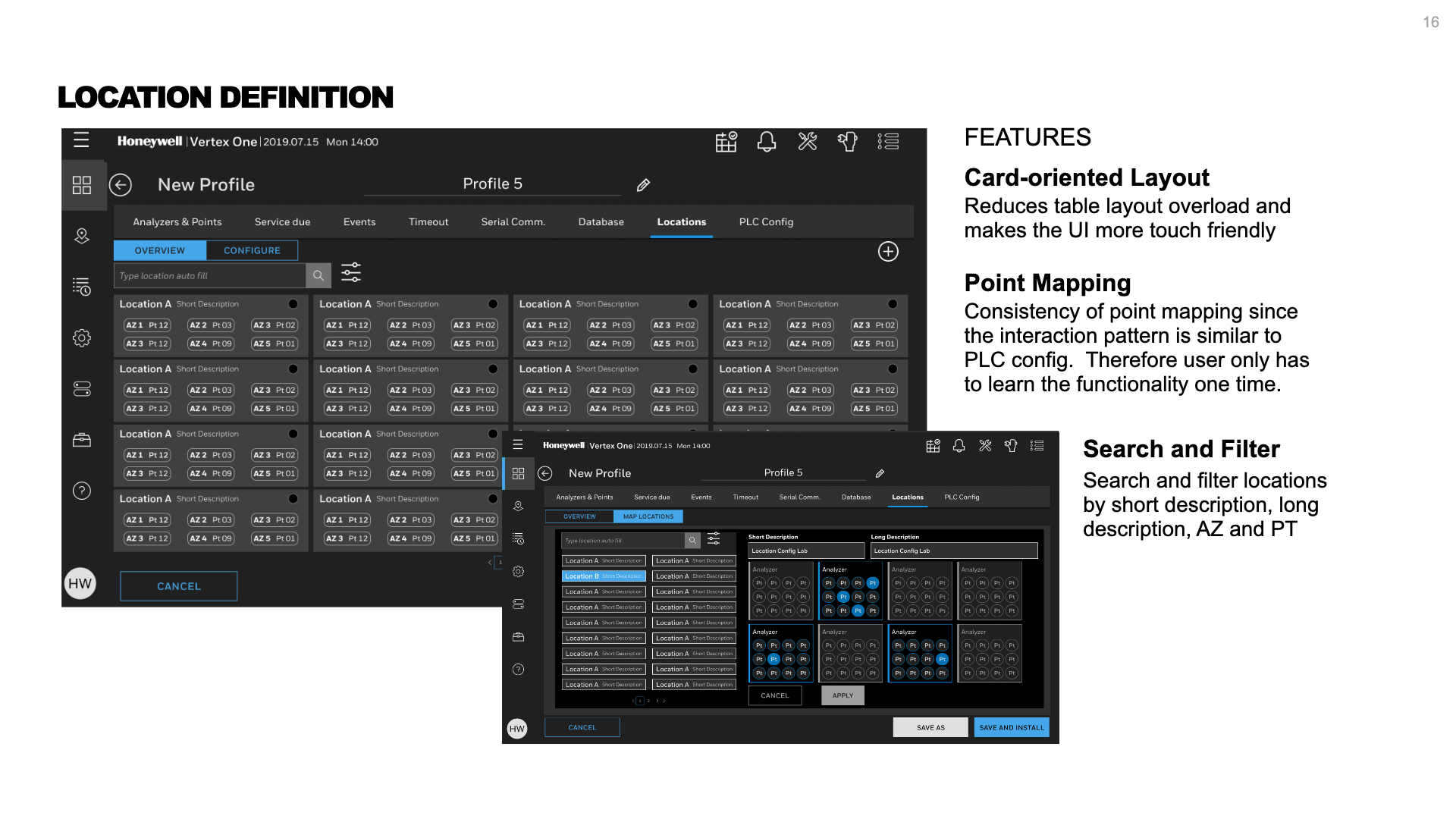
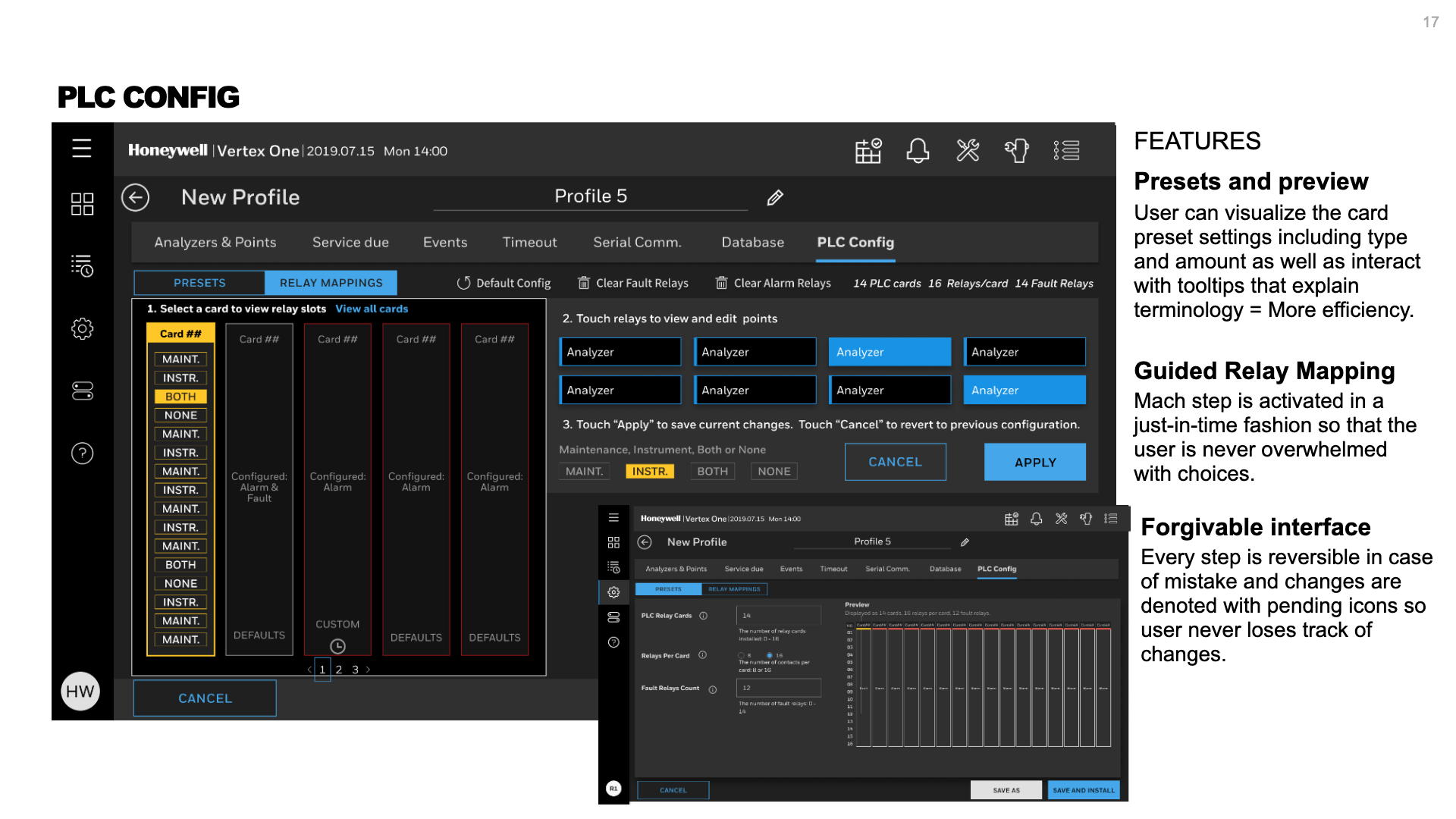
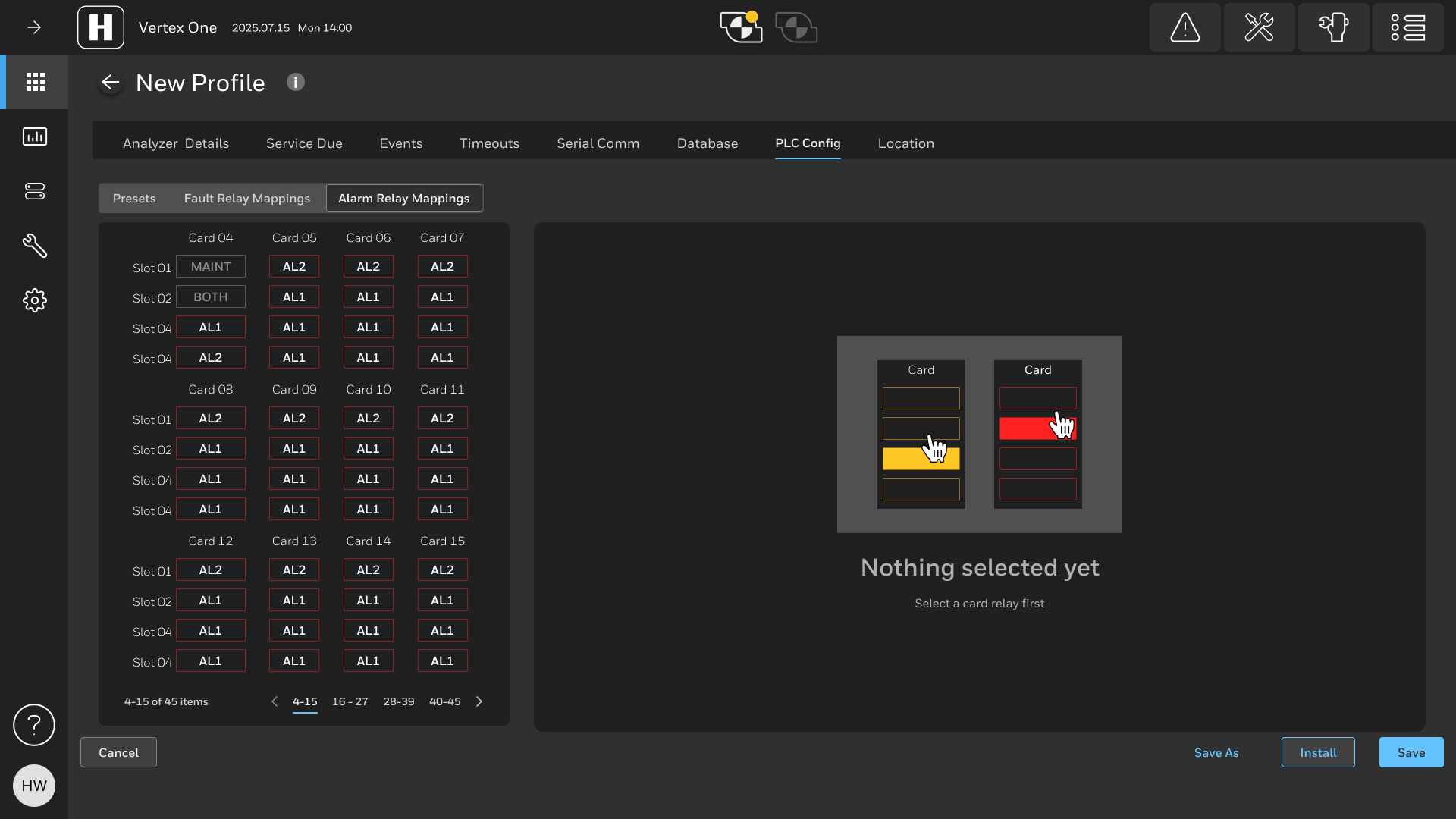
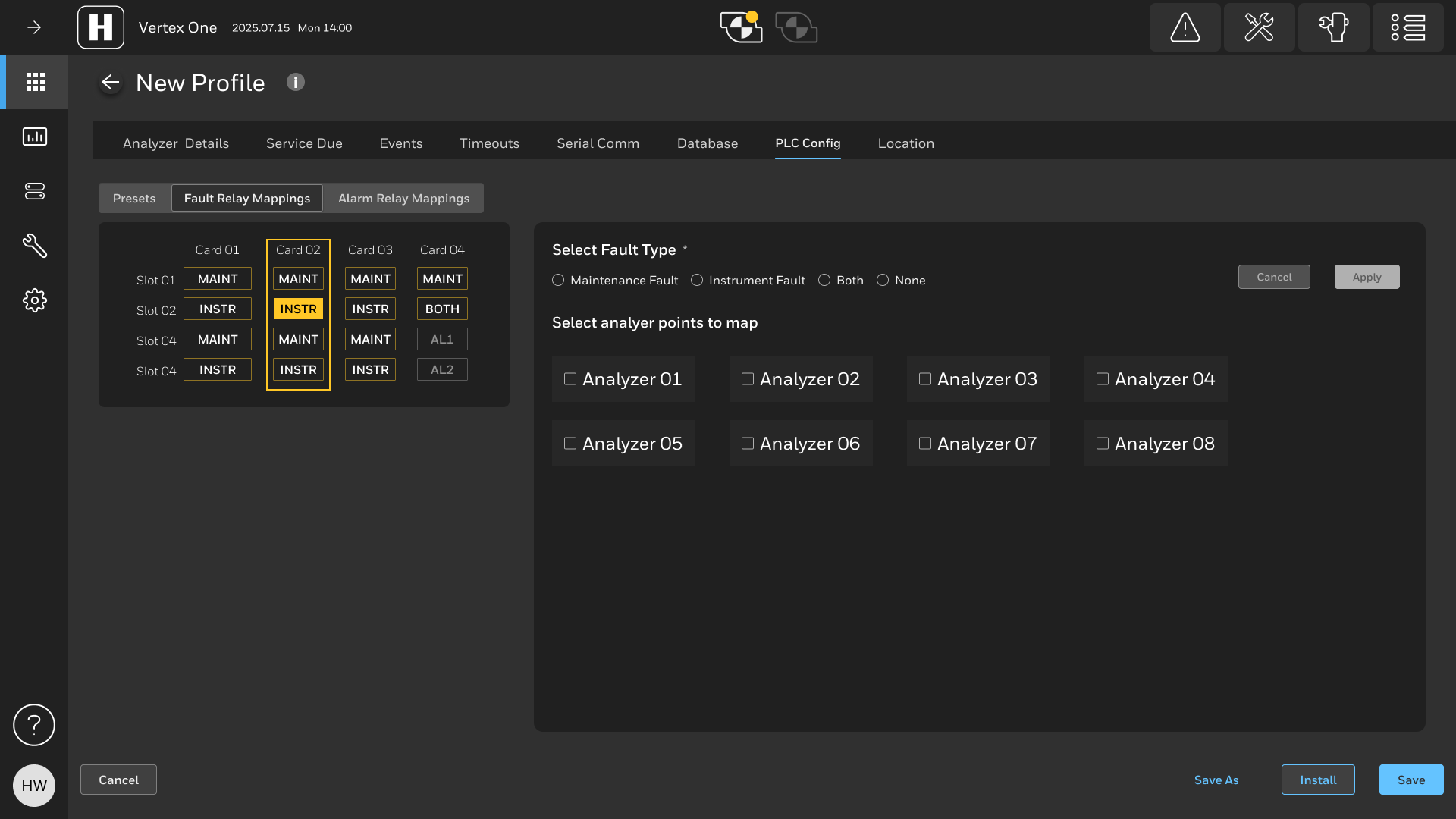
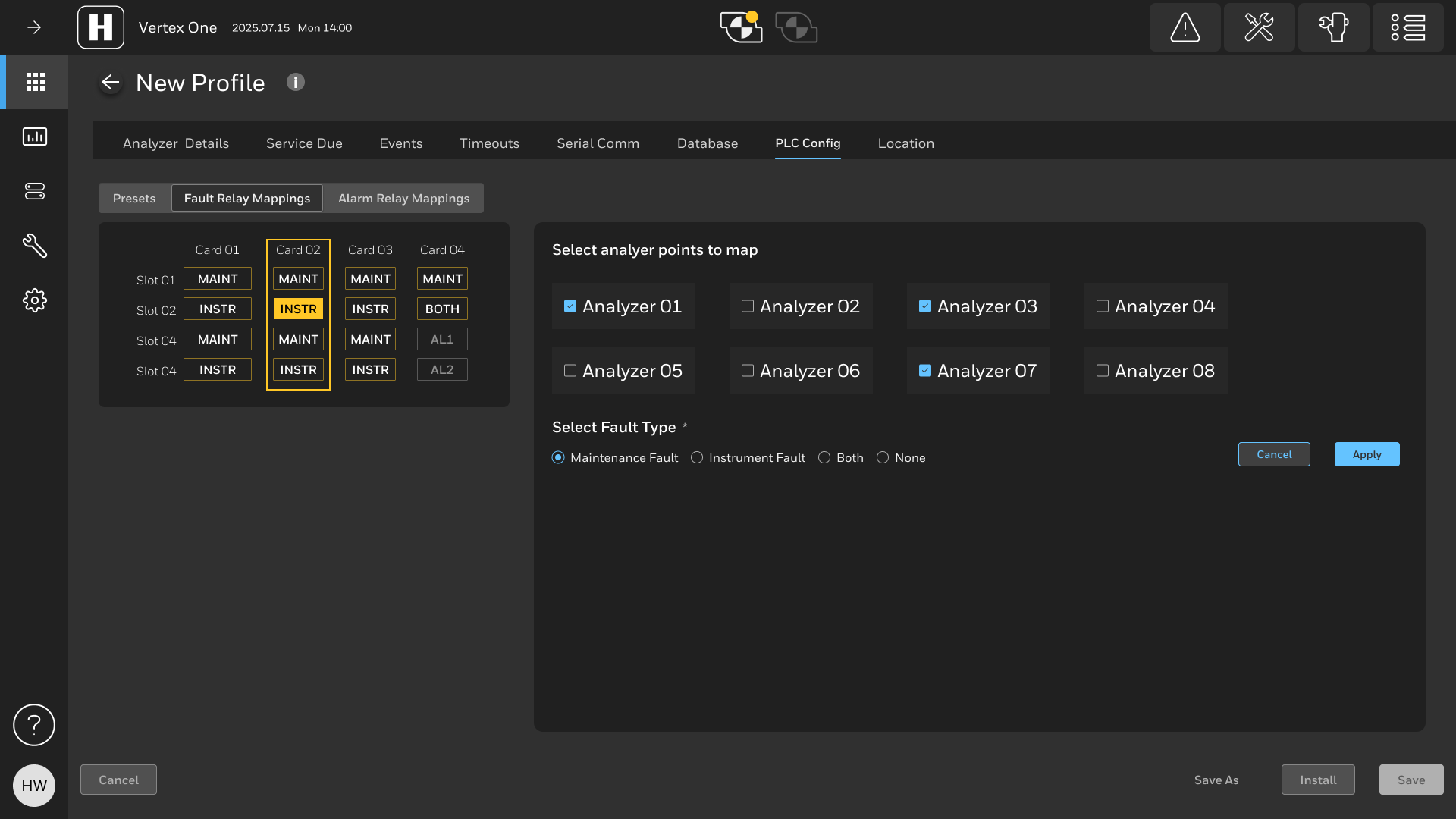
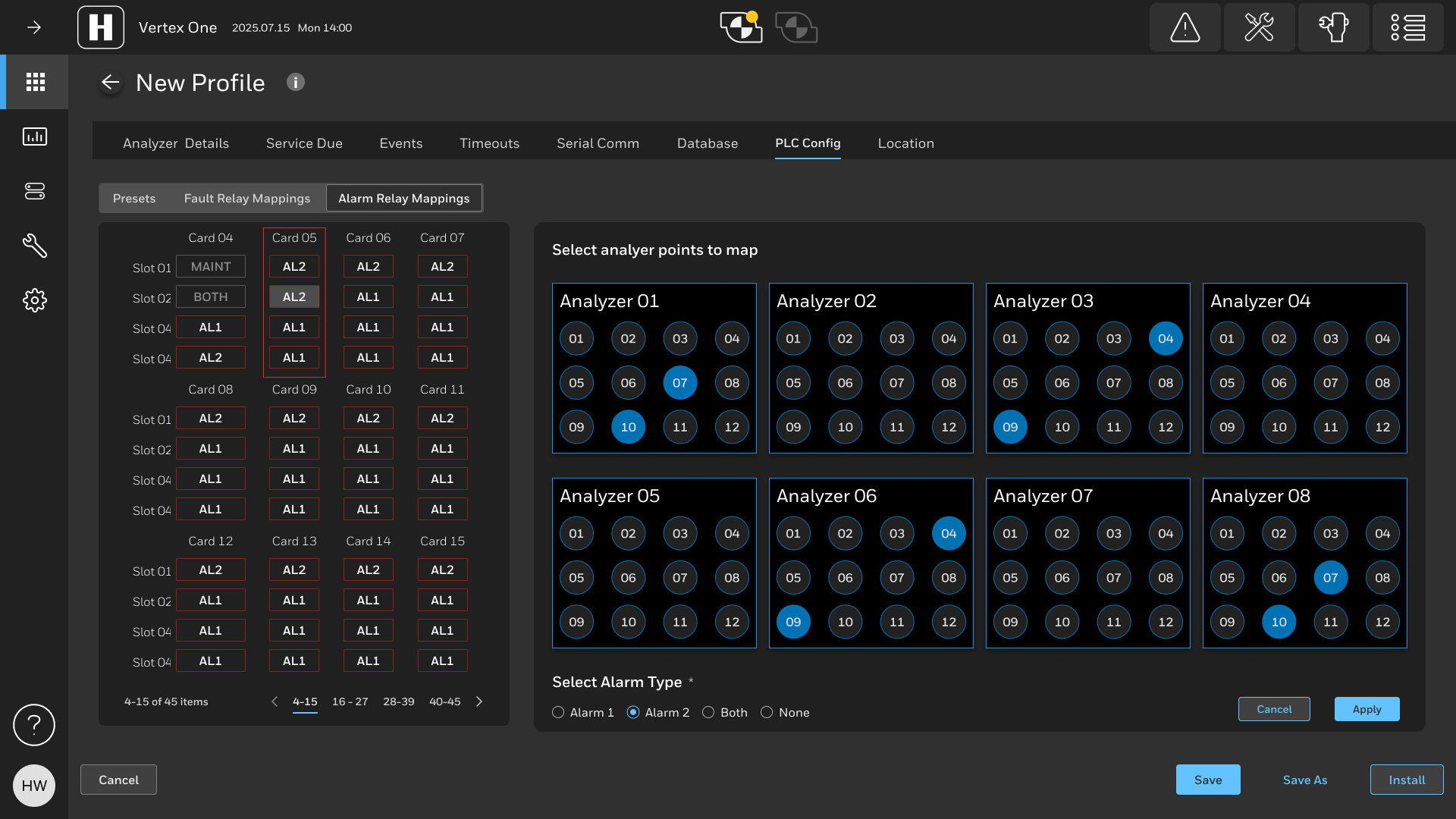
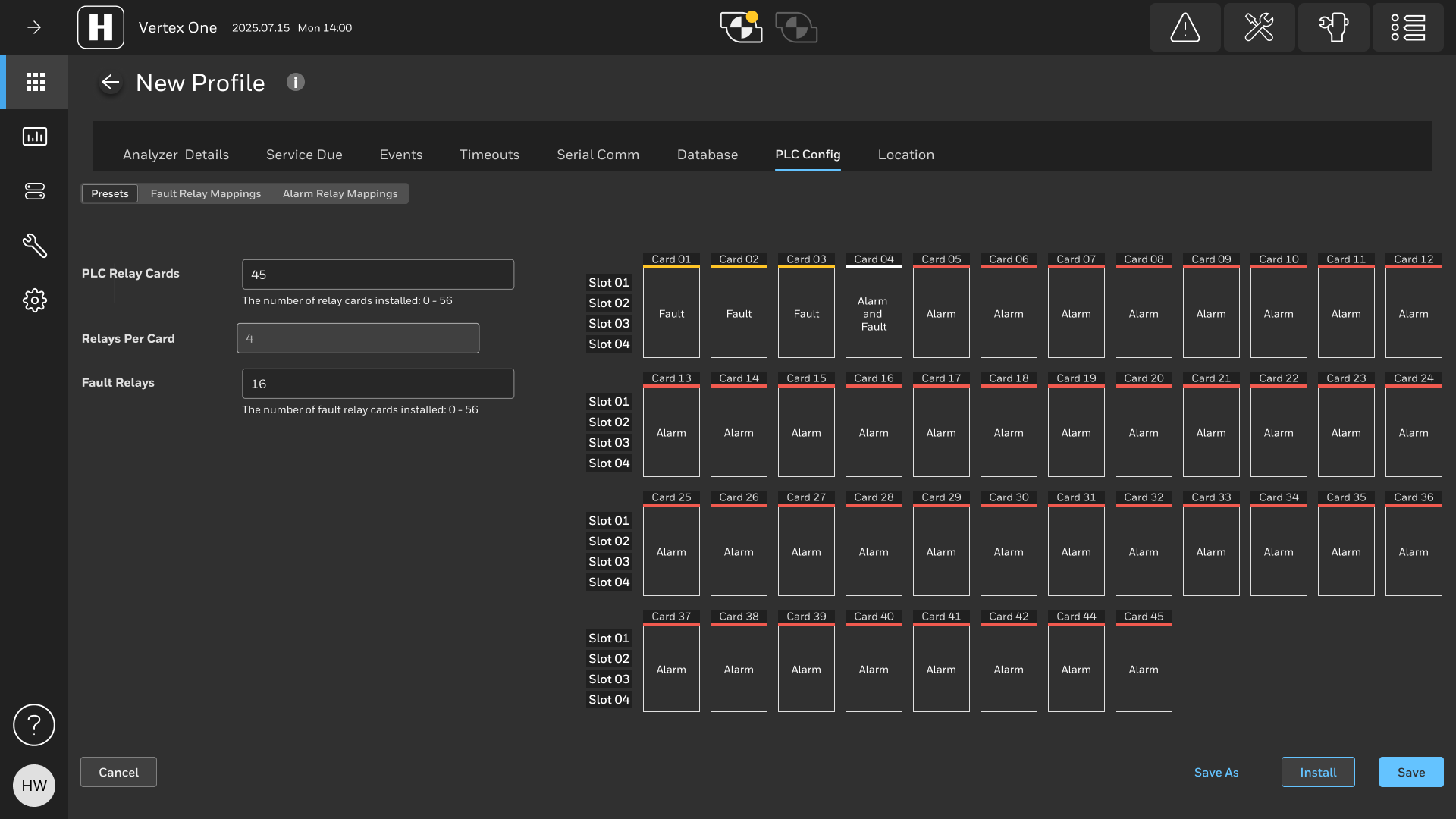
From the early tech support ticket analysis to field service technicians and actual customers we heard that configuring the PLC was too cumbersome. So this was fixed with the one-of-a-kind PLC touch configurator. It was almost a gamification of a mundane and complex task. The idea came from selecting seats in a stadium when purchasing a ticket and mapping that to the number of people attending. What options do they want with for their seats and who should be notified.
Concept: Analytics and Event History
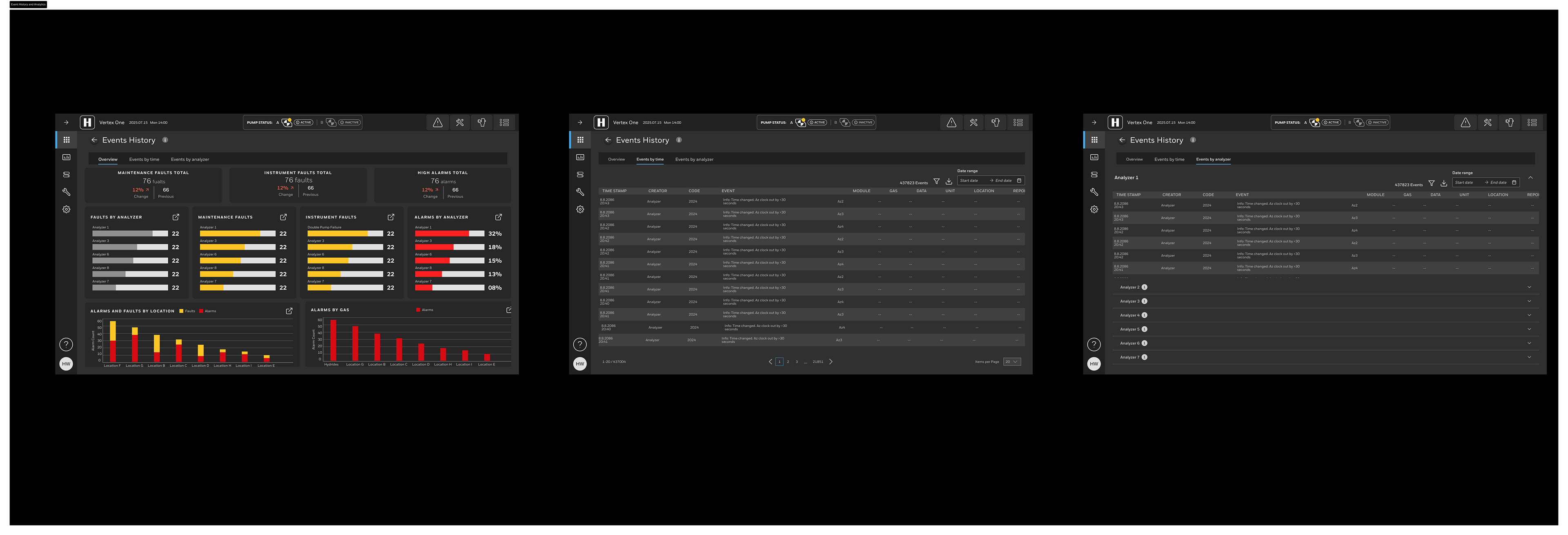
We also heard that field service technicians wanted more insights into faults and alarms on the Vertex. So we provided easy to digest visulizations that also helped with the quarterly reporting process for customers. The resulting savings could amount to $1M+ annually and increase revenue for Honeywell in the high tech space.
Concept: Training and Guided Maintenance
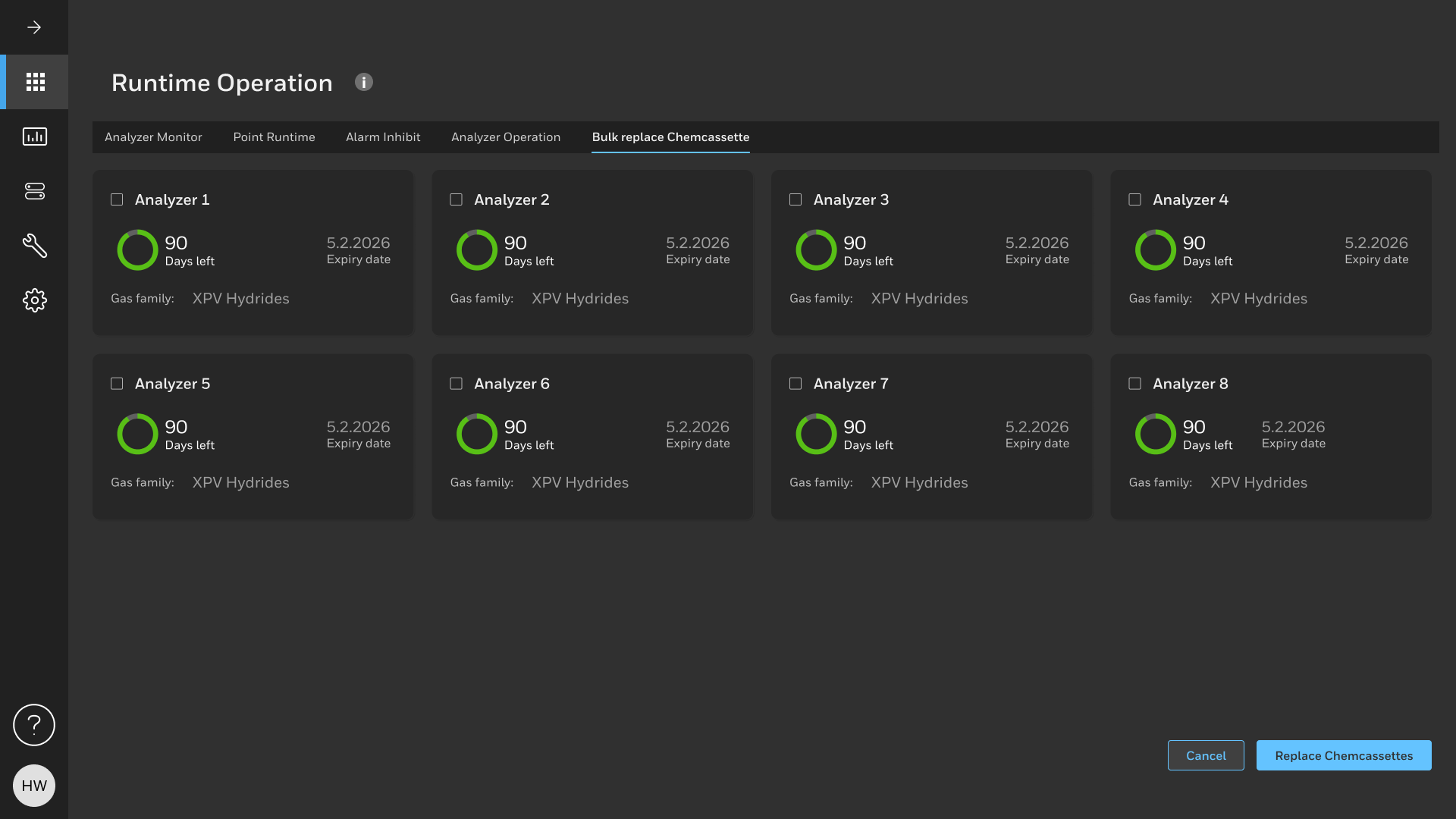
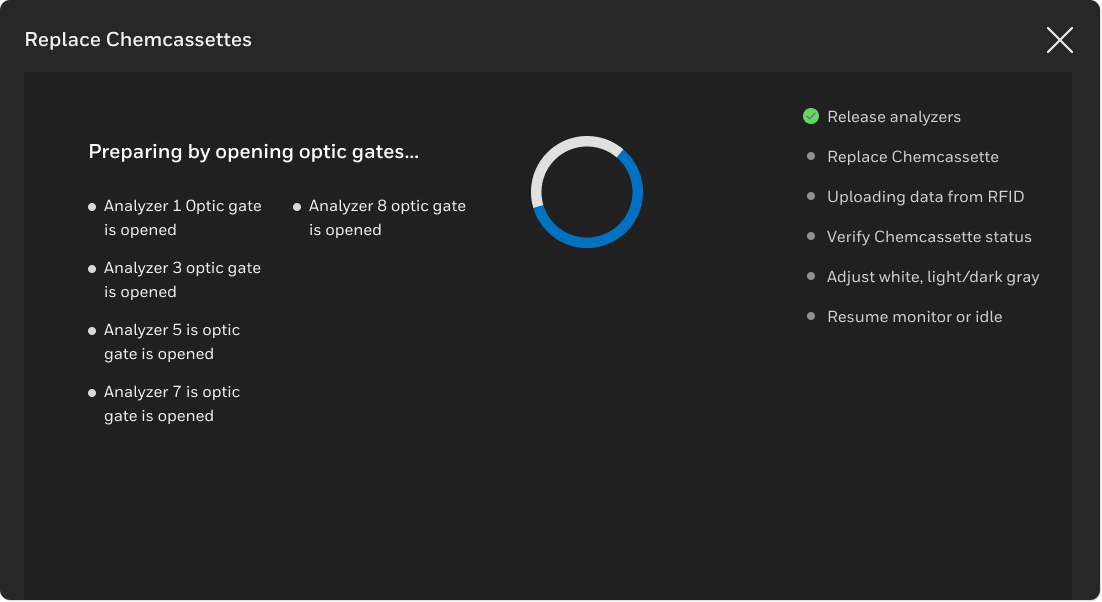
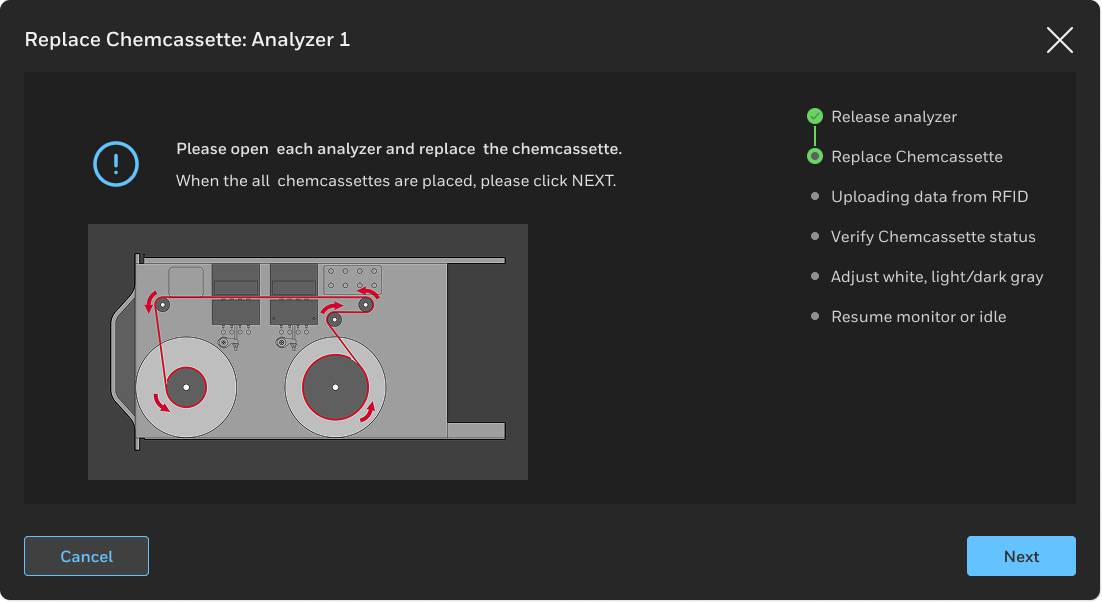
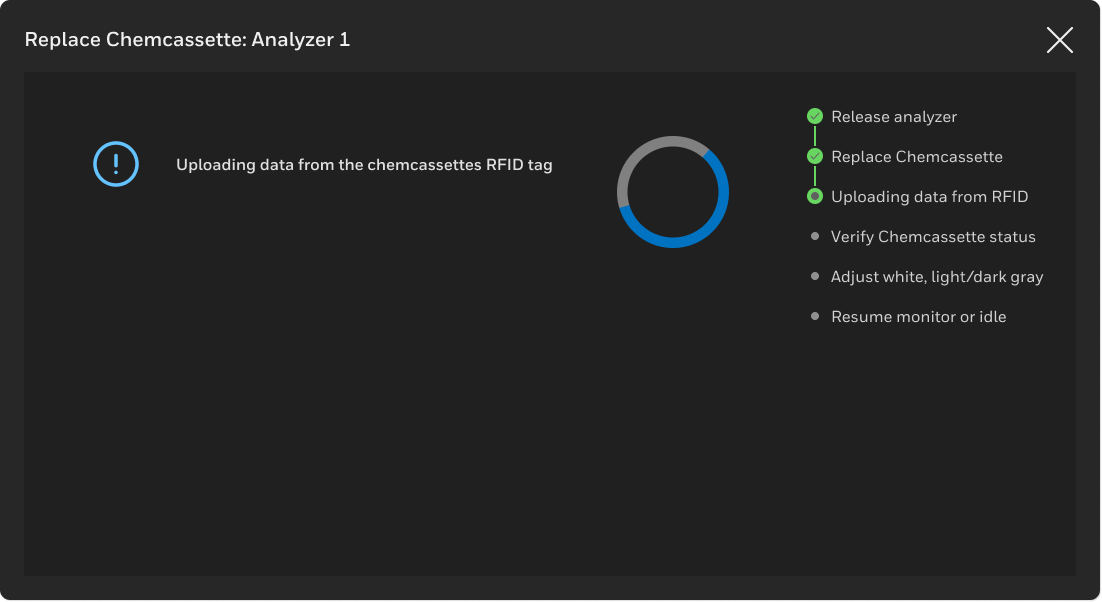
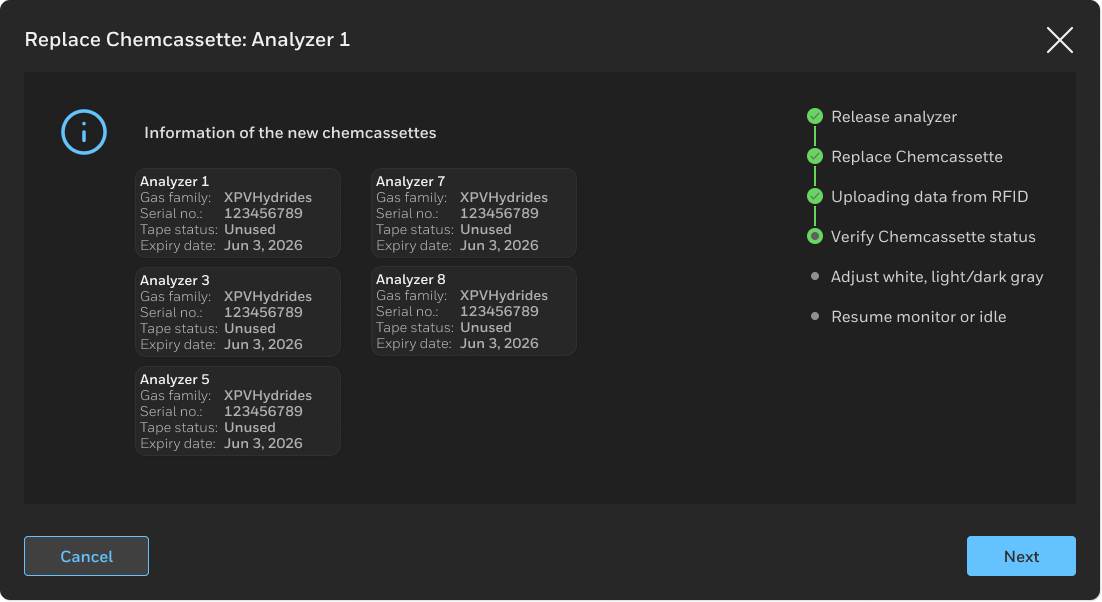
We heard repetitively that documentation was lacking and that training was needed. We solved this by explicity detailing the steps of complex tasks like replacing Chemcassettes while providing instant and descriptive feedback for any errors. The user can go forward, skip or go back on any step so there is the ability to recover from errors.
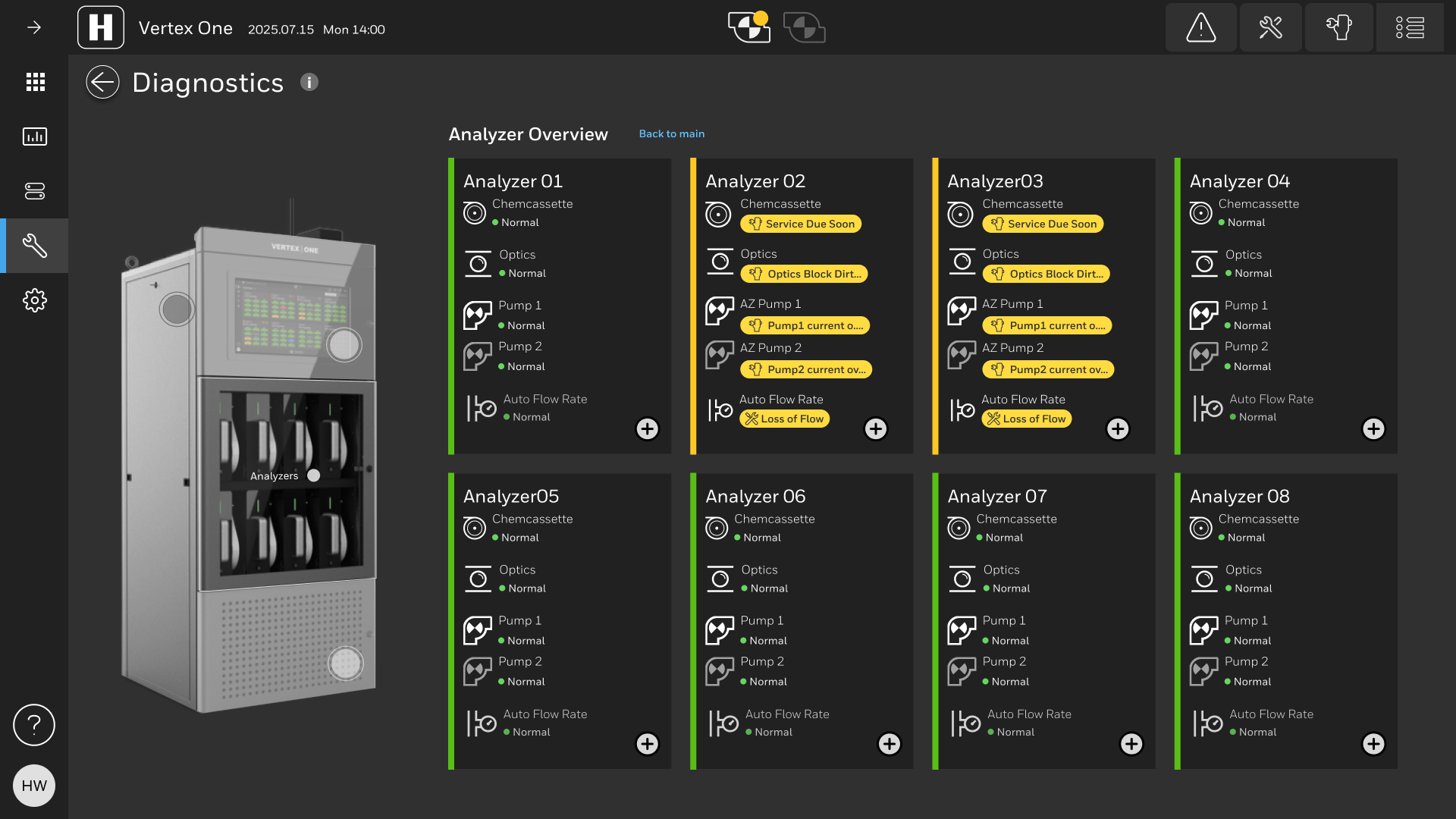
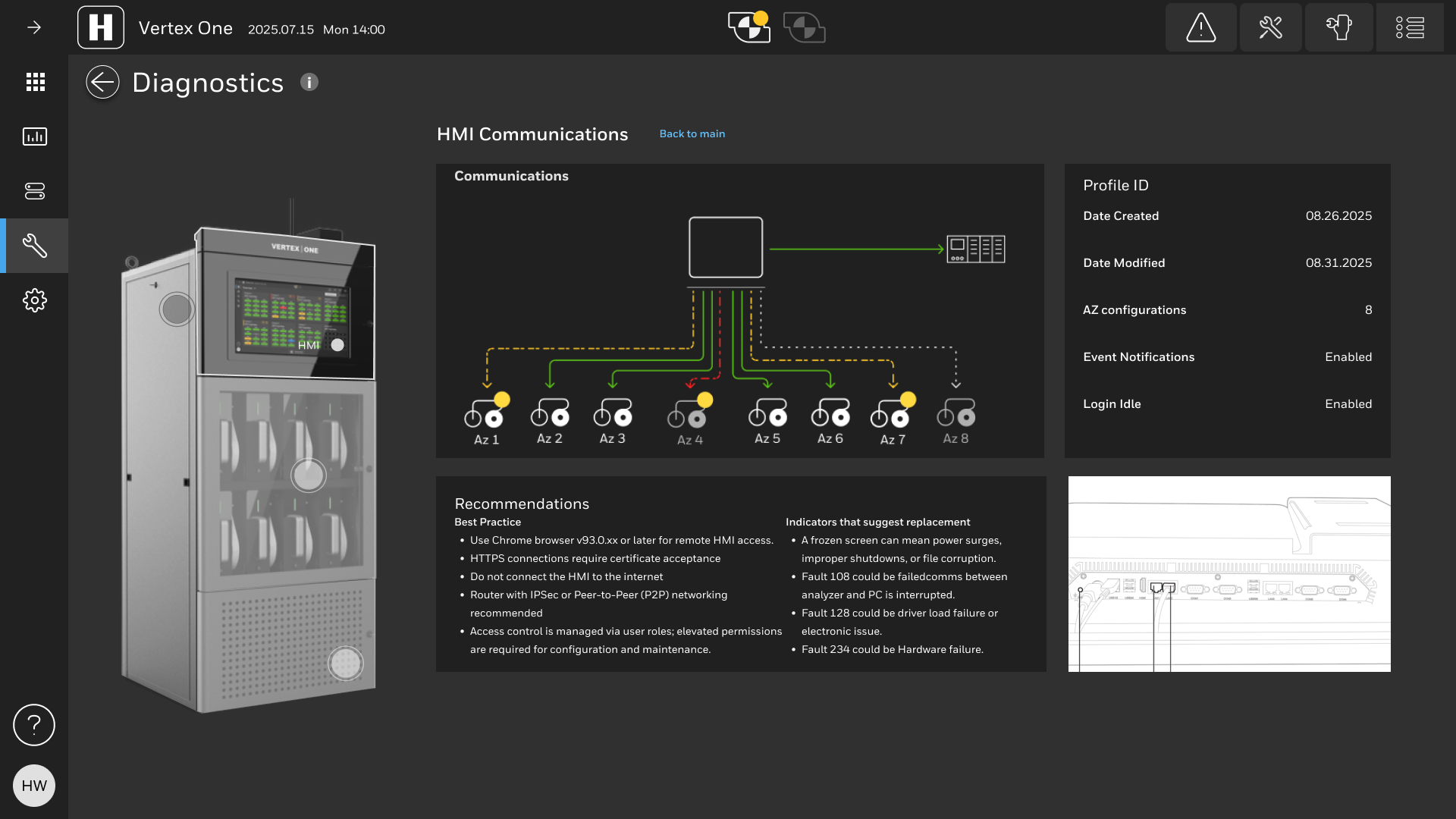
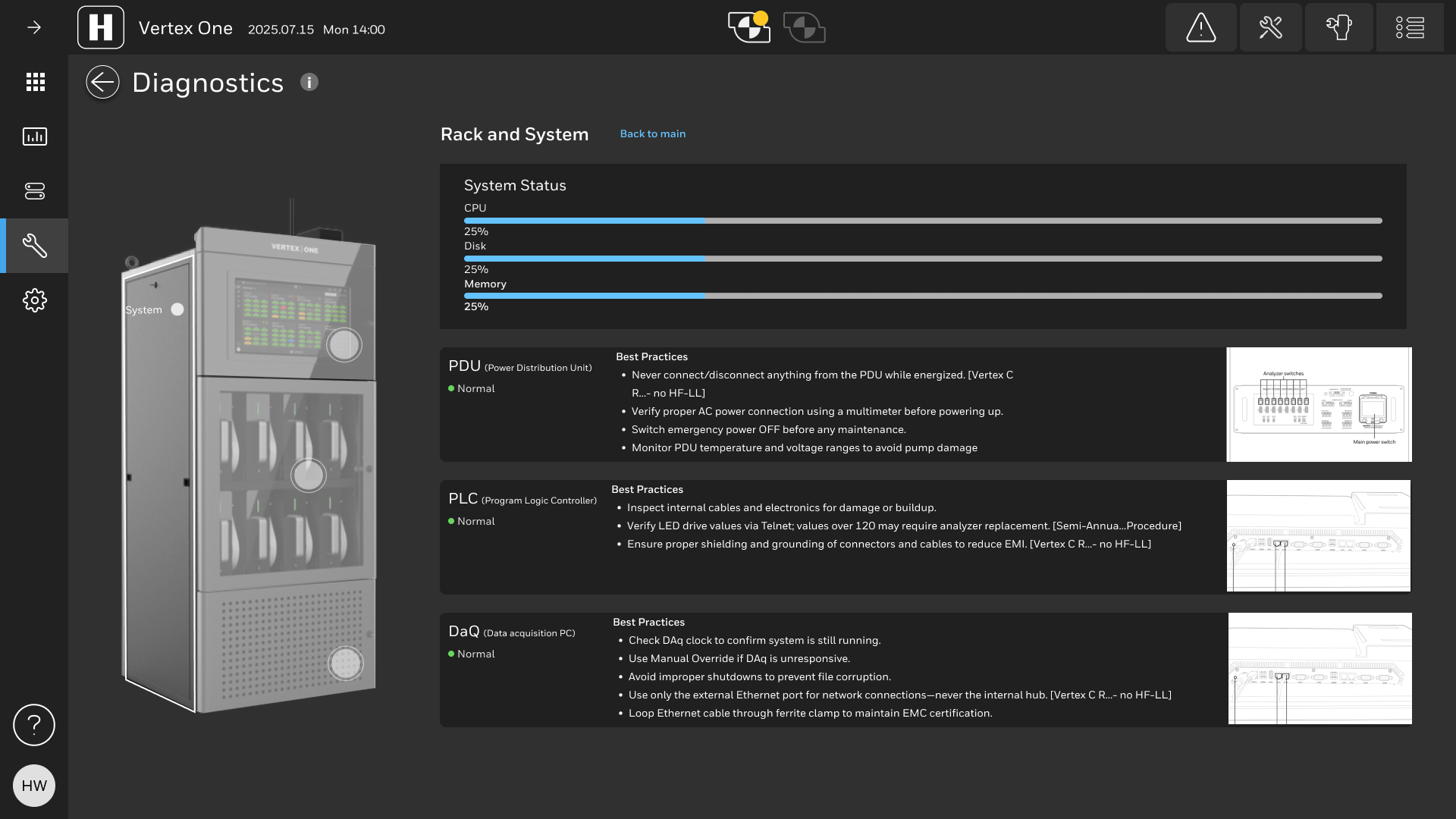
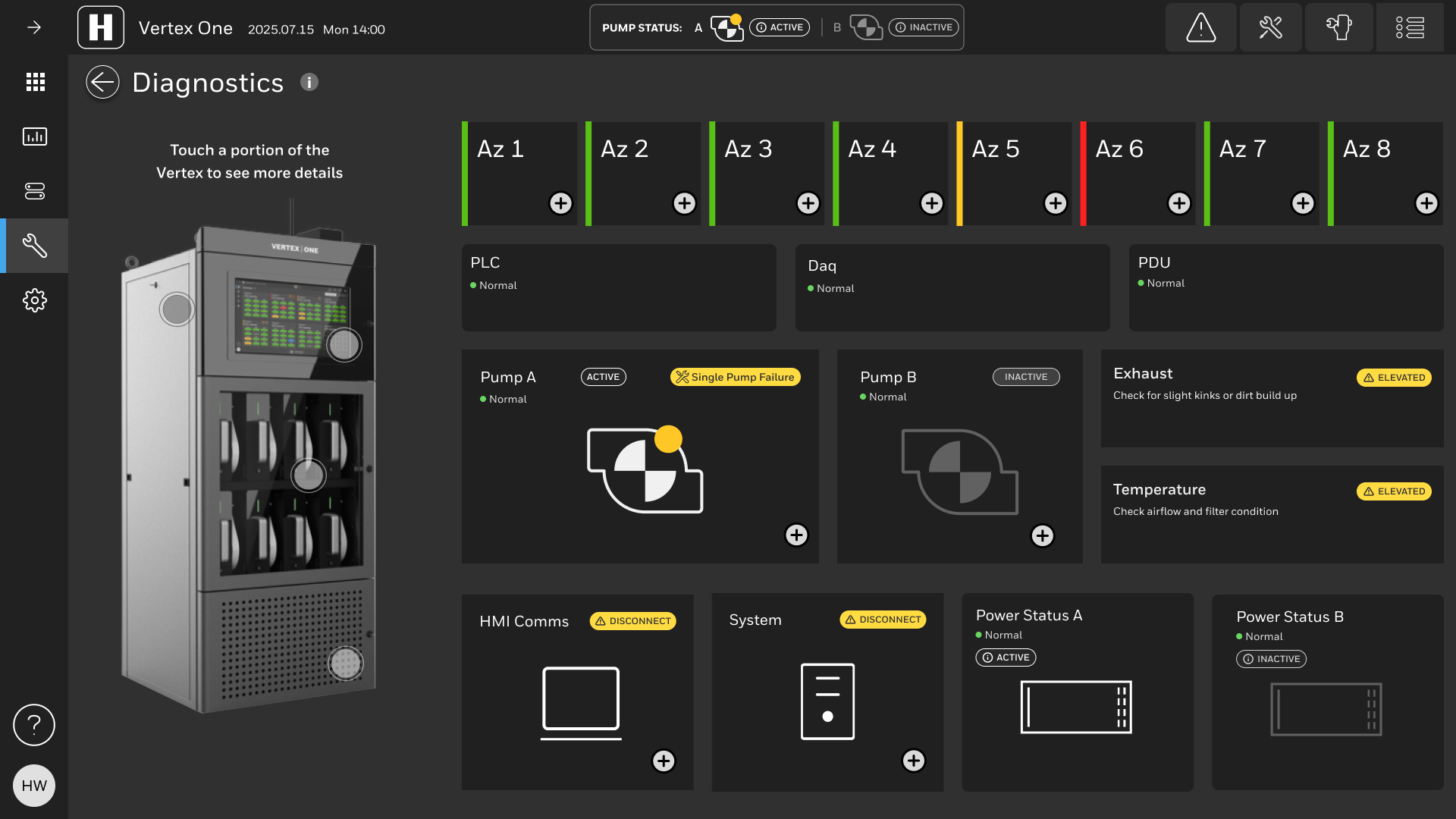
Concept: Diagnostics and Recommendations
Ideas circulated around specific recommendations with the rise of artificial intelligence. Internal stakeholders loved this feature including FSEs with many years of experience. The recommendations synthesized form various data sources could be a game changer for Honeywell and allow technicians to spend more time with the customer and less time figuring out how to troubleshoot edge case issues. The digital twin aspect of the diagnostics section received applause from sales, marketing and technicians.
"With the analytics and diagnostics ... This is something we can sell" - Honeywell High Tech President
High Fidelity Prototype
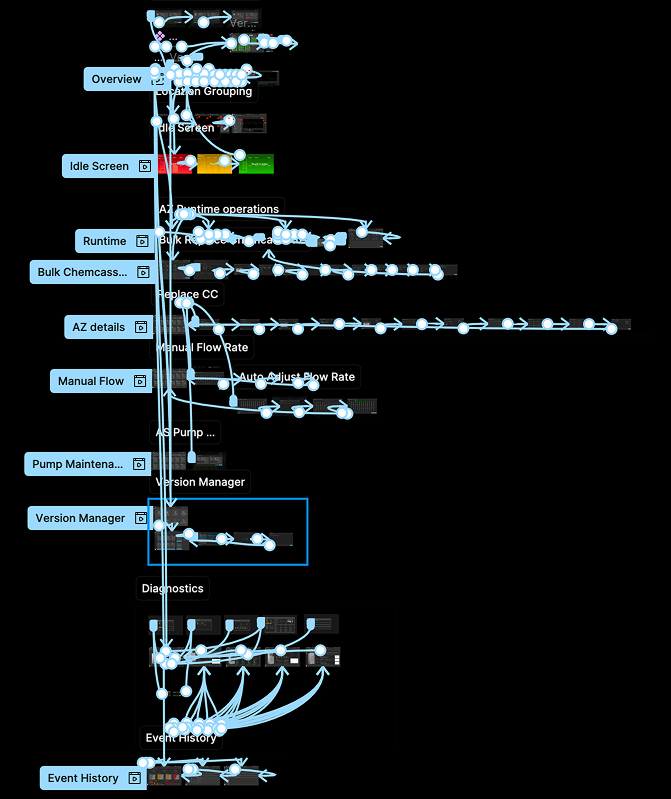
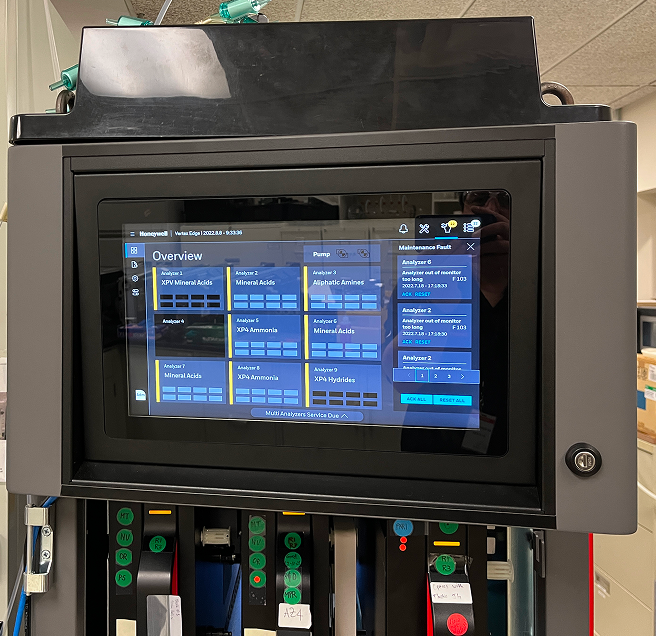
The prototype helped to test the final screens with users and internal stakeholders alike. Every screen was linked up to the prototype and we were able to hook it into a tablet that mimicked the actual Vertex machine.
Dev Hand-off: Versioning, Branching and Annotating
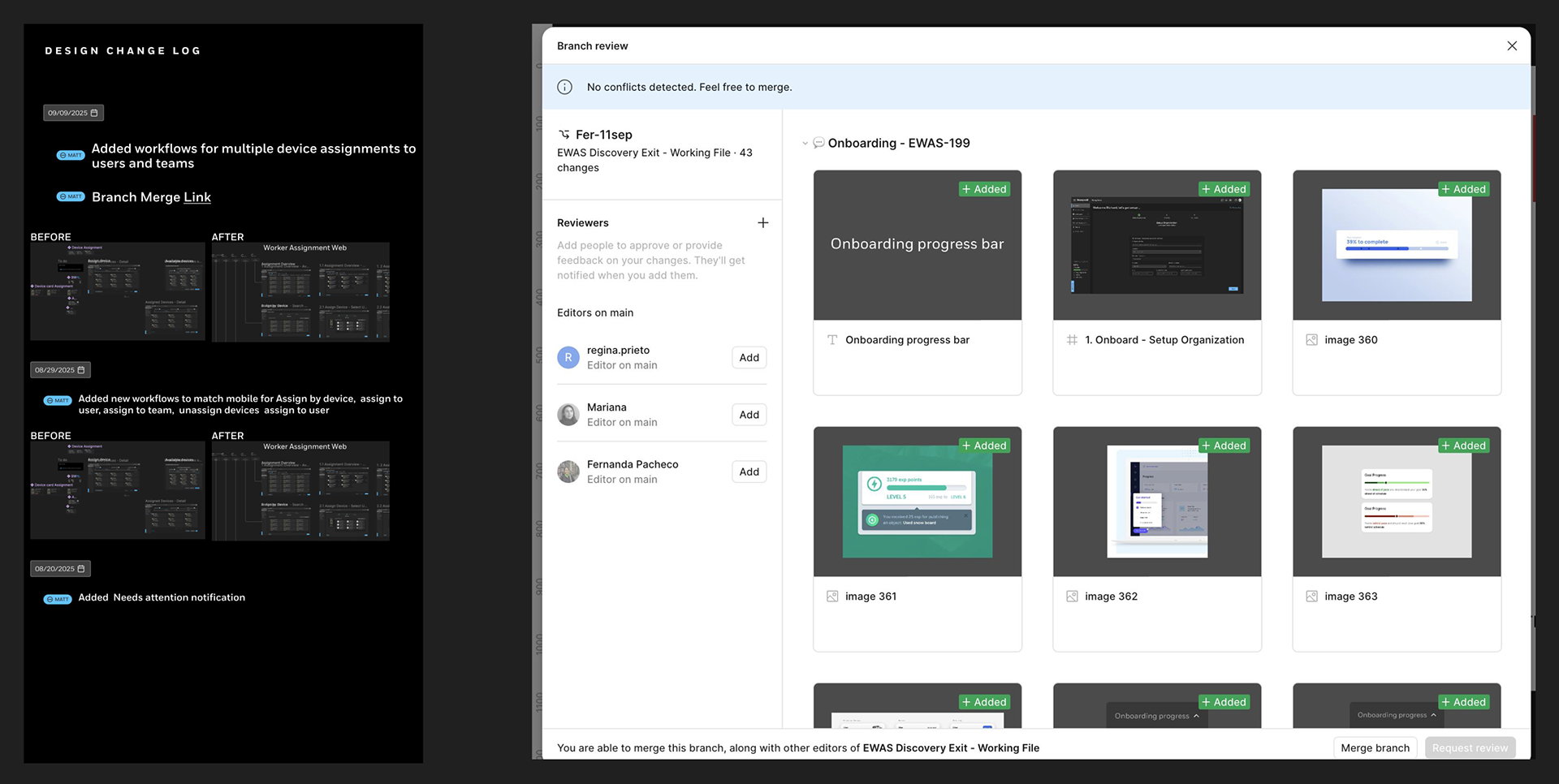
During the dev handoff process it's critical to keep designs updated when there will inevitable be minor tweaks. This is why I implemented a versioning system that included branch and merge functionality similar to GitHub. This native-Figma functionality allowed designers and developers to stay in sync and schedule updates after release in subsequent sprints. Annotating designs is another critical and often overlooked part of the design process. Annotations reduce the amount of back and forth between developers and stakeholders alike.
Outcomes
The design actions for Vertex One led to an HMI solution recognized for its quality, successfully transforming a fragmented system into a cohesive, mission-critical interface, positioning it as a significant competitive advantage for Honeywell:
• Mission Assurance/Safety: The design directly enhanced safety by introducing features like Pump Inhibit Mode and Auto-Logout Idle Screens to prevent unintended faults or unsafe operations during maintenance activities, emphasizing safety over convenience.
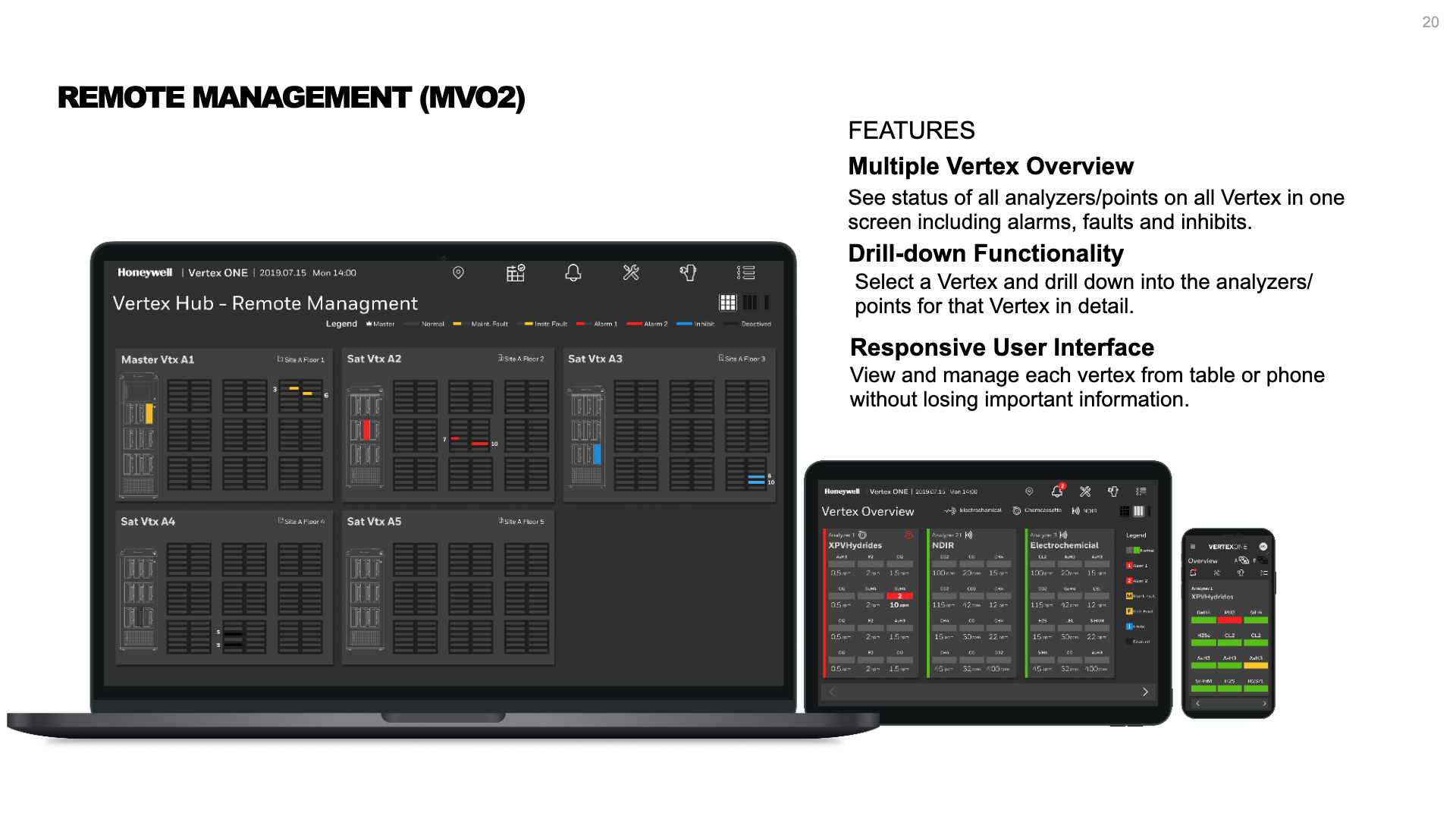
• Efficiency & Usability: The intuitive UI, combined with enhanced diagnostics and remote management concepts (Vertex Hub), significantly reduced the physical strain on technicians (less walking to machines) and streamlined labor-intensive service tasks.
• Design Governance: The specialized design system for the Vertex touchscreen interface utilized reusable components and placeholders. This allowed the design team to establish consistency with Honeywell's larger enterprise design standards as well as accomodate flexible and scalable upgrades.
Successful products and upgrades don't happen overnight There will always be feedback that designers didn't consider or hear about until after the release. There will be more ways to increase revenue after each successful release as customers see tremendous value in premium features. That's the idea behind the new Vertex –scalability with future releases incorporating premium features that integrate with even larger systems, and that include AI-based features to automate maintenance.
Presentations